
time zone pop up
i had a pop up on my phone saying that the time zone was going to change & i had put yes & it shut off my phone. when it turned back on the time didnt change & its getting me paranoid.
i had a pop up on my phone saying that the time zone was going to change & i had put yes & it shut off my phone. when it turned back on the time didnt change & its getting me paranoid.
May be you have still not reached the new Time Zone.
How to get updated time zone information for your Apple device
iPhone, iPad, iPod touch, Apple Watch, Apple TV, and Mac periodically get updated time zone information. You can also check manually.
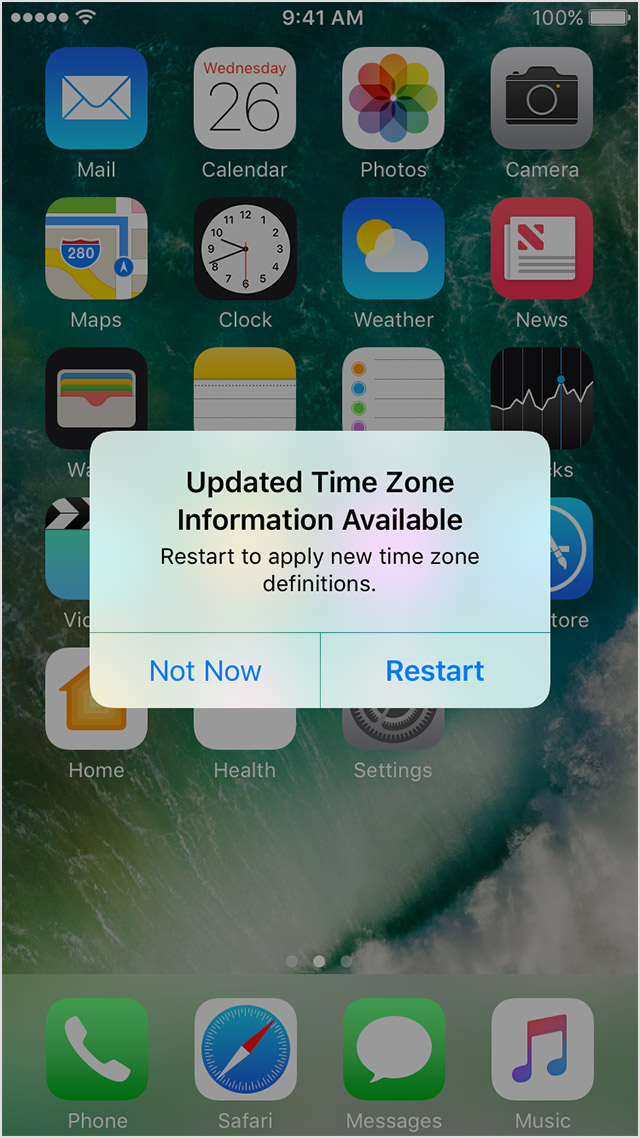
If a country, region, or government announces a time-related change, such as a change to a time zone or Daylight Saving Time:
To accept the new time zone definitions from Apple, choose Restart in the alert. Otherwise, your device gets the update the next time you restart it.

How to check for time zone updates
If you didn't get the time zone alert, you can still check for time zone updates manually.
On your iPhone, iPad, iPod touch, or Apple Watch
These steps require iOS 10 or later and watchOS 3 or later. If that excludes your device, you can set the time zone manually.
How to set the time zone manually
 to unlock these settings before you can make changes.
The option to turn on automatic date and time updates might not be available with all wireless carriers or in all countries or regions.
time zone pop up
