Error -2103F

I wanted to install MacOS via recovery mode and I could not find the disk to install MacOS after that i turned off the computer and restarted it ( command + R ) after that i found error

apple.com/support -2103F

MacBook Pro Retina

Posted on May 6, 2020 3:46 PM

Reply
Question marked as Top-ranking reply

Posted on May 7, 2020 11:06 AM

Hello mounji,


After reviewing your post, it sounds like the computer does not recognize the disk, and you get an error when trying to startup from Internet Recovery.


"If startup from Internet Recovery is unsuccessful, you see a globe with an alert symbol (exclamation point):
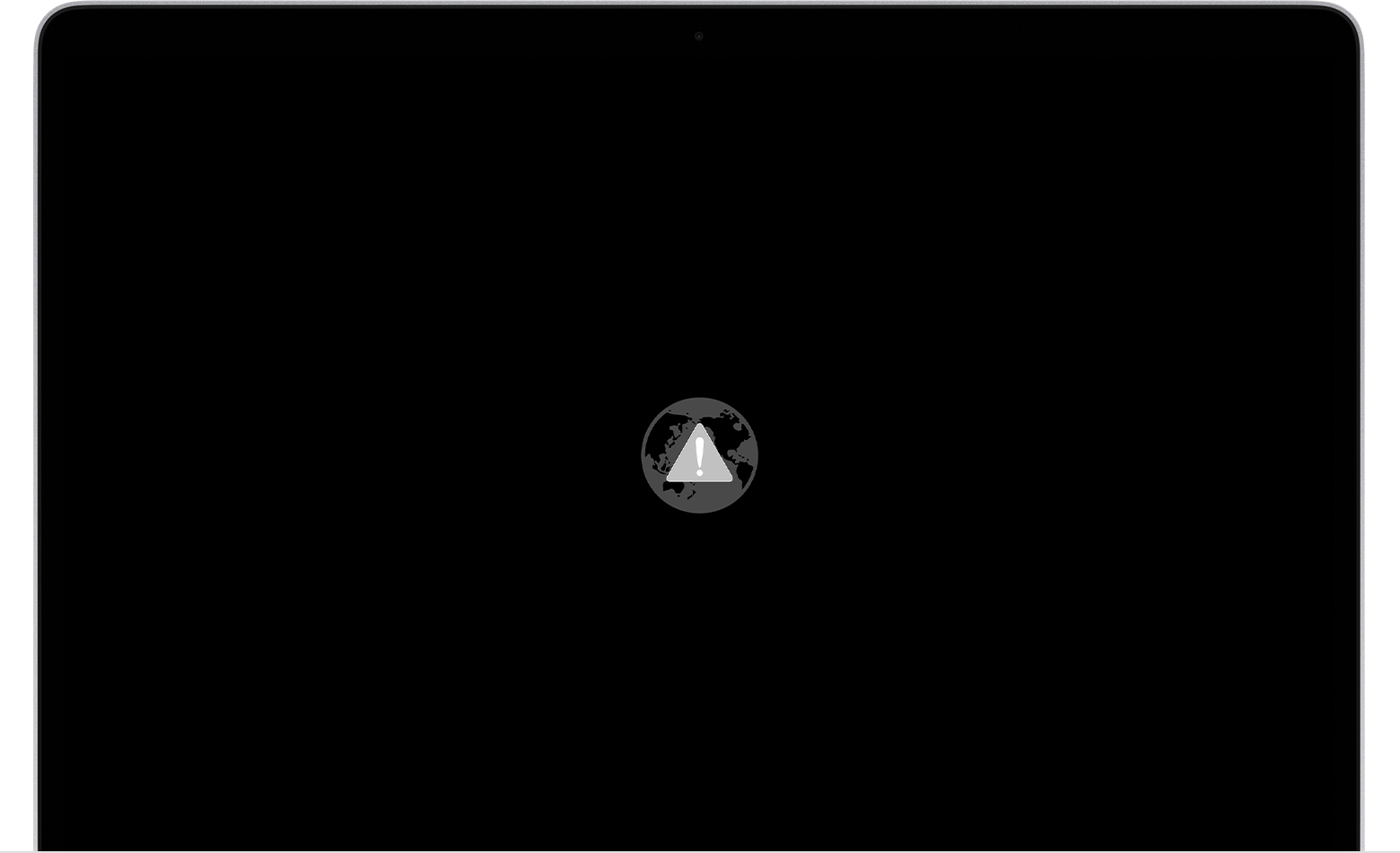
In that case, try these solutions:

  • Make sure that your Mac can connect to the Internet. If you're not prompted to choose a Wi-Fi network during startup, move your pointer to the top of the screen, then choose a network from the Wi-Fi menu , if available.
  • Press Command-R at startup to try using the built-in Recovery system instead of Internet Recovery.
  • Connect to the Internet using Ethernet instead of Wi-Fi, or vice versa.
  • Connect to the Internet from a different Wi-Fi or Ethernet network. Your network configuration might not allow the Internet access that macOS Recovery needs.
  • Try again later, because the issue might be temporary.
  • Start up from another disk or volume, if available, or use a bootable installer to reinstall macOS.

If you still need help, please contact Apple Support."


About macOS Recovery


Please don't hesitate to let us know if the steps resolved your issue or if you need additional assistance.


Thank you for using Apple Support Communities. Have a nice day.

1 reply
Question marked as Top-ranking reply

May 7, 2020 11:06 AM in response to mounji

Hello mounji,


After reviewing your post, it sounds like the computer does not recognize the disk, and you get an error when trying to startup from Internet Recovery.


"If startup from Internet Recovery is unsuccessful, you see a globe with an alert symbol (exclamation point):

In that case, try these solutions:

  • Make sure that your Mac can connect to the Internet. If you're not prompted to choose a Wi-Fi network during startup, move your pointer to the top of the screen, then choose a network from the Wi-Fi menu , if available.
  • Press Command-R at startup to try using the built-in Recovery system instead of Internet Recovery.
  • Connect to the Internet using Ethernet instead of Wi-Fi, or vice versa.
  • Connect to the Internet from a different Wi-Fi or Ethernet network. Your network configuration might not allow the Internet access that macOS Recovery needs.
  • Try again later, because the issue might be temporary.
  • Start up from another disk or volume, if available, or use a bootable installer to reinstall macOS.

If you still need help, please contact Apple Support."


About macOS Recovery


Please don't hesitate to let us know if the steps resolved your issue or if you need additional assistance.


Thank you for using Apple Support Communities. Have a nice day.

This thread has been closed by the system or the community team. You may vote for any posts you find helpful, or search the Community for additional answers.

Error -2103F

Welcome to Apple Support Community
A forum where Apple customers help each other with their products. Get started with your Apple Account.
