
how to create a play list on apple music

how to create a play list on apple music

Windows, Windows 6

Posted on May 31, 2020 11:36 AM

Reply
Question marked as Top-ranking reply

Posted on Jun 2, 2020 10:34 AM

Hi there, ijahhoh7!


Thanks for reaching out to the Apple Support Communities! That's a great question you have about how to create a playlist on Apple Music. Check out this article to Create and share Apple Music playlists. This article will give you the steps to take to create a playlist on Apple Music.


"Create a playlist

  1. In the Apple Music app, find a song. 
  2. Press and hold on the song. Or if you're on a computer, hover your pointer over the song and click the more button .
  3. From the menu that appears, choose "Add to a Playlist." 
  4. Tap or click "New Playlist."
  5. Give your playlist a name. And if you want, add a cover image and description. If you're on an iPhone, iPad, iPod touch, or Android device, tap Done.
  6. Browse or search for another song, then press and hold on it. Or on a computer, hover your pointer over the song and click the more button .
  7. From the menu that appears, choose "Add to a Playlist," then choose the playlist that you created.

By default, songs that you add to playlists don't automatically add to your library. If you want to add each song to your library, you can change your settings."


Thanks again for the question and take care!

1 reply
Question marked as Top-ranking reply

Jun 2, 2020 10:34 AM in response to ijalloh7

Hi there, ijahhoh7!


Thanks for reaching out to the Apple Support Communities! That's a great question you have about how to create a playlist on Apple Music. Check out this article to Create and share Apple Music playlists. This article will give you the steps to take to create a playlist on Apple Music.


"Create a playlist
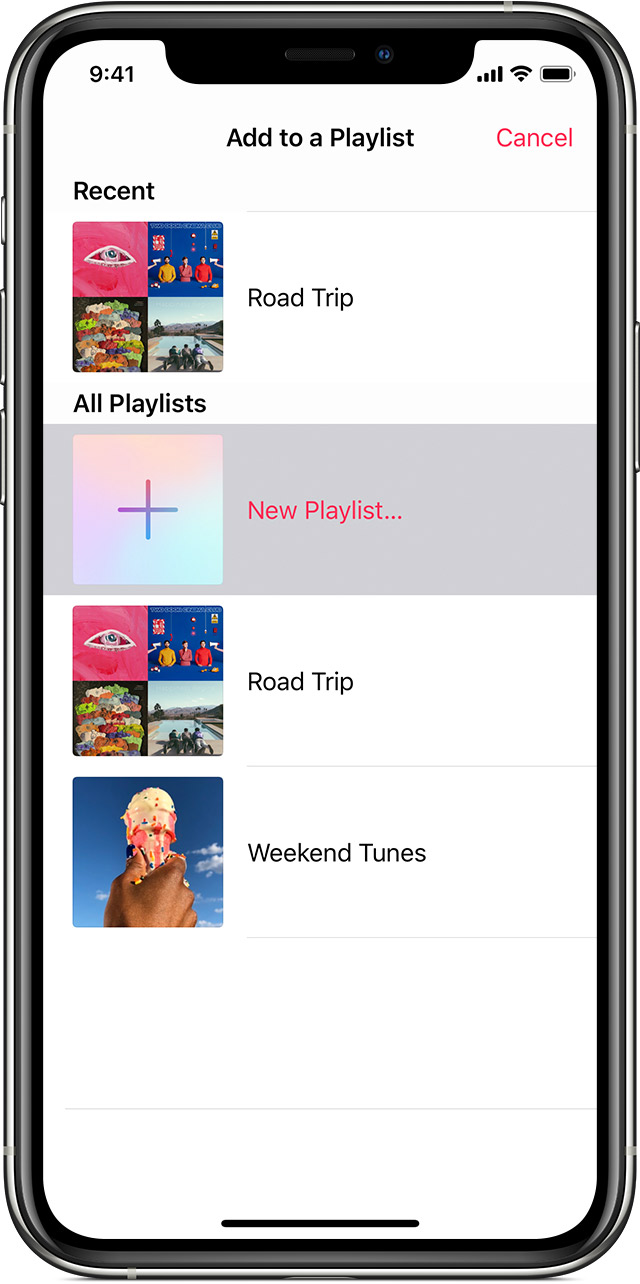
  1. In the Apple Music app, find a song. 
  2. Press and hold on the song. Or if you're on a computer, hover your pointer over the song and click the more button .
  3. From the menu that appears, choose "Add to a Playlist." 
  4. Tap or click "New Playlist."
  5. Give your playlist a name. And if you want, add a cover image and description. If you're on an iPhone, iPad, iPod touch, or Android device, tap Done.
  6. Browse or search for another song, then press and hold on it. Or on a computer, hover your pointer over the song and click the more button .
  7. From the menu that appears, choose "Add to a Playlist," then choose the playlist that you created.

By default, songs that you add to playlists don't automatically add to your library. If you want to add each song to your library, you can change your settings."


Thanks again for the question and take care!

This thread has been closed by the system or the community team. You may vote for any posts you find helpful, or search the Community for additional answers.

how to create a play list on apple music

Welcome to Apple Support Community
A forum where Apple customers help each other with their products. Get started with your Apple Account.