
Network Issue For Dual Sim
Why the network goes in secondary sim while making call from the primary sim
iPhone 11, iOS 13
Why the network goes in secondary sim while making call from the primary sim
iPhone 11, iOS 13
Use two phone numbers for calls, messages, and data
Now that your iPhone is set up with two phone numbers, here's how to use them.

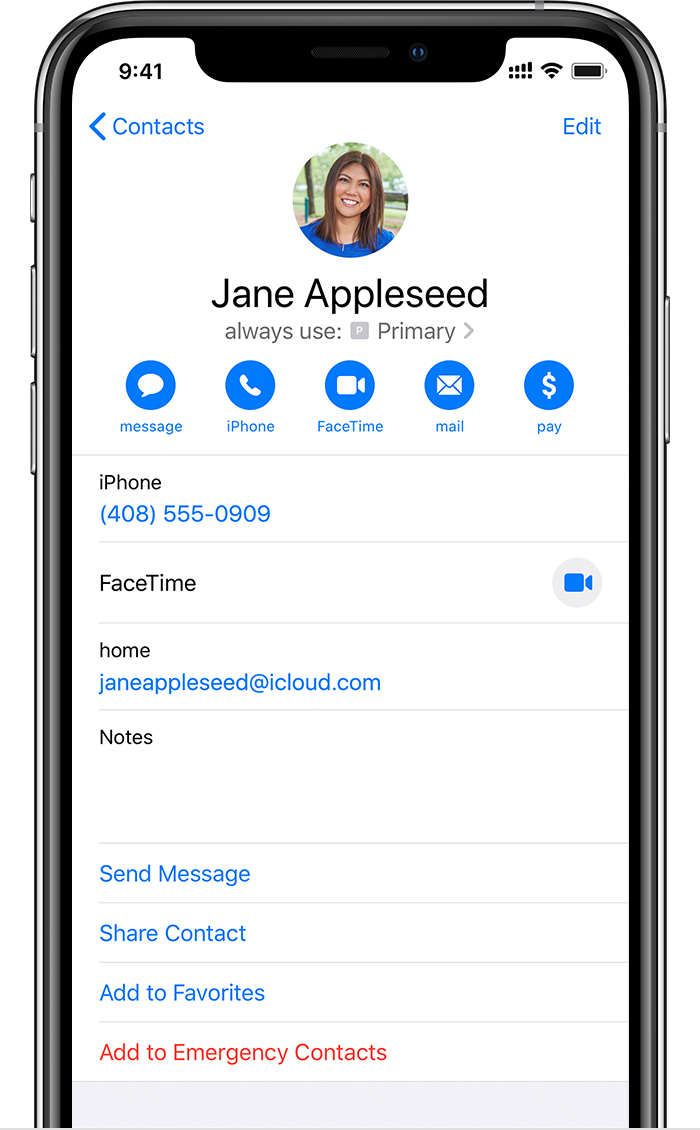
Let your iPhone remember which number to use
When you call one of your contacts, you don't need to choose which number to use every time. By default, your iPhone uses the same number that you used the last time you called that contact. If you haven't called that contact, your iPhone uses your default number. If you want to, you can specify which number to use for your calls with a contact. Follow these steps:
Make and receive calls
You can make and receive phone calls with either phone number.
With iOS 13, when you're on a call, if the carrier for your other phone number supports Wi-Fi calling, you can answer incoming calls on your other number. When you're on a call using a line that isn't your designated line for cellular data, you need to turn on Allow Cellular Data Switching to receive calls from your other line. If you ignore the call and you have voicemail set up with your carrier, you’ll get a missed-call notification and the call will go to voicemail. Check with your carrier for Wi-Fi calling availability, and find out if additional fees or data usage applies from your data provider.
If you're on a call and your other line shows No Service, either your carrier doesn't support Wi-Fi calling or you don't have Wi-Fi calling turned on.1 It could also mean Allow Cellular Data Switching is not turned on. When you're on a call, an incoming call on your other phone number will go to voicemail if you set up voicemail with your carrier.2 However, you won't get a missed-call notification from your secondary number. Call Waiting works for incoming calls on the same phone number. To avoid missing an important call, you can turn on call forwarding and forward all calls from one number to the other. Check with your carrier for availability and to find out if additional fees apply.
1. Or if you're using iOS 12. Update to iOS 13 to receive calls when you're using your other number.
2. If data roaming is on for the number that uses cellular data, then Visual Voicemail and MMS will be disabled on your voice-only number.
Network Issue For Dual Sim
