I used what you tried yesterday to reduce a text-only file scanned to PDF at 150DPI. Size reduction was quite good, 6.1 MB to 268 KB. But the quality was poor -- fuzzy text . I did a bit of searching regarding the Quartz filters and found something that worked for me. That involves using ColorSync to modify a copy of the given filter. That filter also appears then in Preview. In my case the file went to 840 KB with good enough text clarity. If you started with a low DPI, then results may not be as good.
In fact I came to Discussions now to ask about this. There is little or no real explanation for the settings, so I flailed around. This worked for me. I created the "legible" filter. I only turned off the Constrain Size as an experiment. I initially tried changing Quality to Medium but it was then forced to Low.
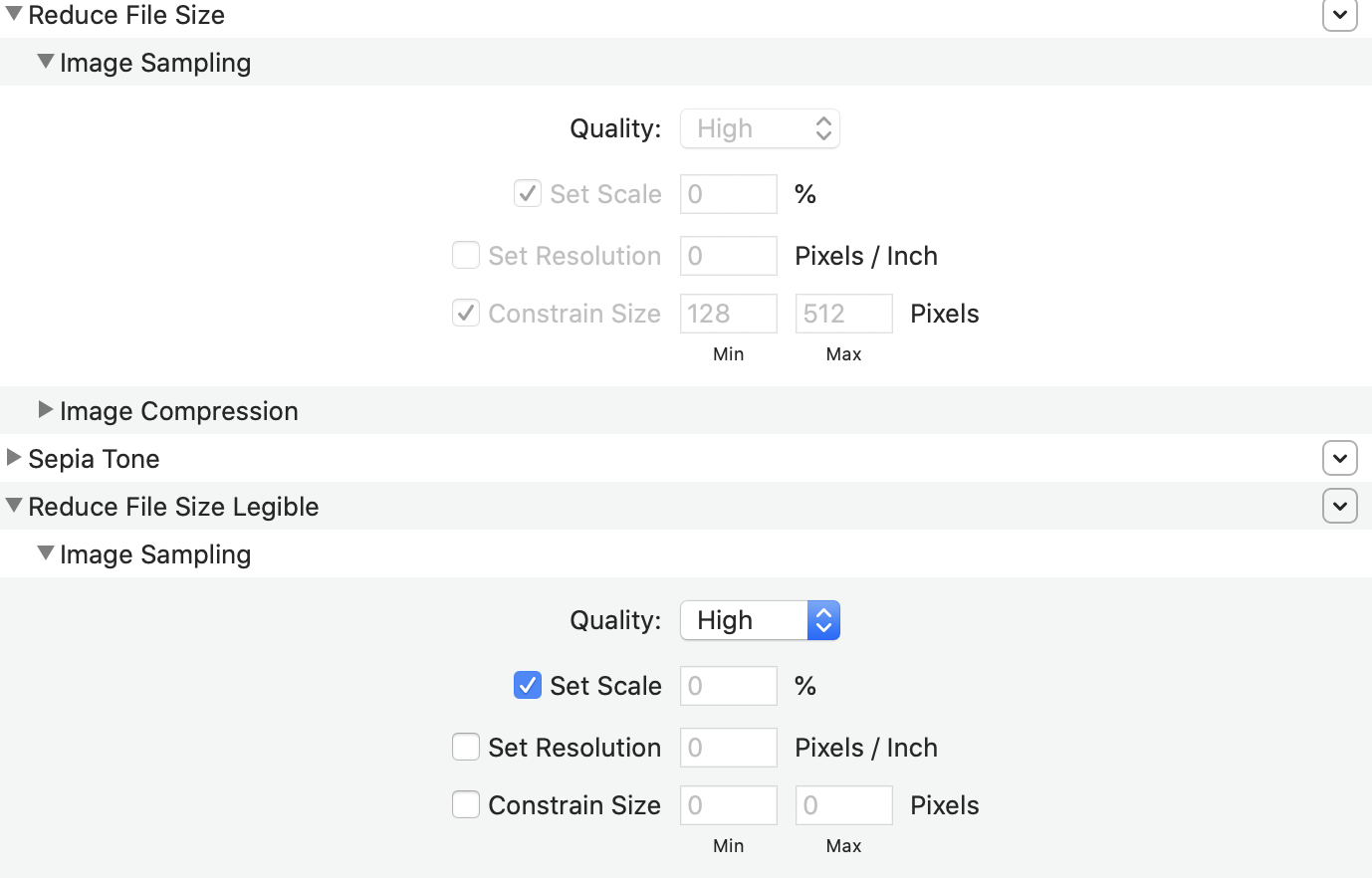
If any readers can provide better insight into the settings for us, please reply.

