
iPhone writing on the back glass
my iPhone 8 Plus has written only iPhone on the back glass is there any problem
iPhone 8 Plus, iOS 13
my iPhone 8 Plus has written only iPhone on the back glass is there any problem
iPhone 8 Plus, iOS 13
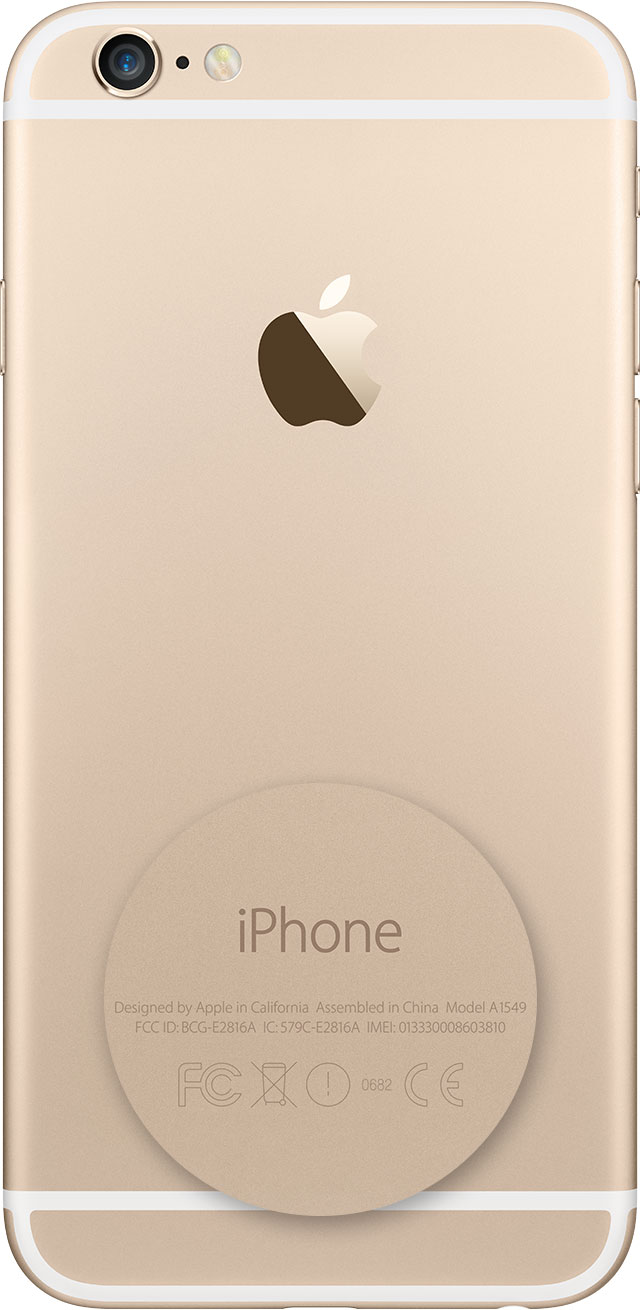
The First pic clearly show a similar pic as seen on your post. This is extracted from --> https://support.apple.com/en-us/HT208200
So be worry free,
Look on your device
On an iPhone 8 or later, to find the model number, remove the SIM tray and look in the SIM tray slot. Make sure that you're in a place with bright light overhead. The model number is on the upper side—the side with the display.

On an iPhone 7 or earlier, an iPad, or an iPod touch, find the model number on the back of your device.
The First pic clearly show a similar pic as seen on your post. This is extracted from --> https://support.apple.com/en-us/HT208200
So be worry free,
Look on your device
On an iPhone 8 or later, to find the model number, remove the SIM tray and look in the SIM tray slot. Make sure that you're in a place with bright light overhead. The model number is on the upper side—the side with the display.
On an iPhone 7 or earlier, an iPad, or an iPod touch, find the model number on the back of your device.
iPhone writing on the back glass
