Thank you, that helps. I'm only moving the external drive from the home system to my laptop when I travel. It's not used on any other systems, so I presume the artwork cache has probably been built at some point on my MBP. I did see the Split Library post, and the advice was very helpful. I was just concerned that with the new OS and app structure that there would be some differences in the folder organization.
The portable drive 'iTunes Mobile' has nothing else on it except the iTunes files, music, movies, podcasts, etc.
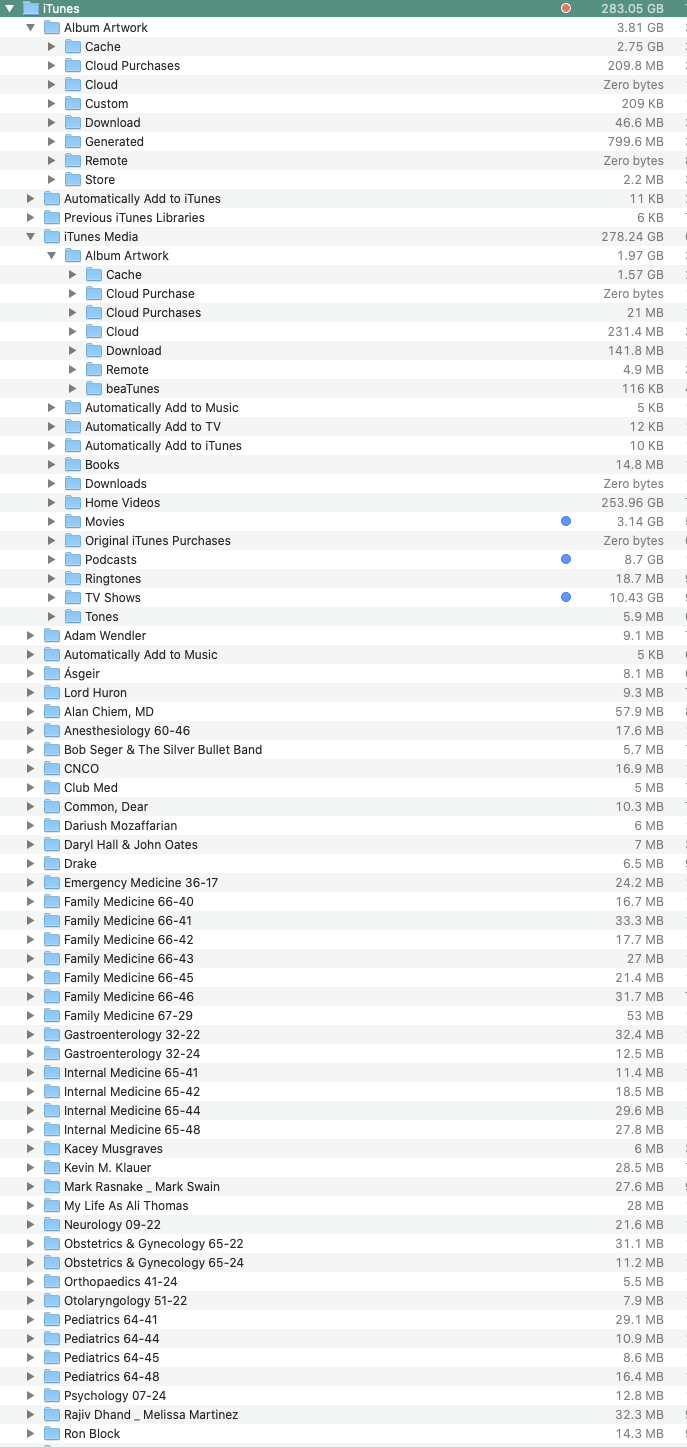
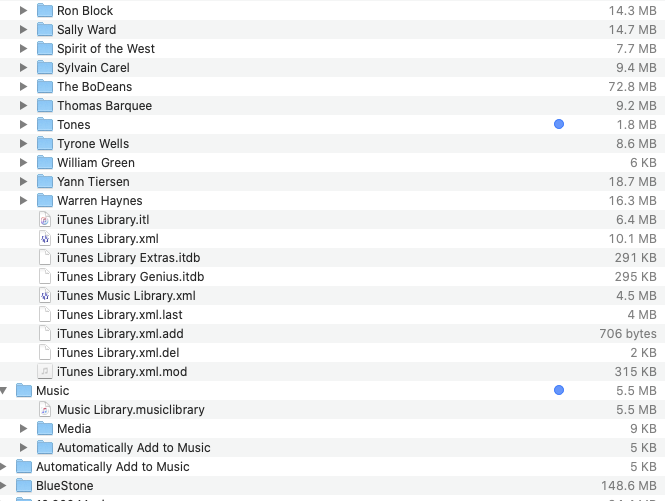
I did the 'reorganize files in the iTunes Mobile folder' instruction, and here's what happened. There is an 'iTunes' folder that contains an Artwork folder, Previous iTunes Libraries, and an iTunes Media folder that also contains Album Artwork, as well as Books, Movies, Home Videos, Podcasts, Tones, the library xml/itl files, and a smattering of music files. There is a Music folder with the Music Library.musiclibrary file, and a Media folder that is empty. I've attached two screen shots for a more clear view.
Below the Music folder, scattered loose on the root level of the drive, are close to 95% of my music file folders. I imagine there should be a more ordered organization of those files. Shouldn't there be a Music folder in the iTunes Media folder that holds the music files?
Can the two Artwork folders be combined without messing anything up?
Sorry for the confusing issue, and thanks in advance for your excellent advice.