Error -2003f when booting Macbook Pro

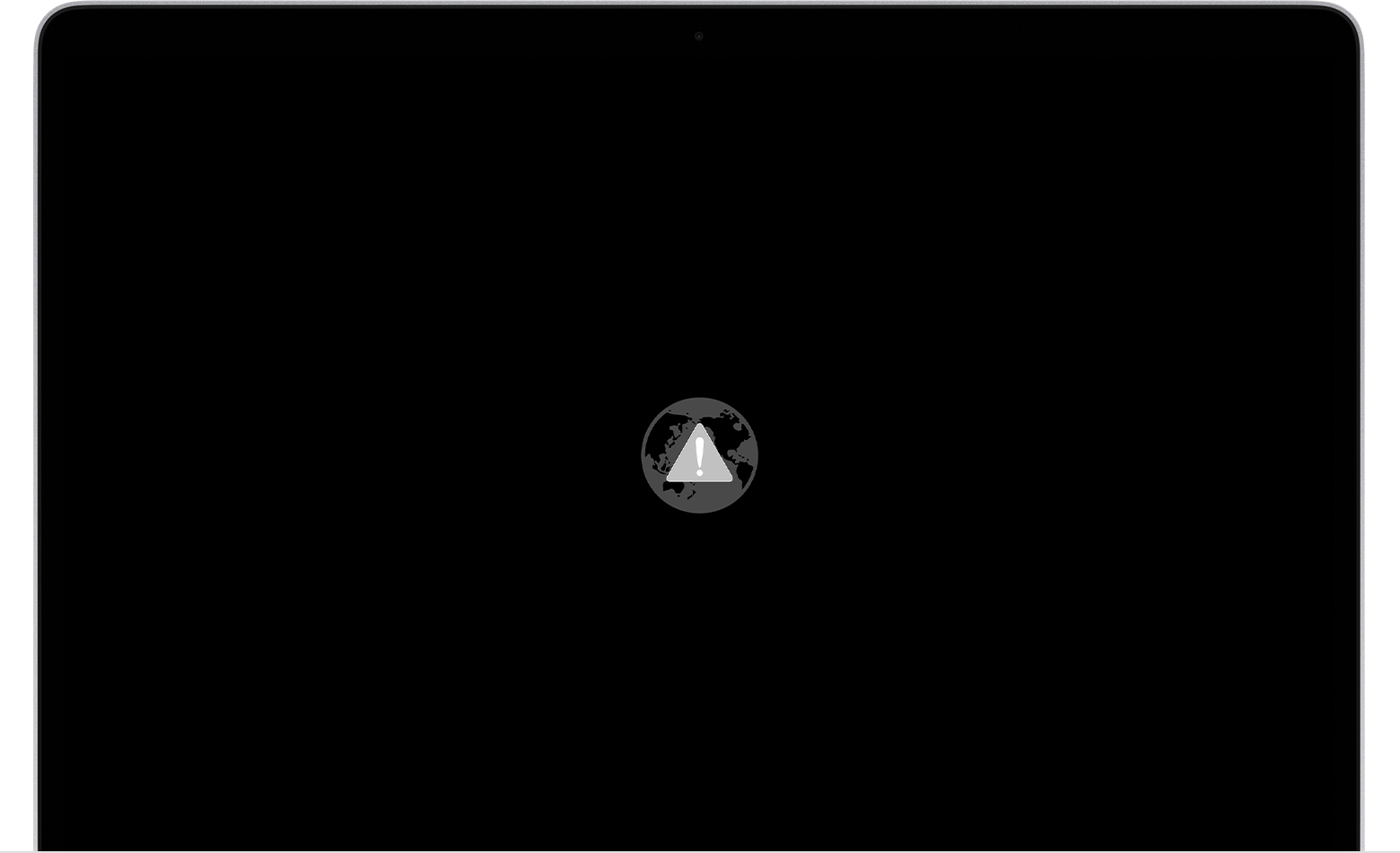
It restarted it by accident and then when I try to put the network in my laptop is was literally loading for hours so I can’t get back in what did I do? And then it says smt weird


[Re-Titled by Moderator]

MacBook Air 13″, macOS 10.15

Posted on Nov 1, 2020 1:00 PM

Reply
Question marked as Top-ranking reply

Posted on Nov 5, 2020 10:06 AM

In Internet Recovery, these low negative thousands error messages indicate that your provided Wi-Fi Network is inadequate in some fashion, and cannot be used (for this purpose) in its current state.


Common problems include:

Hidden Network-name

required use of a proxy server to get Internet access

required use of a login page to get Internet access

Use of a login server or certificate to get Internet access

Use of PPPoE in the Mac to get Internet access (typically only applies to DSL)

Use of Fixed IP address rather than good old DHCP

Variance of the time by more than five minutes

Failure of Router to provide workable DNS server addresses, or providing 0.0.0.0 [may produce -2002f]


If you have an Ethernet port, you may in some cases be able to move your Mac close to the Router and connect to the Router using Ethernet.


The higher the number, the more obscure the problem.


If your battery was completely depleted, the Date&Time could have reverted to the default, which will not work. There is a terminal command to reset to current Internet Date&Time -- post back for assistance.

2 replies
Question marked as Top-ranking reply

Nov 5, 2020 10:06 AM in response to M_66_

In Internet Recovery, these low negative thousands error messages indicate that your provided Wi-Fi Network is inadequate in some fashion, and cannot be used (for this purpose) in its current state.


Common problems include:

Hidden Network-name

required use of a proxy server to get Internet access

required use of a login page to get Internet access

Use of a login server or certificate to get Internet access

Use of PPPoE in the Mac to get Internet access (typically only applies to DSL)

Use of Fixed IP address rather than good old DHCP

Variance of the time by more than five minutes

Failure of Router to provide workable DNS server addresses, or providing 0.0.0.0 [may produce -2002f]


If you have an Ethernet port, you may in some cases be able to move your Mac close to the Router and connect to the Router using Ethernet.


The higher the number, the more obscure the problem.


If your battery was completely depleted, the Date&Time could have reverted to the default, which will not work. There is a terminal command to reset to current Internet Date&Time -- post back for assistance.

Nov 5, 2020 9:28 AM in response to M_66_

Greetings M_66_,


Thank you for using Apple Support Communities. It seems like you are not able to start up from macOS Recovery. Take a look at the "If you can't start up from macOS Recovery" section.


"If you can't start up from macOS Recovery

If your Mac can't start up from its built-in macOS Recovery system, it might try to start up from macOS Recovery over the Internet. When that happens, you see a spinning globe instead of an Apple logo during startup: 

To manually start up from Internet Recovery, press and hold either of these key combinations at startup:

If startup from Internet Recovery is unsuccessful, you see a globe with an alert symbol (exclamation point):

In that case, try these solutions:

  • Make sure that your Mac can connect to the Internet. If you're not prompted to choose a Wi-Fi network during startup, move your pointer to the top of the screen, then choose a network from the Wi-Fi menu , if available.
  • Press Command-R at startup to try using the built-in Recovery system instead of Internet Recovery.
  • Connect to the Internet using Ethernet instead of Wi-Fi, or vice versa.
  • Connect to the Internet from a different Wi-Fi or Ethernet network. Your network configuration might not allow the Internet access that macOS Recovery needs.
  • Try again later, because the issue might be temporary.
  • Start up from another disk or volume, if available, or use a bootable installer to reinstall macOS.

If you still need help, please contact Apple Support."


About macOS Recovery


Please don't hesitate to let us know if the steps resolved your issue or if you need additional assistance.


Take care.

This thread has been closed by the system or the community team. You may vote for any posts you find helpful, or search the Community for additional answers.

Error -2003f when booting Macbook Pro

Welcome to Apple Support Community
A forum where Apple customers help each other with their products. Get started with your Apple Account.