
PS4 controller/AirPods Pro Apple TV 4K
I’m wondering if anyone is having this issue with Apple TV 4K. For the PS4 controller, it never connects, even when I turn on the PS button and it starts flashing. I have to pair it every single time I want to use it with the TV. And with the AirPods Pro, I have to go to settings each and every time to connect them to the Apple TV, even though they’re paired already.
I think maybe the iOS 14 and TVOS 14 is the issue? I have noticed that ever since they came out with automatic pairing of AirPods with whatever device you’re using is 50/50. Sometimes my AirPods won’t connect to my phone at all and I have to go through settings just connect them. And most of the time I have to go through settings on Apple TV to connect them as they VERY RARELY connect on their own.
And mind you, my iPad and iPhone screens are off and I’m not using them at the moment, so there should be no reason why my AirPods won’t connect when I put them in when Apple TV is on. It’s frustrating to have to exit Netflix or Apple TV app or whatever else I’m using, go to settings, go to remotes and devices, scroll down to my AirPods and connect them 80% of the time.
I never really liked the automatic connecting based on what device you’re using because I’ll be using my phone and AirPods using the Roku app then my wife will turn on my iPad and my AirPods will connect to the iPad and I lose all audio with what I’m watching. It’s truly frustrating and I wish you could turn this feature off. If you can then I haven’t been able to find it.
Can someone help me out here. Anyone else having these issues?
Apple TV 4K


 (in the “Moved to” notice at the top of the iPhone screen).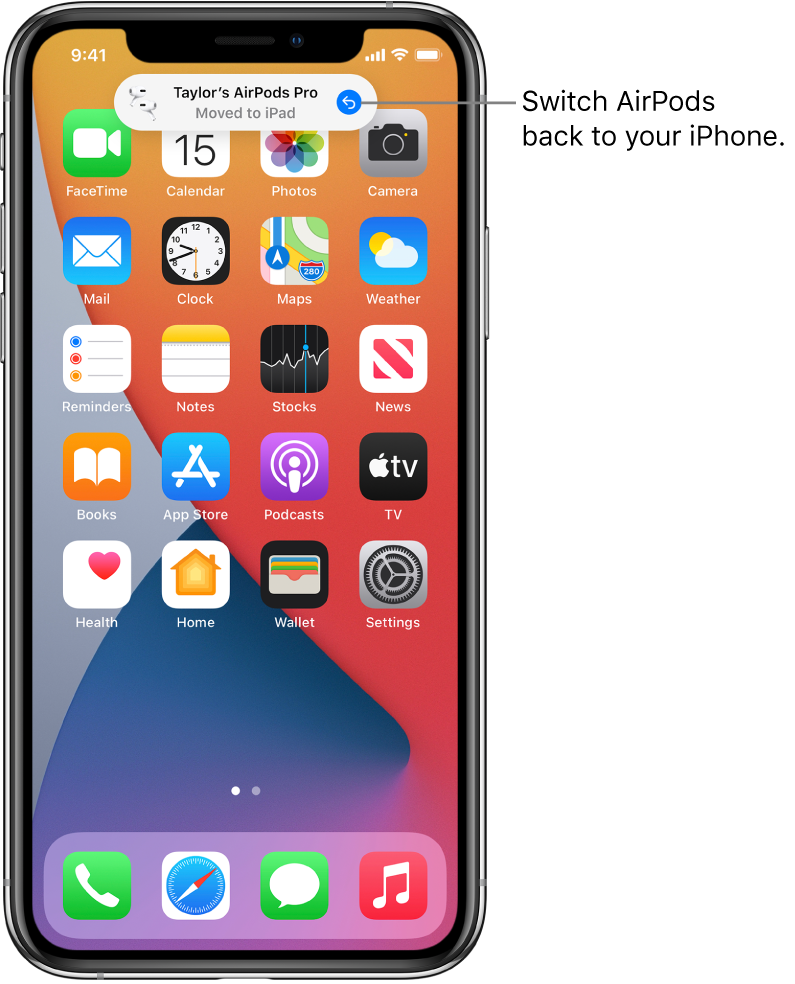
 > Bluetooth, tap
  next to the name of your AirPods, tap Connect to This iPhone, then tap When Last Connected to This iPhone.