Facebook not accessing all photos from iPhone camera roll

It’s november 2020 and I just got an update to my ipad. Now I can’t upload a photo from FB. My camera roll opens but it only shows 5 (out of 1000) pictures. What gives, Apple? I see this was a problem in 2018.


Mary


[Re-Titled by Moderator]

Posted on Nov 12, 2020 4:01 PM

Reply
Question marked as Top-ranking reply

Posted on Nov 14, 2020 4:23 AM

Mary, go to settings, select Facebook then select photos and choose “all photos” . I’ve just done it and it worked.

Hope this is of help 😊

59 replies

May 3, 2021 5:41 AM in response to Yellosharpie

Same issue here .. the options are there .. inside of Facebook but it won’t allow me to click and continue .. it’s almost as if they coded it wrong and the button is unclickable .. Facebook isn’t allowing me to upload any photos unless I go directly through the browser . I’ve check the iPhone settings and on my 12 there is no setting to allow Facebook to access photos inside of the iphone .. what am I supposed to do ...

at the moment until the issue is fixed I went to Instagram and linked my accounts so whatever I post on ig goes to Facebook but that’s all I’m able to do until they fix the issue ..
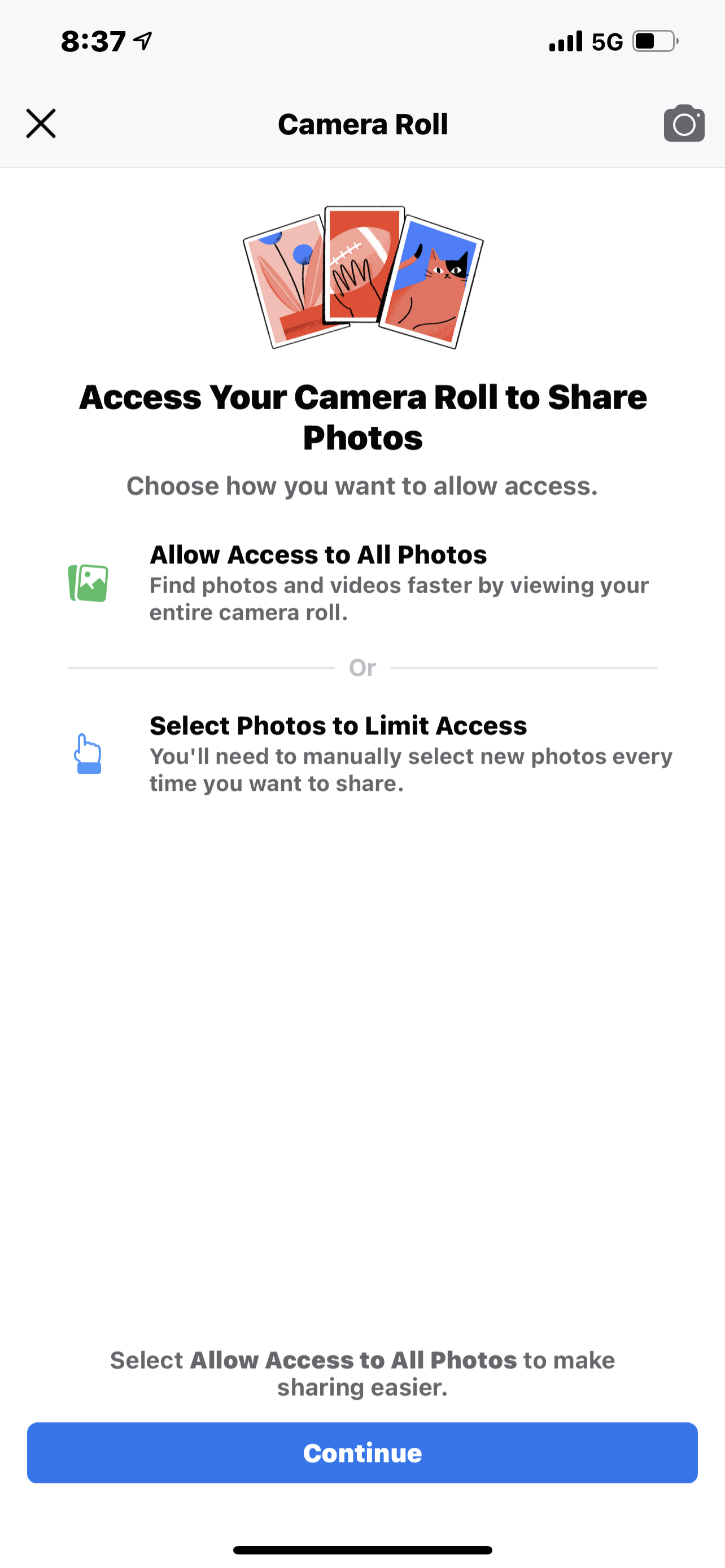
Jun 20, 2021 1:25 PM in response to Marythewonderful

Oh help. I'm trying to do this on an iMac and am not seeing the options that are apparently available on iPhone and iPad. When I use Facebook on the iPhone, the entire "Camera Roll" is available. But not when I'm on the iMac. On the iMac, when I try to change my profile pic, it opens Photos and then opens a very limited array of photos. There does not seem to be a way to get to the "Camera Roll" altho I can get to all the albums I have created. Thanks in advance.

This thread has been closed by the system or the community team. You may vote for any posts you find helpful, or search the Community for additional answers.

Facebook not accessing all photos from iPhone camera roll

Welcome to Apple Support Community
A forum where Apple customers help each other with their products. Get started with your Apple Account.
