
How can I transfer music from my iPod to my new iPhone
How can I transfer music from my iPod to my new iphone
iPod Nano
How can I transfer music from my iPod to my new iphone
iPod Nano
Here's what you need
Apple Music availability varies by country and region. Learn what's available in your country or region.

Turn on Sync Library
With the latest version of iOS, iPadOS, and macOS, Sync Library is turned on by default. If you turned off Sync Library, you can turn it back on. Just follow the steps below for your device.
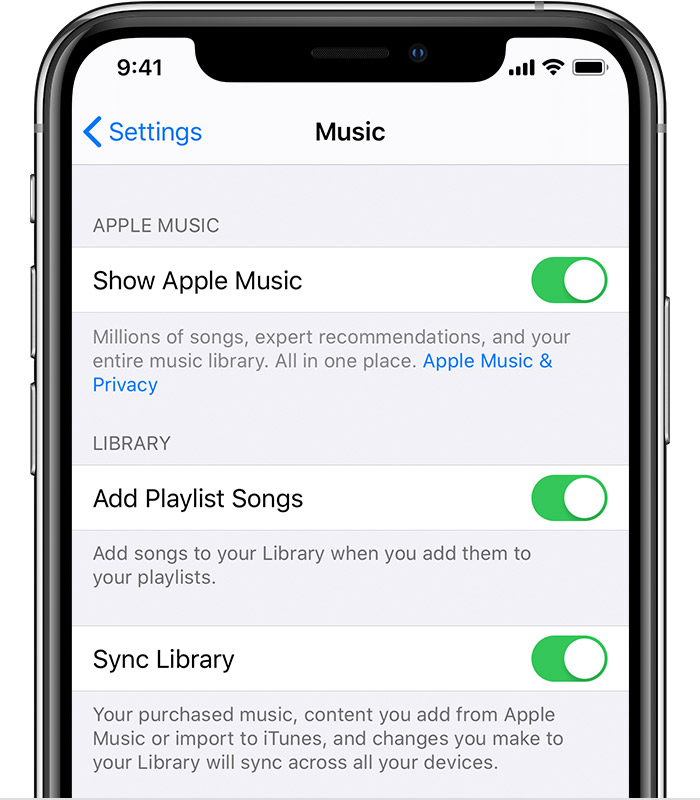
On your iPhone, iPad, or iPod touch
If Sync Library is updating or turned off, you'll see a message at the top of the Library tab in the Apple Music app.
Unfortunately SravanKrA is wrong in this case.
Neither Apple Music or iTunes Match will extract music from an iPod Nano in any way. The iPod Nano has no connection to Sync its Library.
You will need to extract all the music from the Nano, import it into iTunes on a computer (Mac or PC) first and then you can choose to use iCloud Music library as explained above, or simply sync the music to the iPhone directly via USB cable.
See here: link-> Recover media from an iPod - Apple Community
then: link-> Use iTunes to sync your iPhone, iPad, or iPod with your computer - Apple Support
Note that Apple Music and iTunes match are subscription services and cost money to use. The direct USB method is free.
How can I transfer music from my iPod to my new iPhone

