
How do I turn off the Apple box?
How turn off the Apple TV box?
How turn off the Apple TV box?
Your Apple TV doesn't have a power button. You can put your Apple TV to sleep from Settings, restart it, or unplug it from power.
Put your Apple TV to sleep
After a period of inactivity, your Apple TV automatically goes to sleep. You can also put your Apple TV to sleep with your remote or from Settings:
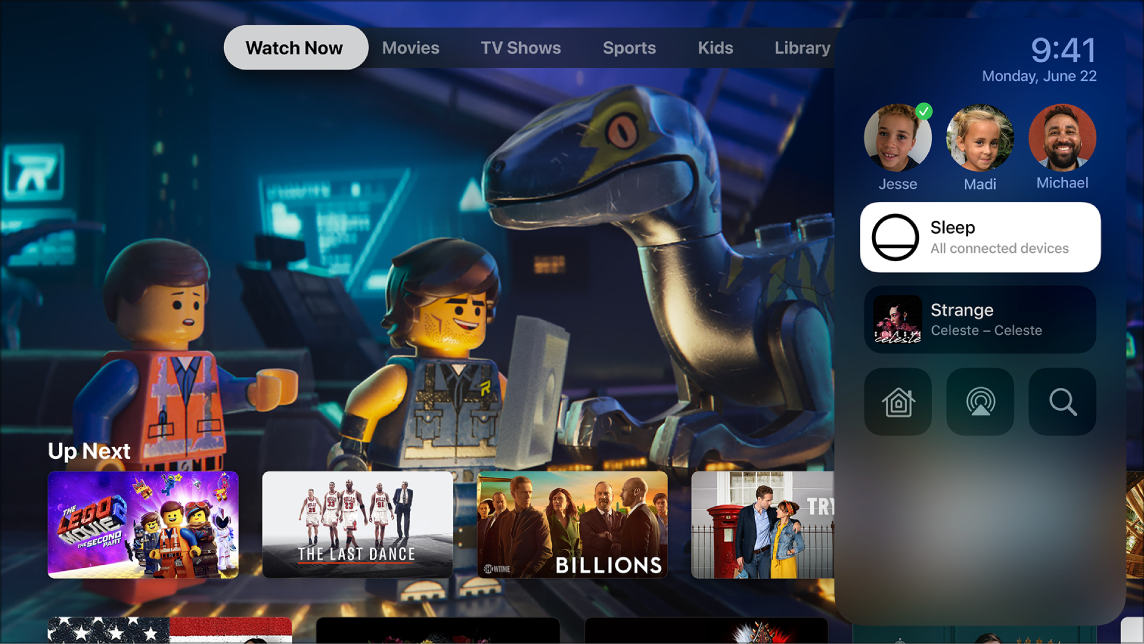
 for three seconds to bring up Control Center, then select Sleep
  . Or select Sleep Now in Settings.
 for five seconds. Or select Sleep Now in Settings.
To wake your Apple TV, press Menu or Home
on your remote.
How to turn off or restart your Apple TV - Apple Support
Your Apple TV doesn't have a power button. You can put your Apple TV to sleep from Settings, restart it, or unplug it from power.
Put your Apple TV to sleep
After a period of inactivity, your Apple TV automatically goes to sleep. You can also put your Apple TV to sleep with your remote or from Settings:
for three seconds to bring up Control Center, then select Sleep . Or select Sleep Now in Settings. for five seconds. Or select Sleep Now in Settings.To wake your Apple TV, press Menu or Home
on your remote.
How to turn off or restart your Apple TV - Apple Support
On the Siri Remote, press and hold the Home button  to open Control Center, then select Sleep.
How do I turn off the Apple box?

