How long has the issue been there?
When did it start? Can you identify anything that happened at the time? i.e. this all worked fine until you changed ISP or to this Fiber modem.. or installed a new computer running big sur ... what??
I can suggest other things.. But the chances of finding the problem are diminishing.
To give me a chance of finding at least the location of the issue.. I will need you to do some careful testing.. I strongly recommend using 2x computers with ethernet.. so you can measure things without wireless effects.
The software I am using is tamosoft. You can download it for free and install on PC or Mac or most devices.
I am using a PC on Win10 and a rather ancient Mac.
Fibr Modem's wifi still active on both 2.4 and 5Ghz band
It is helpful to have something that still works. And allows you to test.
Have you managed to get the switch to put between fibre modem and your First Airport?
I suggested that as a good way to visually see when the problem occurs and if it is indeed wan - lan issue between airport and fibre modem.
Are you using double NAT? If not I think it is worthwhile giving it a go.
Instead of the first Apple router being set to bridge.. put it in router mode. All the bridged units won't have any modifications needed other than a restart.
I then need you to post screenshot of short summary on all the airports. And more details from the unit you will be running as router.
I have configured two Time Capsules.. in configuration I am suggesting. So I can test and measure things and show you what to do.
Main router is Asus.. That is plugged by ethernet to TC WAN port.. first unit in router mode. A computer is plugged also into the Asus running the ttserver for measurement..

So summary shows double NAT error which you just ignore.
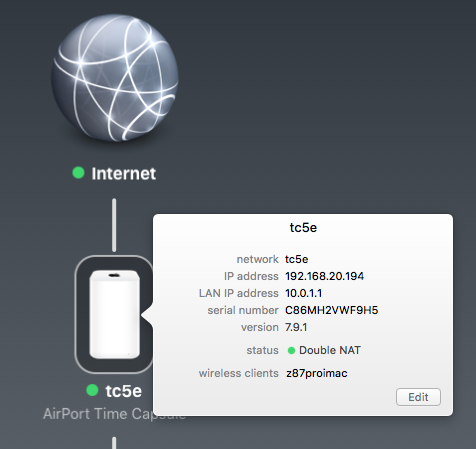
Second TC is setup in bridge.

Internet here is not fast enough to measure speeds using simple speedtest. So I will use a computer to computer method.
From computer plugged into Asus network and measuring across the NAT.. this will add some complexity.. but anyway.
This is using wireless.
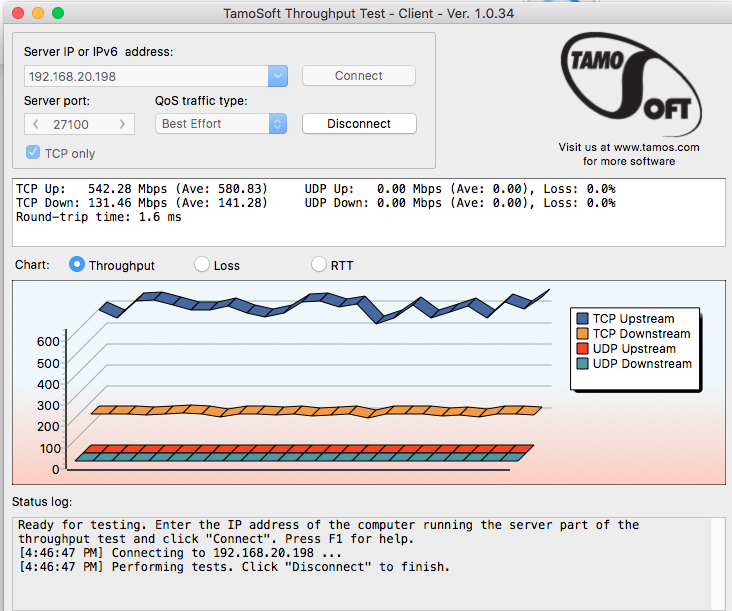
This is getting around 600Mbps up and 130Mbps down. (through the NAT of the Airport plus wifi is about right if a little unbalanced).
And this is using Ethernet.
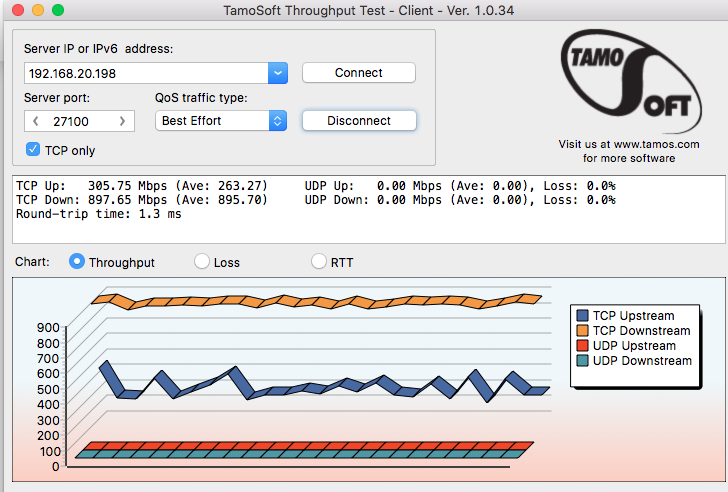
I will need to ponder why the speeds are so unbalanced and they swap around between wifi and ethernet.. something odd there.. but this is apple network.. so who knows.
And to ensure I am not going crazy I will do a test with both computers on ethernet via the Asus.

So I am getting near to gigabit as expected in both directions.
Have a go and see what you come up with. But I can maintain this for a while and see if there is any slow downs.
As a ps.
Ok.. there is basically nothing else I can think of as long as you stick to the airport routers. Sorry but since apple designed them to be controlled with a unique utility with extremely limited functionality.. not even a log.. there is no way I can think of to find the culprit without using something like the method above.



