K-Rex wrote:
Hi.
I’m having problems with my adaptive limiter. I’m under the impression that if you set the ‘out ceiling’ to -0.1db for example then stereo out shouldn’t go above -0.1db but in some of my projects it does go above it. It is going right up to 4 or 5db with the out ceiling set to -0.1db
Is this normal and should I just turn the gain down or is something wrong with it?
Also does having volume automation on stereo out (for a fade out at end of project) affect the adaptive limiter?
Thanks.
When yoyoBen gave you the advice to "Make sure that both Stereo Out and Master do not exceed 0 dB.", I'm sure he refers to the Volume Fader position 0dB (also known as Unity Gain), and not the Level Meter.
And as he said, don't touch the Master Channel Strip. It should always be at 0dB (unless you know exactly its purpose and know what to do with it).
Here is a YouTube video where I explain the details behind that.
https://youtu.be/b7pMiqnBmhI
About the -0.1dB Ceiling you mentioned, please don't do it regardless of what ill-advised posts you might see on the Internet.
Bottom line is, you can do what you want, just know the "consequences". Bouncing your mix to an uncompressed audio file (AIFF, WAV) just 0.1dB below the clipping level doesn't save you from having your audio file clipped when played back.
Cheap Digital to Analog Converter (DAC) still might produce clipping, and when you upload you uncompressed file to any of the streaming services (or convert your file to mp3), then the matter gets even worse.
The encoding algorithm for these data compressed audio formats can produce levels of 1 to 2 dB higher than the source file depending on the signal and how much it is audio compressed. That is why the delivery requirement for most streaming services is -1dBTP to -2dBTP. And "TP" stands for "True Peak" which is a more accurate digital signal measurement than Sample Peak Meters that catch "Inter Sample Peaks".
That's why you should also enable the "True Peak Detection" on the Adaptive Limiter to be on the safe side.
Here is a screenshot of the setting.
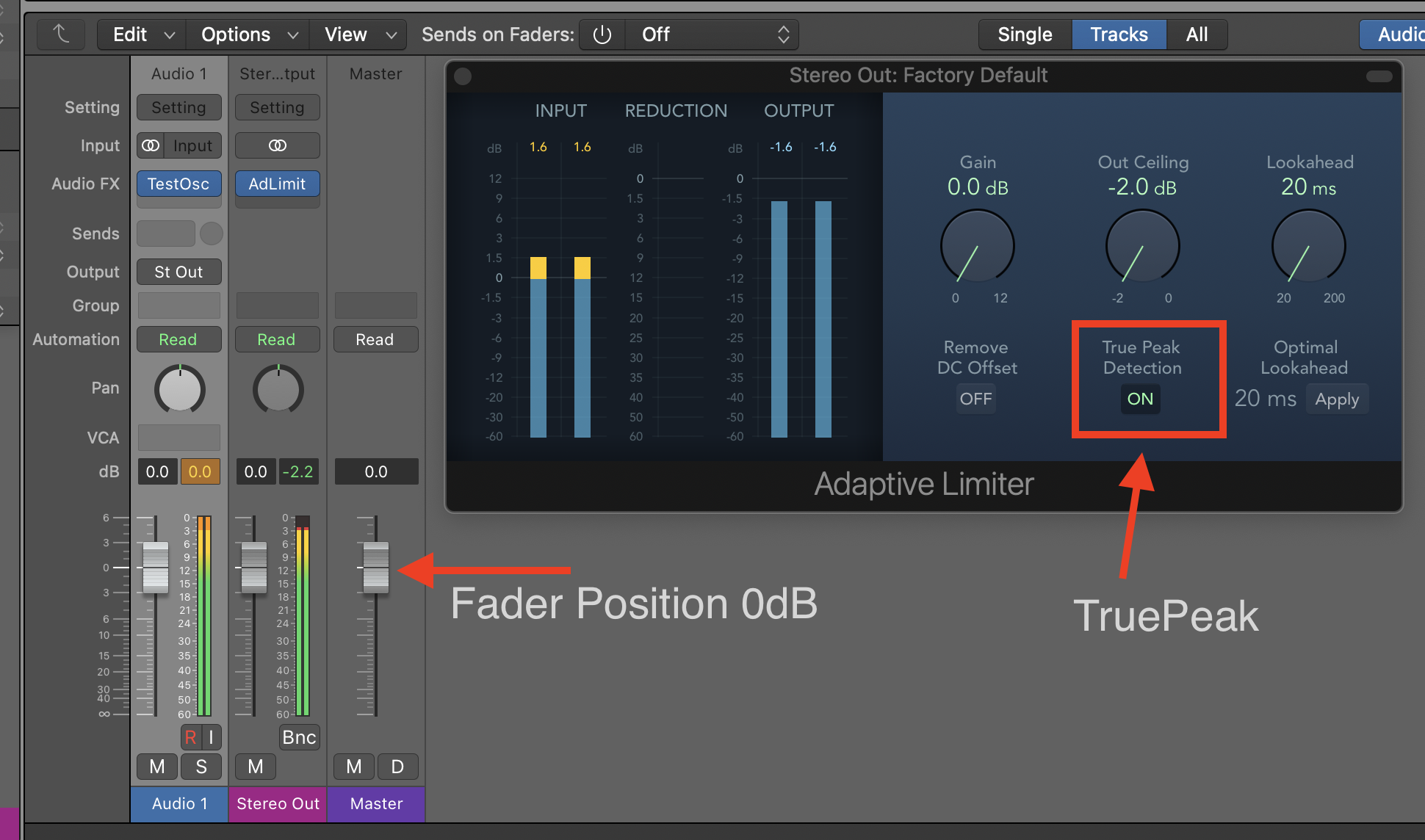
About your Volume Automation. You can do it and will not affect the Limiter (or any Plugins) because they are placed before the Volume Fader in the signal flow. Just don't ride the automation (Fader Position) above 0dB.
Hope that helps,
Edgar R. (my "UserName")
Author of the best-selling book series "Graphically Enhanced Manuals" (endorsed by Apple)



