Getting error when using Microsoft apps i.e. word or excel on MacBook

I'm getting below popup box every time I'm opening Microsoft word on my MacBook.


Microsoft [Excel/Word] wants to use your confidential information stored in "Microsoft identity [long number] in your keychain. To allow this, enter the 'login' keychain password", "Password

MacBook Air 13″, macOS 11.4

Posted on Jun 29, 2021 8:01 AM

Reply
2 replies

Jun 29, 2021 8:12 AM in response to sukhjit242

It sounds to me like these Apps use a "Microsoft identity ..." authentication key, accessed when you launch the Apps, and that key is stored in your (encrypted) keychain.


You may be able to come at this from the other direction, using Keychain Access App, and modifying that specific keychain item so that Microsoft Apps have access to it.


This article may help:


https://forums.tomsguide.com/faq/how-to-let-your-apps-access-keychain.20411/


.

Jun 29, 2021 8:07 AM in response to sukhjit242

sukhjit242 wrote:

I'm getting below popup box every time I'm opening Microsoft word on my MacBook.

Microsoft [Excel/Word] wants to use your confidential information stored in "Microsoft identity [long number] in your keychain. To allow this, enter the 'login' keychain password", "Password


Do you need to add these apps to full disk access ...(?)


See >System Preferences>Security & Privacy>Privacy>Full Disk Access
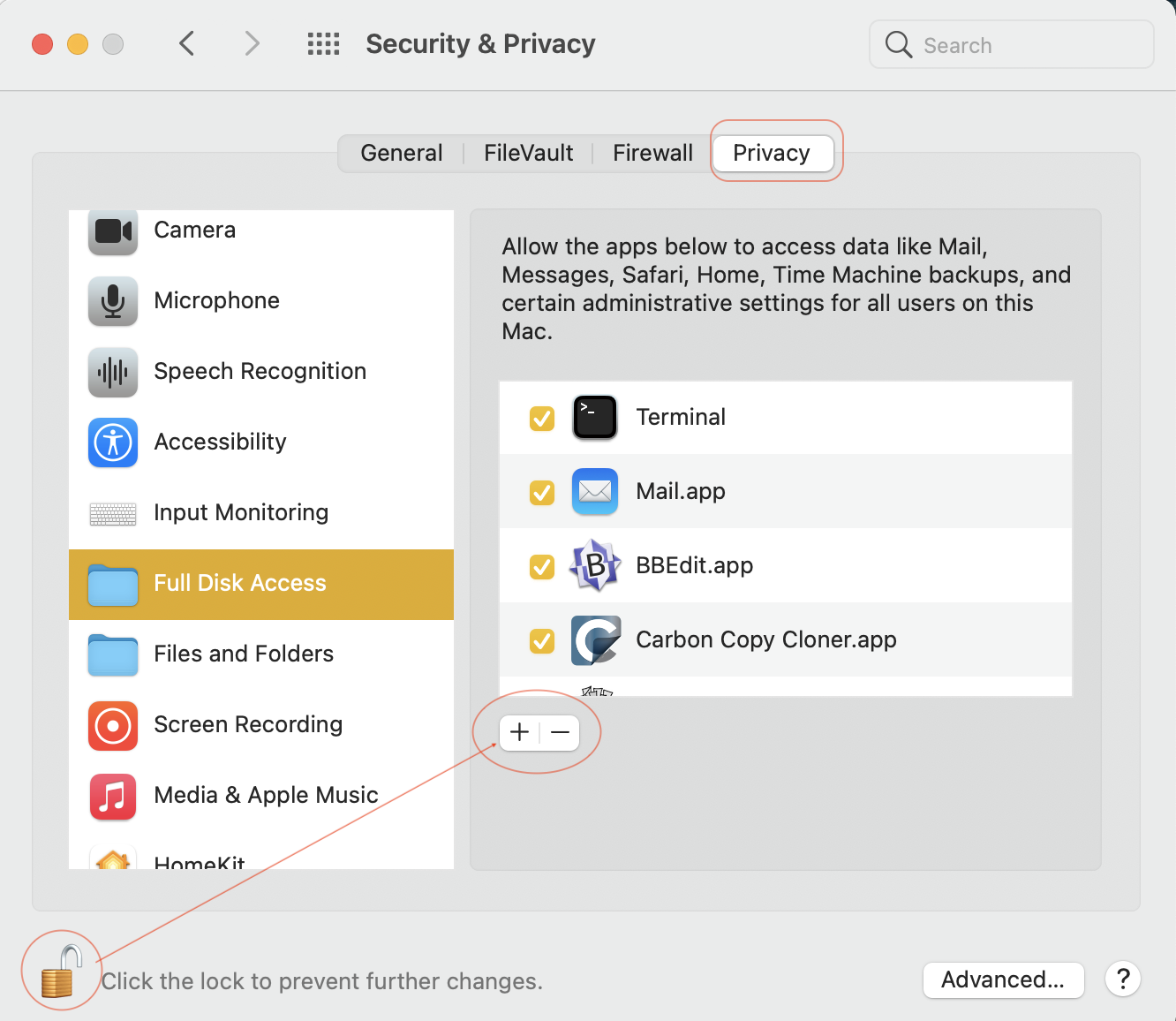


Change Security & Privacy General preferences on Mac ...


Office for Mac running macOS Catalina

If you have Office 2011 for Mac or before WILL NOT run, For Catalina Office 2016 for Mac needs to be v15.35 or later.

Update the software : https://docs.microsoft.com/en-us/officeupdates/update-history-office-for-mac


The current Office for Mac; Office 365 or Office 2019 (One-time purchase) are OK with Catalina/Big Sur



This thread has been closed by the system or the community team. You may vote for any posts you find helpful, or search the Community for additional answers.

Getting error when using Microsoft apps i.e. word or excel on MacBook

Welcome to Apple Support Community
A forum where Apple customers help each other with their products. Get started with your Apple Account.