Although the Budget sheet of this template is labeled "Monthly Budget" the calculations in it do not appear to be limited to transactions in a single month. I suspect the table here and the 'budget amounts'' are derived from an annual budget, with expenses distributed equally from month to month.
Should you want to change the monthly budget amounts in some or all categories from month to month, I would suggest:
Transactions:
Continue to record all transactions on the Transaction table. You can add a filter to this table to show only rows where the date column cell is empty or contains a date within the current month(s) (with the 'current month(s) being set in one or more cells in a Header row.
Budget:
Columns A and B of this table contain entered data showing each Category of expense and the amount budgeted for that expense this month. No changes are needed.
Column C contains a formula that calculates the actual amount spent on expenses in each category. The formula, as written includes ALL spending recorded on Transactions with no regard paid to the dates of those transactions. The SUMIF formula needs to be revised to a SUMIFS formula making the same calculations, but restricting them to transactions during the month applying to this copy of the table.
(discussed below in "Formulas")
Click on cell A1 of the table, then press option-up arrow to add a new Header row above the current Row 1.
Click on the new cell A1, click the format Brush to open the Format Inspector, choose Cell, and set the data format of the cell to Date and Time, with Date (format) set to Jan 6, 2021 and time set to none.
In cell A1, enter the starting date of the first month of your current budget (May 1, 2021).
Formulas: There are two formulas on this table.
C3 (after adding the new row 1) contains this formula:
SUMIF(Transactions::C,A3,Transactions::$D)
This sums all values in column D of Transactions whose category label in column C of Transactions matches the category named in this row of Column A of this table
We want that condition to apply, and want to add two more:
The date of the transaction must be n or after the date in cell A1 of this table.
The date of the transaction must be before the date one month after the date in cell A1 of this table (June 1, 2021
To handle more than one condition, we'll need to replace SUMIF with SUMIFS, making the new formula for cell C3:
SUMIFS(Transactions::D,Transactions::A,">="&A1,Transactions::A,"<"&EDATE(A1,1),Transactions::C,,A3)
In the Formula Editor, the formula should look like this:
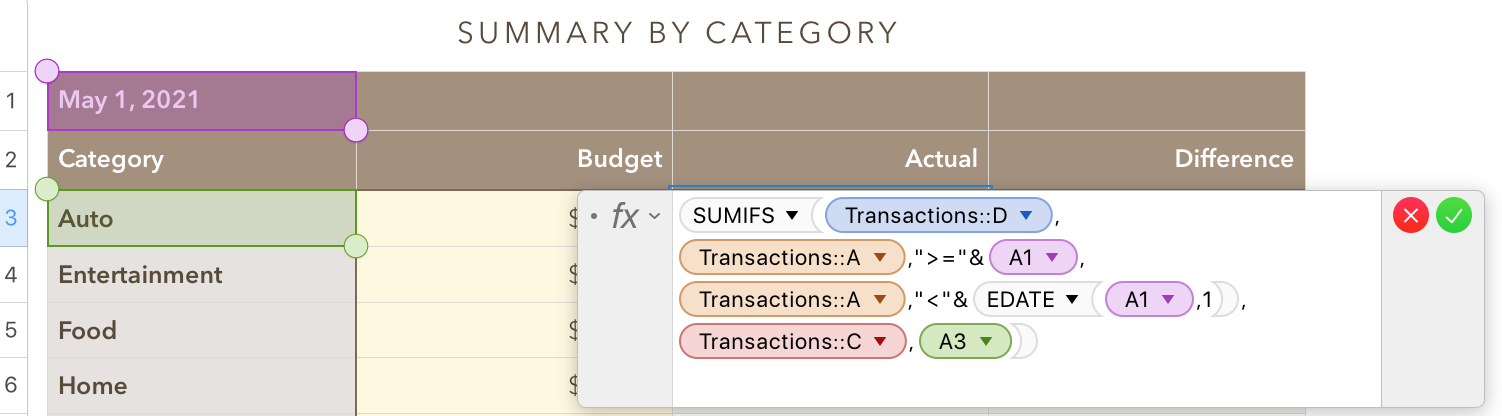
After clicking the green checkmark to confirm the formula and close the editor, hover the pointer near the bottom of cell C3, click on the button and drag down to fill the formula into the rest of column C.
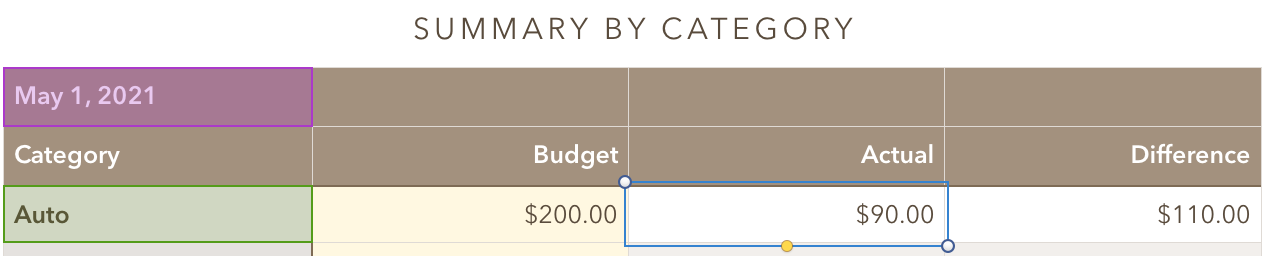
Called away. More to come later. (Not much more.)
Regards,
Barry


