How do I undo an edit on a voice memo on iOS?

On my macbook, when I make an edit to a recording QuickTime saves it as it's own file. On my iPad, I was editing a voice memo in the Voice Memos app, trimmed it, and there was no save as so I just clicked done thinking I would get a prompt to save as. Instead, it overwrote the original recording. Is there any way I can undo that?

iPad Pro 12.9-inch Wi-Fi

Posted on Aug 27, 2021 11:31 AM

Reply
Question marked as Top-ranking reply

Posted on Aug 28, 2021 12:22 AM

If it's important it’s possible to use a third-party Mac app such as iExplorer to recover the original recording and AirDrop it back into the Voice Memos app on your iPad. First make a current full backup of your iPad on your Mac.


To test I create a 01:04 long recording in Voice Memos. I then trim it to 00:30 and save it. The user perspective from Voice Memos is that the original recording no longer exists.


Quit all apps on iPad. Connect iPad by cable to your Mac. In iExplorer on Mac navigate to where the original recording exists on iPad. It will be in the /Media/Recordings folder. Locate it by date and approximate time; it will have a .m4a extension. Quick Look the file to listen that it is the right one and confirm its length. Don’t manipulate any files or folders, just Air Drop a copy of the selected file to iPad from the Share menu. Quit iExplorer.
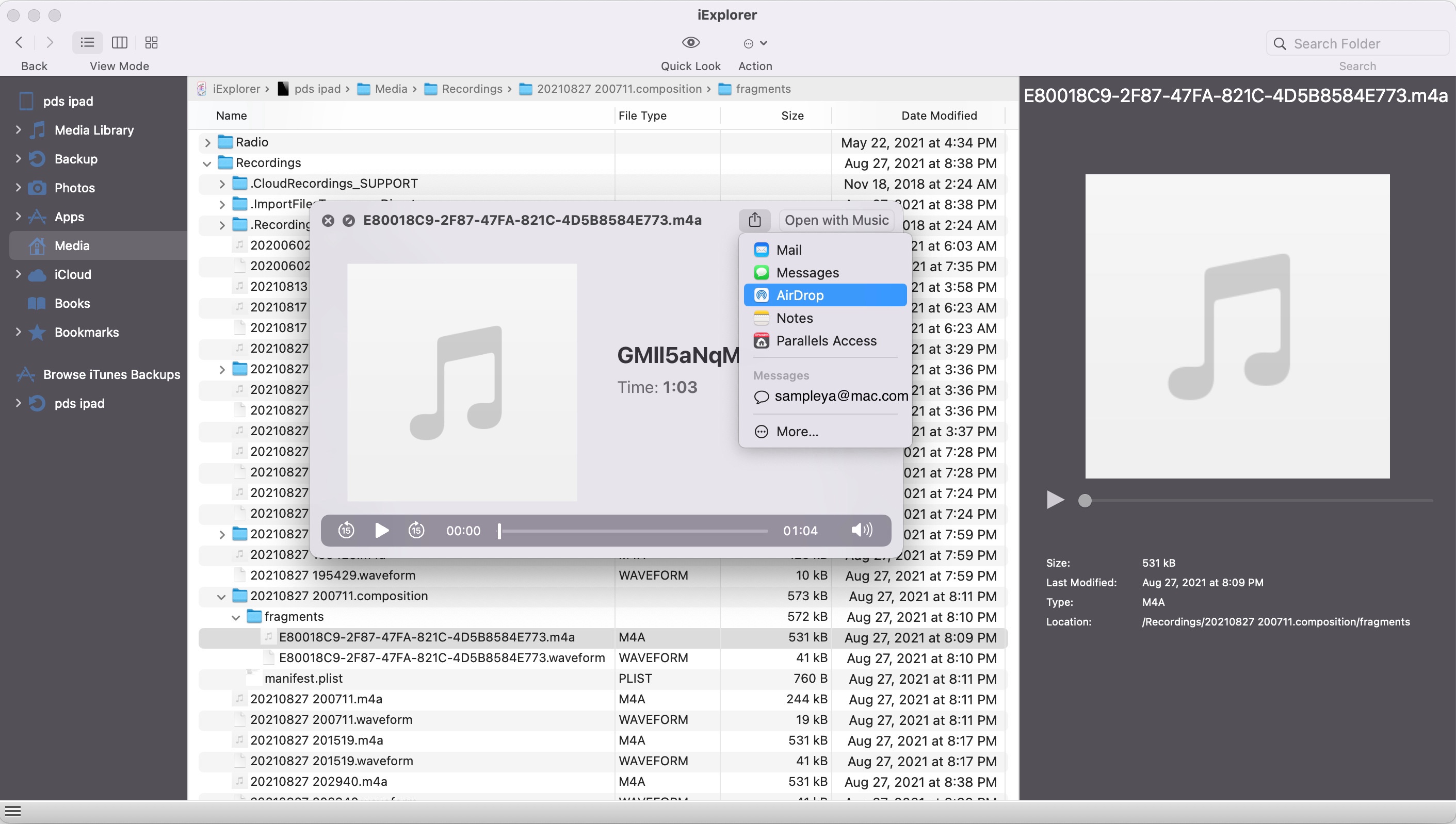


On iPad select Voice Memos to open it. If the trimmed video still has the same name, the system will add a digit to the filename of the recovered file.
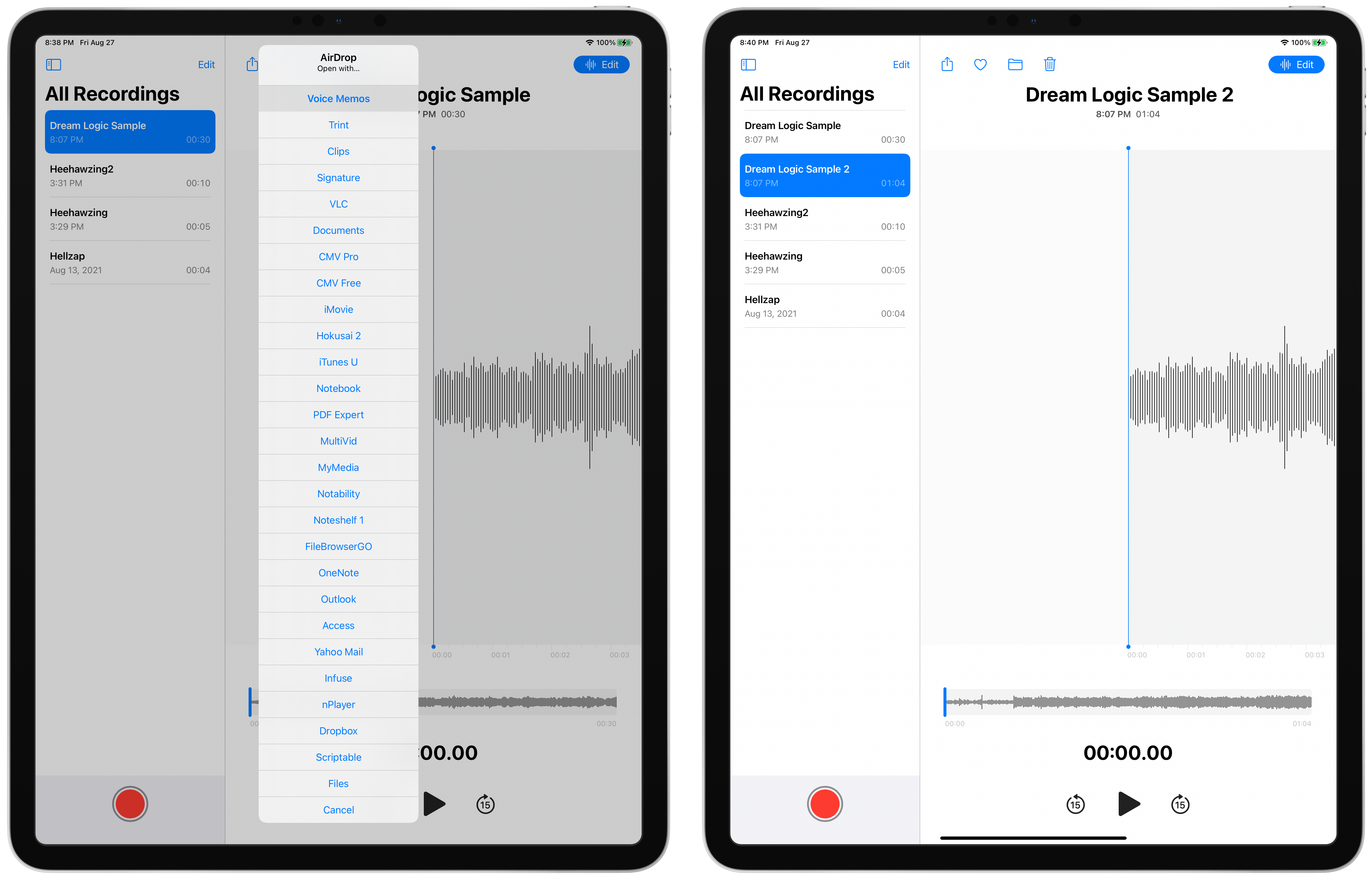


If you go this route, don't make a habit of it. A better approach is to duplicate the recording from the Share menu, then edit the copy and leave the original untouched.


5 replies
Question marked as Top-ranking reply

Aug 28, 2021 12:22 AM in response to douglasmusic

If it's important it’s possible to use a third-party Mac app such as iExplorer to recover the original recording and AirDrop it back into the Voice Memos app on your iPad. First make a current full backup of your iPad on your Mac.


To test I create a 01:04 long recording in Voice Memos. I then trim it to 00:30 and save it. The user perspective from Voice Memos is that the original recording no longer exists.


Quit all apps on iPad. Connect iPad by cable to your Mac. In iExplorer on Mac navigate to where the original recording exists on iPad. It will be in the /Media/Recordings folder. Locate it by date and approximate time; it will have a .m4a extension. Quick Look the file to listen that it is the right one and confirm its length. Don’t manipulate any files or folders, just Air Drop a copy of the selected file to iPad from the Share menu. Quit iExplorer.


On iPad select Voice Memos to open it. If the trimmed video still has the same name, the system will add a digit to the filename of the recovered file.


If you go this route, don't make a habit of it. A better approach is to duplicate the recording from the Share menu, then edit the copy and leave the original untouched.

This thread has been closed by the system or the community team. You may vote for any posts you find helpful, or search the Community for additional answers.

How do I undo an edit on a voice memo on iOS?

Welcome to Apple Support Community
A forum where Apple customers help each other with their products. Get started with your Apple Account.