
Screen broadcast
Screen broadcast not available while mirroring .. and there’s no restriction and screen time is off
Screen broadcast not available while mirroring .. and there’s no restriction and screen time is off
This is not a Screen Time limit.
If you are connected to a external monitor, you will not be able to broadcast unless disconnected. Same for AirPlay.
If you are not connected to a external monitor or using AirPlay try a hard reset.
On your iPad that doesn't have a Home button

On your iPad with a Home button
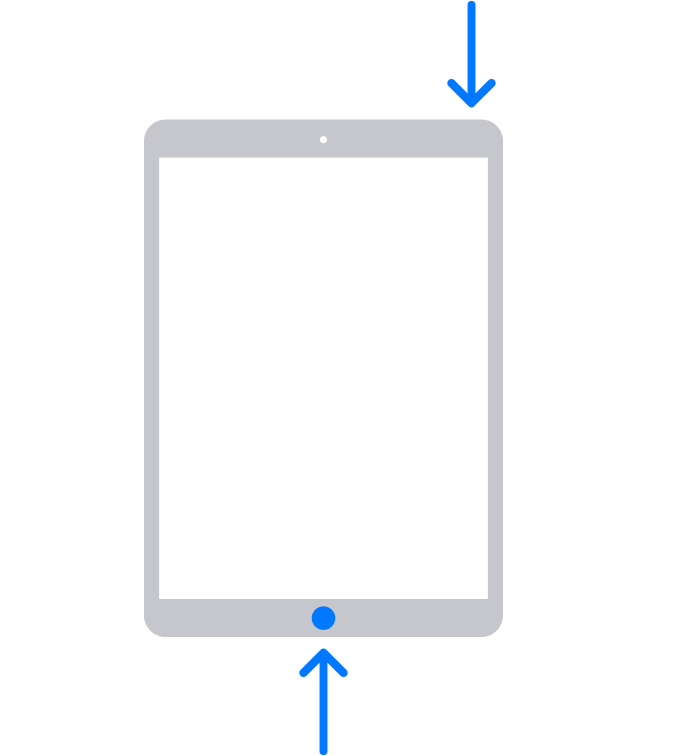
I hope this helps. Have a great day.
This is not a Screen Time limit.
If you are connected to a external monitor, you will not be able to broadcast unless disconnected. Same for AirPlay.
If you are not connected to a external monitor or using AirPlay try a hard reset.
On your iPad that doesn't have a Home button
On your iPad with a Home button
I hope this helps. Have a great day.
Hello Norah,
You can Try and Force restart iPad
Press and quickly release the volume up button, press and quickly release the volume down button, then press and hold the top button and keep it pressed until Apple logo appears, release the button.
Axel F.
Yes I connected to projector using HDMI connector
AND I need to broadcast at same time is there anyway
my friends using her iPad to do that and it’s working .. her ipad (type C) my iPad (lighting)
Screen broadcast

