
need to reset all authorised computer
authorised issue
Windows, Windows 10
authorised issue
Windows, Windows 10
Click the Deauthorize All button -- see the instructions below; the button is in the second screenshot below. From Authorize or deauthorize your computer for iTunes Store purchases - Apple Support
See your authorized computers
To automatically sign in to your Account Information page from your computer, click here. Or follow these steps:
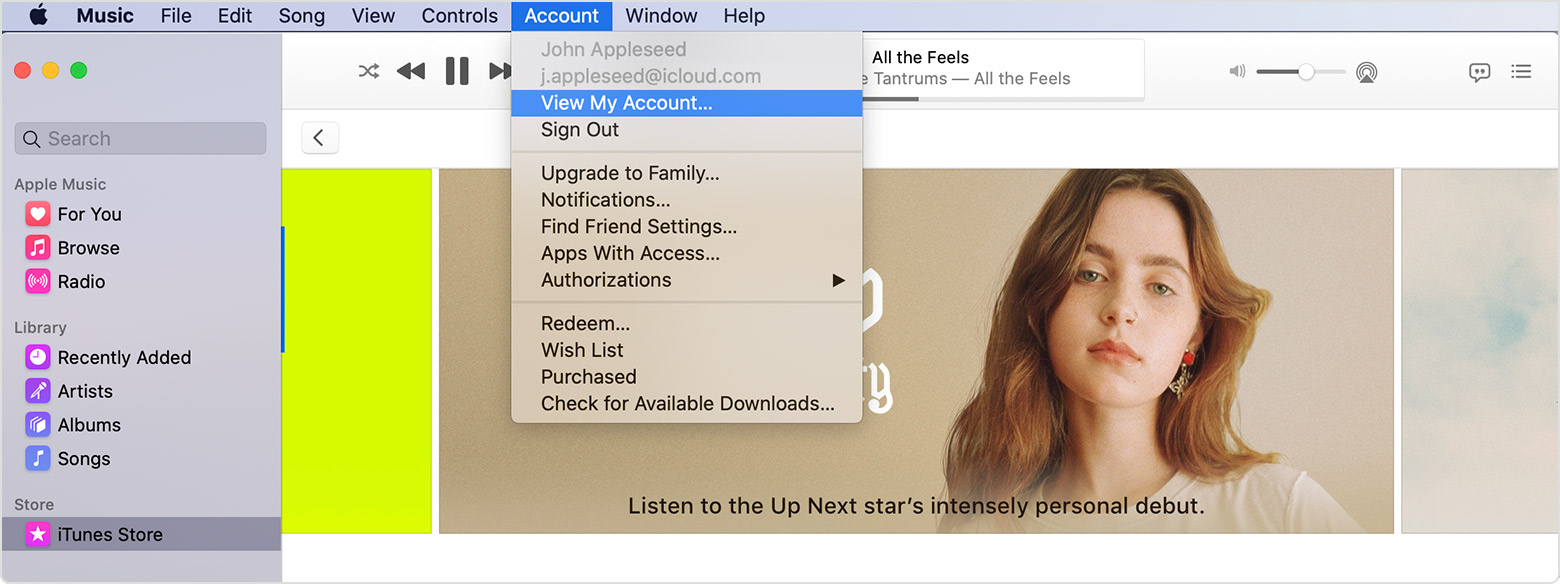
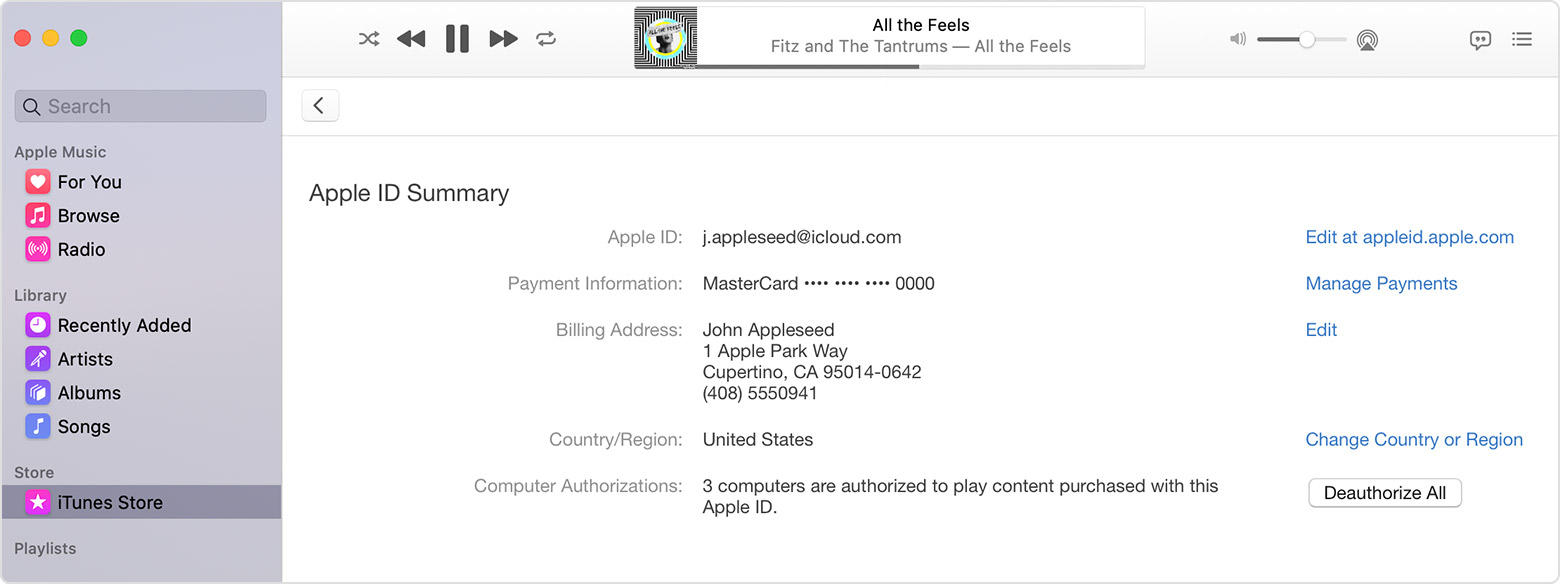
If the number of authorized computers listed is more than what you expect, you might not have deauthorized the computers that you no longer use, gave away, or sold. You need to deauthorize all of your computers and then authorize each one that you still use.
Click the Deauthorize All button -- see the instructions below; the button is in the second screenshot below. From Authorize or deauthorize your computer for iTunes Store purchases - Apple Support
See your authorized computers
To automatically sign in to your Account Information page from your computer, click here. Or follow these steps:
If the number of authorized computers listed is more than what you expect, you might not have deauthorized the computers that you no longer use, gave away, or sold. You need to deauthorize all of your computers and then authorize each one that you still use.
need to reset all authorised computer
