iPhone 13 pro lens flare

Are these signs of camera defects with my iPhone 13 Pro Max? I keep getting these lens flares when taking photos and videos with bright sources of light. Happens allot with the sun during day and bright lights during night.

iPhone 13 Pro Max, iOS 15

Posted on Sep 29, 2021 2:11 PM

Reply
Question marked as Top-ranking reply

Posted on Sep 29, 2021 2:38 PM

Yes and they're normal. Before you take the photo, you can easily see the flares on the screen. Alter the angle of the phone relative to the bright lights and you can eliminate the flares.


While these two photos were taken on iPhone 12 Pro Max, you can see what I'm talking about.


This photo show lens flare:


Simply angling the camera differently without moving at all produced this photo:


323 replies

Nov 22, 2021 6:35 PM in response to Master320x

It’s considered a form of flare called sensor reflection and is common to all iPhones since at least the 6, Google Pixels, Samsung Galaxies, as well as DSLRs, mirrorless and cinema digital cameras.


Here you can see the reflection of the bright chandelier overlaid on the floor area:


There are ways to minimize or eliminate it but it involves camera placement, hoods and other techniques.

Nov 23, 2021 6:49 PM in response to Dæniøl

So I did more testing on my iPhone SE (1st gen), 12, 12 Pro Max, and 13 mini (images shown in this order below). The reflection shows on all the phones. I suppose that because the SE camera has lesser specifications it does not capture as much detail and therefore the reflection is not as pronounced. The reflection shows in more detail on the newer phones.


Dec 4, 2021 5:29 PM in response to davidech70

Look at these two photos I took.


First photo with the flare dots from the reflection of the lights against the sensor:
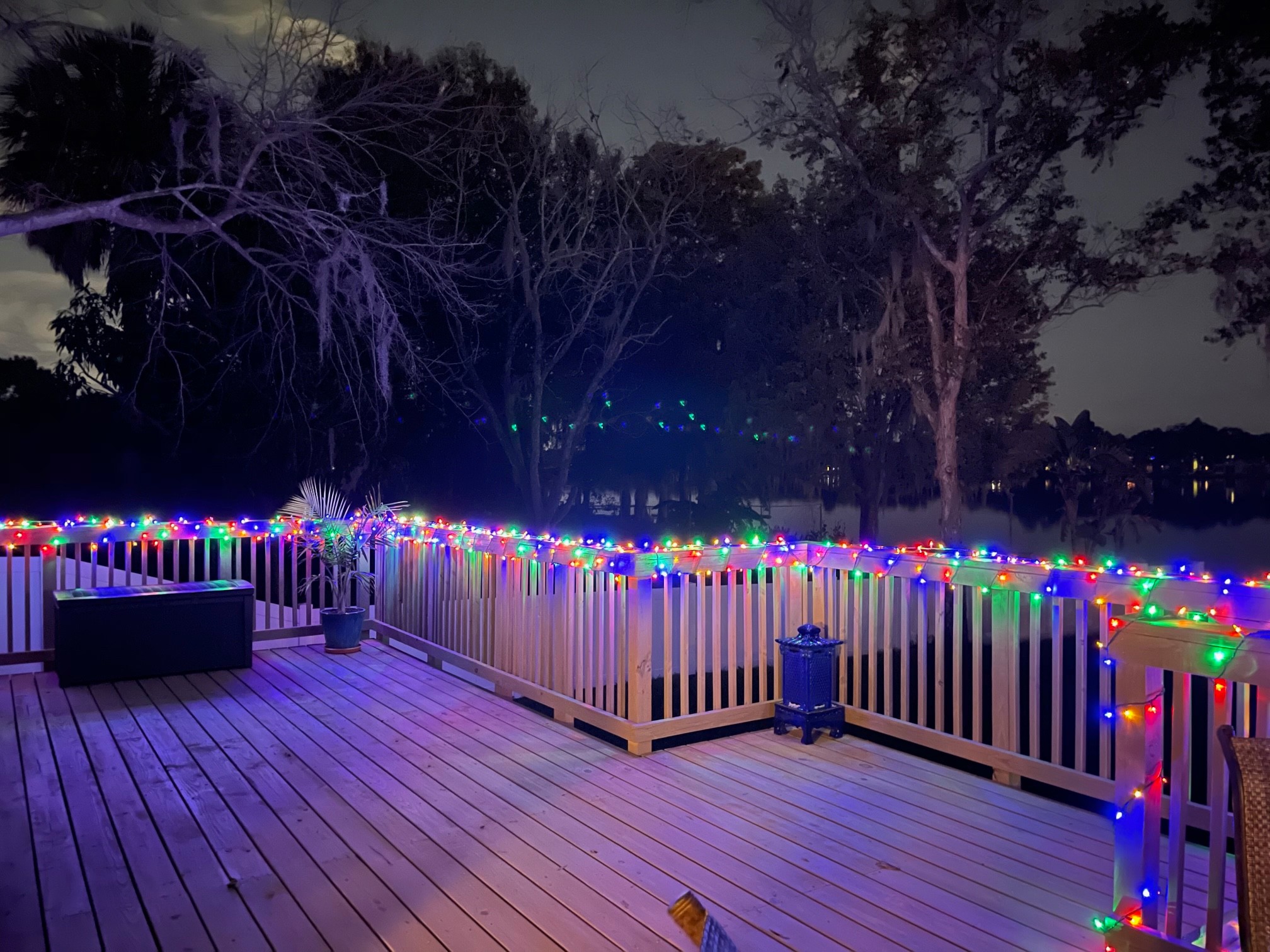


Angling the camera relative to the reflections, which by the way, were plainly obvious on the screen before I took the photo, I was able to completely eliminate the dots:
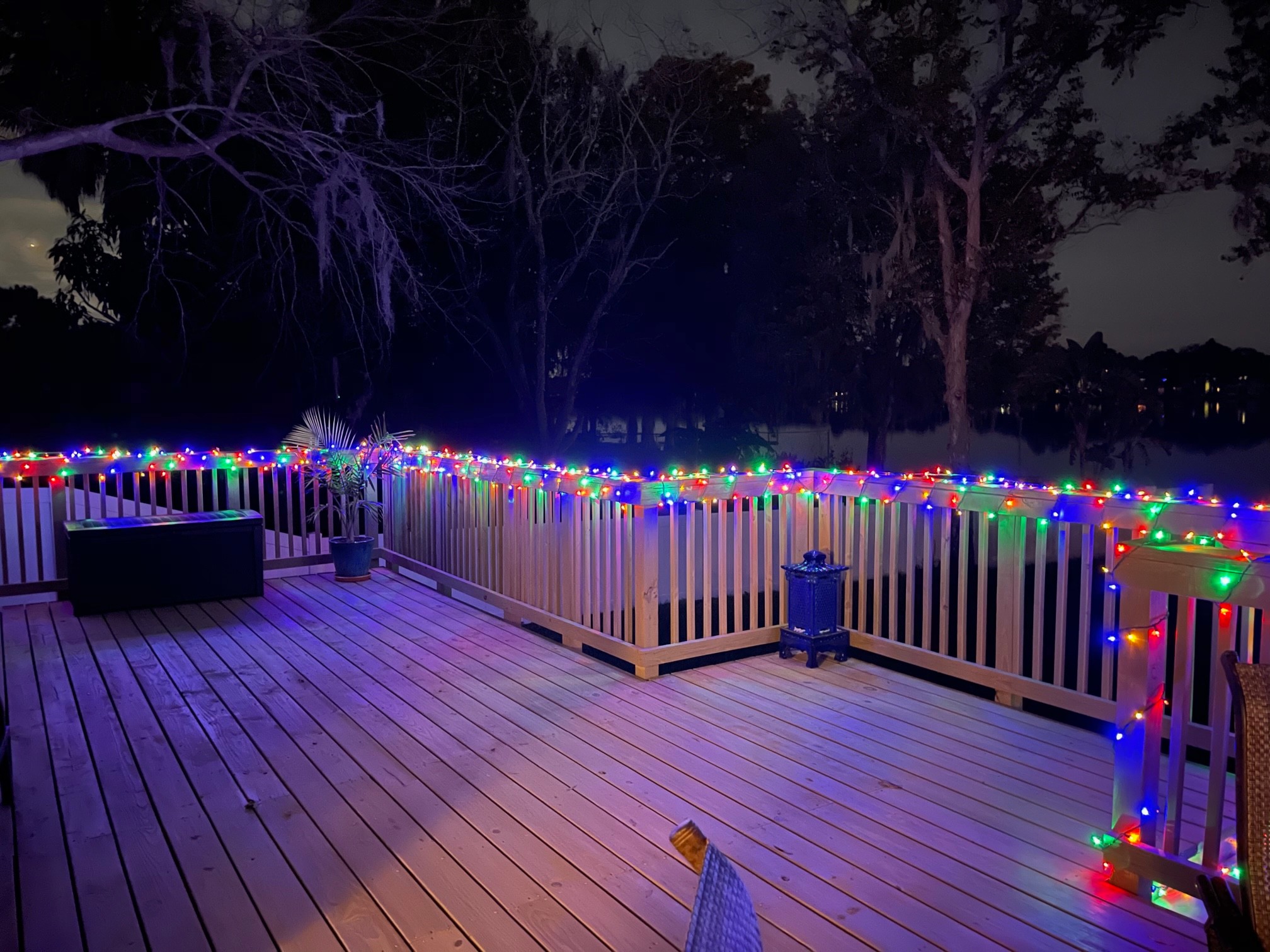


I didn't change my actual position at all. I simply angled the camera better to eliminate the flare. This demonstrates there's nothing wrong with the cameras. We, as photographers, need to be more careful when we take photos of bright lights in dark settings.


Finally, if you take a photo which shows these flares and you don't have the option to retake the photo, you can do what all professional photographers have at their disposal and that's photo editing tools such as Lightroom for iPhone and use the healing brush to remove anomalies you want to remove.


Jan 3, 2022 6:47 AM in response to Marki22

No, not because it is Apple, we say is is normal because EVERY CAMERA EVER MADE EXHIBITS LENS FLARE WHEN THERE IS A LIGHT SOURCE IN THE PHOTO. EVERY CAMERA EVER MADE. And the thingie in your phone that takes photos is a CAMERA, so like every camera ever made it will have lens flare when there are light sources in the image. As you have so amply demonstrated.

Jan 4, 2022 7:07 AM in response to DJP_Omnikron63

That is absolutely lens flare. Those very bright lights have reflected internally in the lens. It is perfectly obvious, as the green images match exactly the pattern of the light source.


If it was a bad sensor you would see those green images in every picture you took in exactly the same location in the picture. Do you see them in every picture?

Jan 7, 2022 11:06 AM in response to Robbykosa

Look at the photo taken with a Pixel 5 on this page. And all of the photos in this link→iPhone Camera Lens Flare and Reflections - Apple Community and explain why it is not normal when the same thing appears in photos from these cameras: iPhones: 6, 7, 7+, 8+, X, XS, 11 Pro Max, then Samsung Galaxy S21, DJI Drone, Pixel 3, Pixel 5, Pixel 6, Panasonic video camera, Samsung Galaxy Note, Samsung Galaxy S20, Canon DSLR, ARRI Alexa Mini ($50,000 cinema digital camera with $10,000+ lens).


Are you saying it is NOT NORMAL in ALL of those cameras? Then what is “normal”?

Feb 14, 2022 8:02 AM in response to Droffo

Droffo wrote:

This is so frustrating…… Reading comments it looks like there’s nothing I can do about it.

Indeed. There is nothing that any photographer can do about it using any camera. Lens flare has been present in all cameras since cameras were invented almost 200 years ago. If you have a bright light in the frame of your picture (or falling on the lens from the side) you will ALWAYS have lens flare in the image.

Oct 3, 2021 5:00 PM in response to Salvida

Salvida wrote:

No my DSLR does not have nightmode like my iphone. But dont see what that has to do with this, the lense flares are not related to nightmode :)

Some are saying it's a little better on the 13 pro / max but havent got to test it myself. Im gonna wait and see next year with the 14, I think I will upgrade then.

It was the dawn of night mode photography which caused so many to see flares they never saw before. Pre-iPhone 12 phones, night photos were usually grainy and poor. iPhone 12 opened a new world of photographic capabilities, which most people never used before. Thus, the threads of often poorly composed photos, with flares and people claiming their phone camera system must be defective, which their not.

Oct 4, 2021 8:55 AM in response to Fresnogreg

Well as stated, not only has every iPhone back to at least the iPhone 6 does this, when you state:


Had no preparation and since Apple touted it as movie studio/film maker quality, I expected better…


the issue is one of expectations, as I've posted photos of the same types of artifacts occurring with $50,000+ cameras and lenses used by movie studios and filmmakers.

Oct 10, 2021 1:52 PM in response to lobsterghost1

Not about bending laws of physics, it was the software that did it or hardware, there was also pics shown where you could see it. It's been talked about on different tech sites also. So unless he was faking then ... But dont think so. Found this:


A less known iOS 15 feature removes lens flares from photos shot with an iPhone. This is done post processing with the help of the iPhone’s ISP (Image Signal Processor) hardware. Practically, the device is now able to detect unwanted lens flare and remove it from the frame during on-device post-processing.


Read more here: https://www.iphonetricks.org/how-to-remove-lens-flares-from-iphone-photos/


So as you see it's actually true.

Oct 27, 2021 9:20 AM in response to Deerpark243

Deerpark243 wrote:

I agree I have always had "slight" lens flare all the way back to the iPhone 6, but I started noticing a considerable amount starting at the iPhone 11 Pro Max. and we should not have to angle our way out of it, this should not happen on a $1100.00 phone, they need to have the problem fixed.

That's isn't how flares work. You would have to angle your way out of flares on a $10,000 camera too. Flares are flares. There is NO sensor made which is immune to them. And the more light the camera itself can let into the sensor, the more common are flares.

Oct 27, 2021 10:02 AM in response to Deerpark243

I have in the past posted examples of this same flare occurring at least back to the iPhone 6 as well as on premium Androids, and digital video cameras from camcorders to $50,000 professional cinema camera/lens combinations.


Just a couple quick ones showing the issue is common to premium smartphones:


and one showing that cinematographers for Hallmark Channel productions should apparently stop using that low grade ARRI stuff:


Nov 4, 2021 7:54 AM in response to Fresnogreg

There are apps you can download with eraser tools, like Lightroom for iPhone. To expect Apple to automatically remove data from a photograph is not going to happen. You the photographer should decide what data you want and then you can remove unwanted artifacts after the photo is taken.


Of course, you the photographer can also see lens flare easily on your iPhone screen before you take a photo and often, simply reangling the camera relative to the scene can greatly reduce and often eliminate lens flare. But you seem to expect the camera to be able to do this all on its own, which is not possible.

This thread has been closed by the system or the community team. You may vote for any posts you find helpful, or search the Community for additional answers.

iPhone 13 pro lens flare

Welcome to Apple Support Community
A forum where Apple customers help each other with their products. Get started with your Apple Account.



