Take a look at this link to Apple's online help menu. It will explain how to mute the music in part of an audio clip.
https://help.apple.com/imovie/mac/10.1/#/mov3b5ded23e
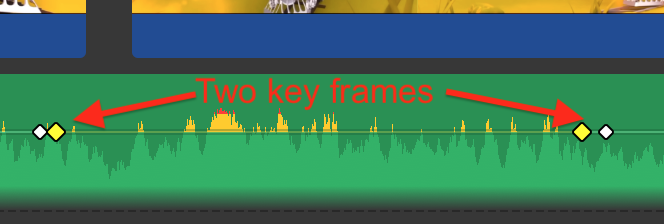
Another way is to use key frames. Hold down the option key and click on the horizontal volume line to place a key frame on the line at the in-point where you want to start muting. Then do it again, placing another key frame right next to the first one. Then go to the out-point and do the same thing. So now you have two keyframes at the beginning where you want to start the muting, and two keyframes at the end where you want to restore the original volume.
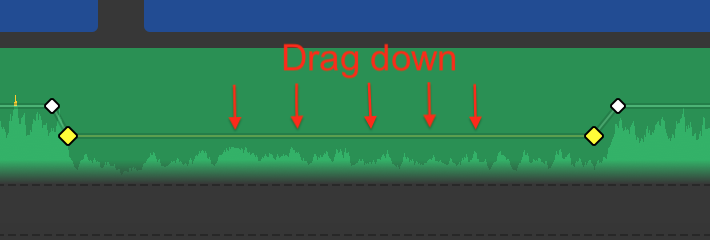
Then, with your cursor, drag down the section of the horizontal volume line that lies between the two sets of dots, to lower or mute the volume.
-- Rich

