
Weather app has wrong city by
weather widget by default shows the weather, not in my city, geolocation is turned on for the app and shows the correct city, but by default (before I open the full list of cities) I see another one
weather widget by default shows the weather, not in my city, geolocation is turned on for the app and shows the correct city, but by default (before I open the full list of cities) I see another one
Hi Dreik3,
Thank you for posting in Apple Support Communities. We understand the Weather app is not opening to your current location. You may need to rearrange your locations, like this:
"Add, delete, and rearrange locations in your weather list
 to see your weather list.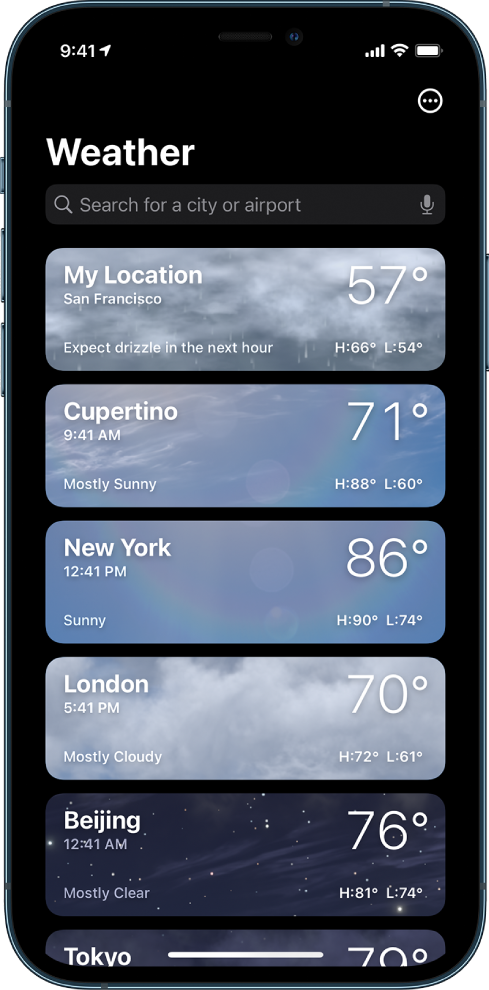
 . Or, tap
  , then tap Edit List., then tap Edit List.
Your list of locations stays up to date across your devices when you’re signed in with the same Apple ID."
As discussed here: Check the weather on iPhone
Cheers!
Dreik3,
Let's open the Weather app and take a look at the bottom of your display. You should see the location icon  and " * " to indicate your saved locations. Swipe left to right until is highlighted to show your current location. Let's then close the Weather app, open it again, and check to see if your current location is still highlighted when the app is opened.
Have a good one!
Please ensure that you are on the latest iOS 15.1.1 update. As well as, make sure you location is enabled to always on for the weather app.
To ensure you're on the latest iOS update please do the following:
Settings > General > Software Update
To ensure that the weather app location is set to always on please do the following:
Settings > Weather > Location
Hopefully this helps. If not here is a support documentation that should assist you further.
Best Regards,
Jeremy
I can add, delete, rearrange, but default city (before I open the list) is still not mine
Weather app has wrong city by


