magic keyboard

I need to call the word:

(Music)

or any

music note (not emoji)

with a key when writing captions on FCPX.

I've not found a way to do it, neither with the Apple Magic Small keyboard nor the MX Logitech Master 3 mouse.

Anyone can help?

Thanks

Mac mini, 12.0

Posted on Dec 31, 2021 4:52 PM

Reply
Question marked as Top-ranking reply

Posted on Dec 31, 2021 6:24 PM

โ™ซ๐„ก๐„ข๐„ž๐„†๐„‡โ™ฏโ™ญโ™ฏโ™ฉโ™ชโ™ซโ™ฌ are available in Unicode. To add unicode characters to a title (or caption), type Control-Command-Spacebar to call up the keyboard dialog (Character Viewer) window. Musical symbols are in two places:


00002600 block: Miscellaneous Symbols [โ™ฉ โ™ช โ™ซ โ™ฌ โ™ญ โ™ฎ โ™ฏ ]


and

0001D100 block: Musical Symbols [๐„€ ๐„ ๐„‚ ๐„ƒ ๐„„ ๐„… ๐„† ๐„‡ ๐„ˆ ๐„ ๐„‘ ๐„’ ๐„› ๐„œ ๐„ž ๐„ก ๐„ข ๐„ฉ ๐„ซ ๐„ฌ ๐„ฎ ๐„ฝ ๐„พ ๐„ฟ ๐…ž ๐…Ÿ ๐…  ๐…ก ๐…ข ๐…ฃ ๐…ค and others]


You can create a shortcut if you open up the Customize List utility:


And add Musical Symbols (ALL the musical symbols will be displayed at once in the window:


Find the symbol you need and double click it to enter into the text in FCPX. [You can copy/paste the characters above into a document you save for future reference as well โ€” whatever is easier.]


3 replies
Question marked as Top-ranking reply

Dec 31, 2021 6:24 PM in response to hummaussie

โ™ซ๐„ก๐„ข๐„ž๐„†๐„‡โ™ฏโ™ญโ™ฏโ™ฉโ™ชโ™ซโ™ฌ are available in Unicode. To add unicode characters to a title (or caption), type Control-Command-Spacebar to call up the keyboard dialog (Character Viewer) window. Musical symbols are in two places:


00002600 block: Miscellaneous Symbols [โ™ฉ โ™ช โ™ซ โ™ฌ โ™ญ โ™ฎ โ™ฏ ]


and

0001D100 block: Musical Symbols [๐„€ ๐„ ๐„‚ ๐„ƒ ๐„„ ๐„… ๐„† ๐„‡ ๐„ˆ ๐„ ๐„‘ ๐„’ ๐„› ๐„œ ๐„ž ๐„ก ๐„ข ๐„ฉ ๐„ซ ๐„ฌ ๐„ฎ ๐„ฝ ๐„พ ๐„ฟ ๐…ž ๐…Ÿ ๐…  ๐…ก ๐…ข ๐…ฃ ๐…ค and others]


You can create a shortcut if you open up the Customize List utility:


And add Musical Symbols (ALL the musical symbols will be displayed at once in the window:
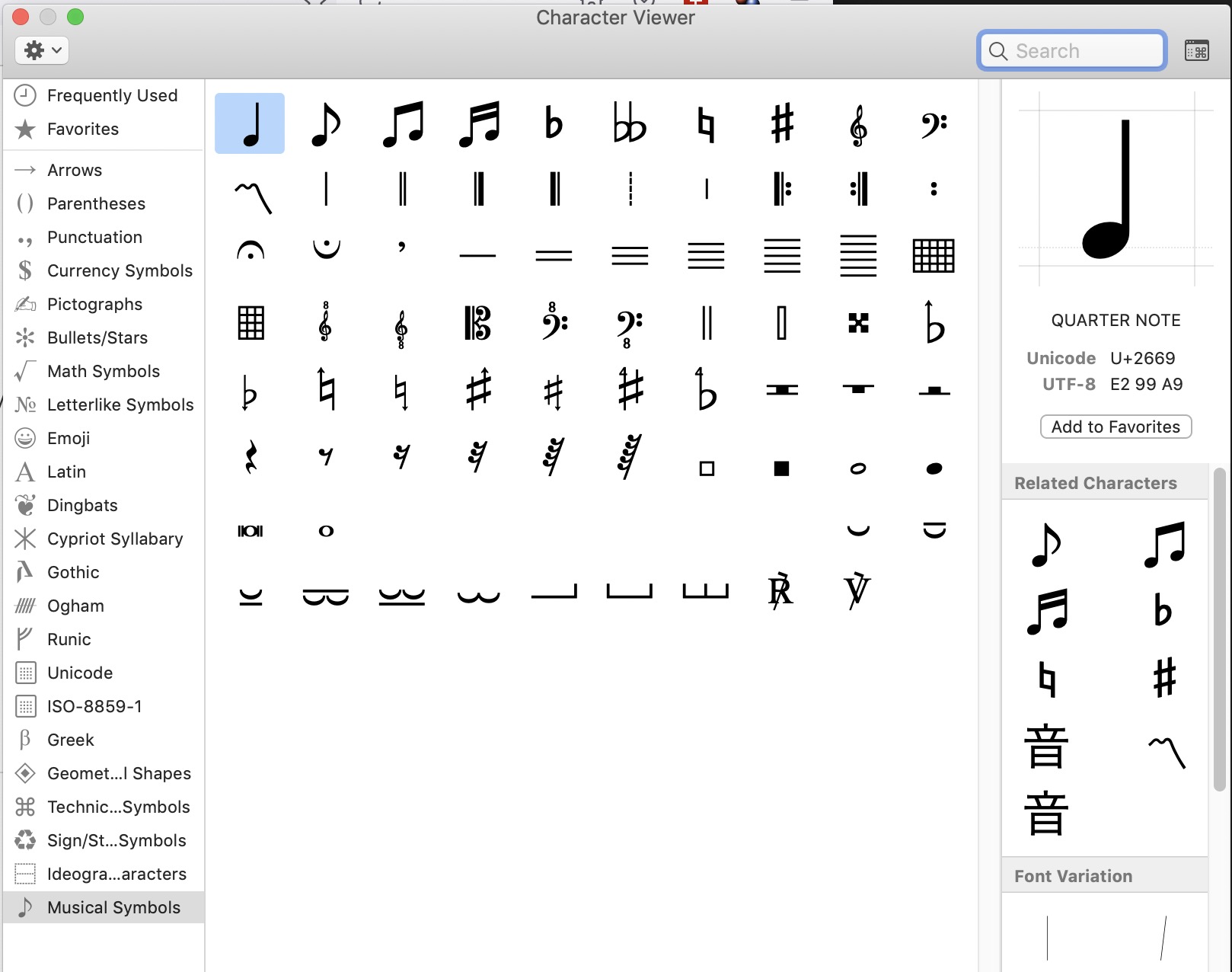


Find the symbol you need and double click it to enter into the text in FCPX. [You can copy/paste the characters above into a document you save for future reference as well โ€” whatever is easier.]


Jan 1, 2022 3:49 AM in response to Luis Sequeira1

I have to add a little caveat to my previous suggestion: to use the text expansion, you have to be typing in the Inspector, and not in the little caption window that pops up near the timeline.


Here is an example - I created an expansion for option-B. This normally prints an integral sign โˆซ,

and I associated with it an โ™ช:


And here you see it in the Inspector:


This thread has been closed by the system or the community team. You may vote for any posts you find helpful, or search the Community for additional answers.

magic keyboard

Welcome to Apple Support Community
A forum where Apple customers help each other with their products. Get started with your Apple Account.


