
My apple remote won’t charge
What can I do when my remote won’t charge?
What can I do when my remote won’t charge?
What is your model remote? Identify your Apple TV remote - Apple Support
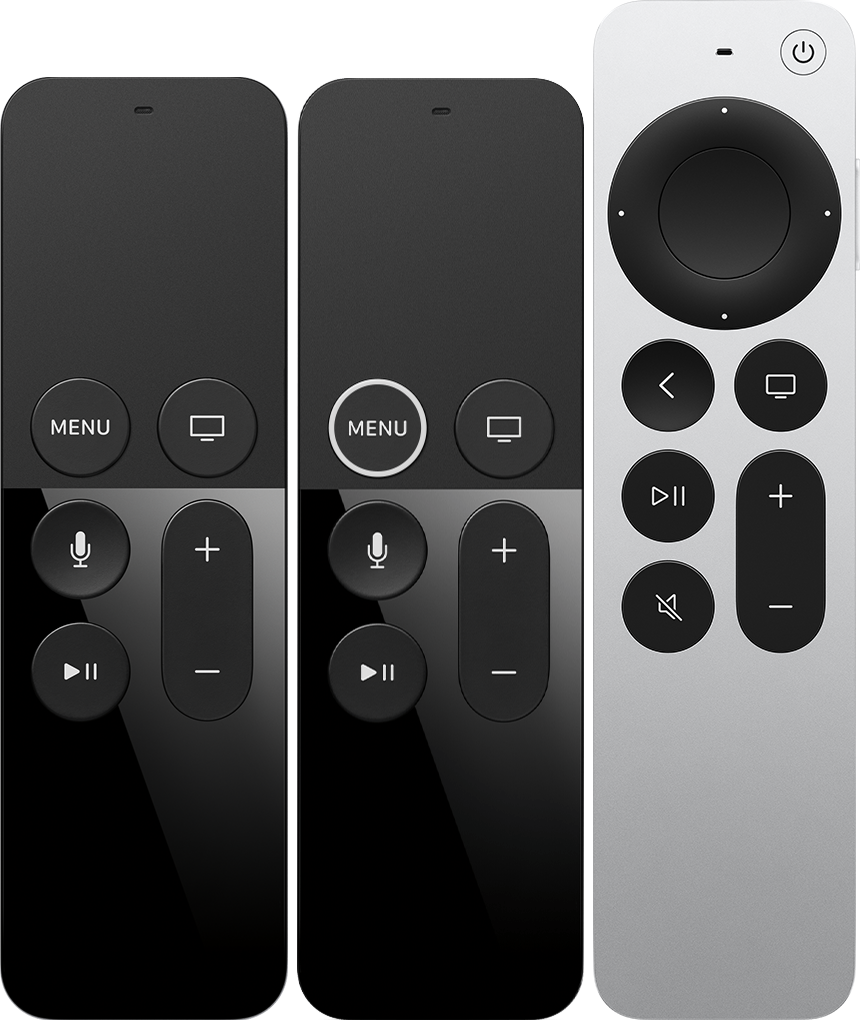
Try to charge it as described in these instructions: Charge your Siri Remote - Apple Support
Charge by connecting to a power adapter in an AC socket, or directly to a computer, using the bundled Lightning-to-USB cable. The Siri Remote takes about three hours to fully charge. The are no indicators on the remote that it is charging, but you can monitor the battery charge level on screen.
If the issue persists, then contact Apple Support.
What is your model remote? Identify your Apple TV remote - Apple Support
Try to charge it as described in these instructions: Charge your Siri Remote - Apple Support
Charge by connecting to a power adapter in an AC socket, or directly to a computer, using the bundled Lightning-to-USB cable. The Siri Remote takes about three hours to fully charge. The are no indicators on the remote that it is charging, but you can monitor the battery charge level on screen.
If the issue persists, then contact Apple Support.
My apple remote won’t charge
