
My location notifications are not enabled
I am unable to activate my location notifications
iPhone 12 Pro Max, iOS 15
I am unable to activate my location notifications
iPhone 12 Pro Max, iOS 15
Hi mbrssgc,
Thank you for using Apple Support Communities.
To confirm, are you referring to your Location Settings found here? Turn Location Services and GPS on or off on your iPhone, iPad, or iPod touch
If so, check to see if you have any restrictions set in place that may prevent you from turning on this feature: Use parental controls on your child's iPhone, iPad, and iPod touch
Also, review this article which has additional information: About privacy and Location Services in iOS and iPadOS
"Turn Location Services on or off
You can turn Location Services on or off at Settings > Privacy > Location Services. You can turn Location Services on either during the Setup Assistant process or later through the Location Services setting. You can individually control which apps and system services have access to Location Services data. When Location Services are off, apps can't use your location in the foreground or background. This will limit the performance of various Apple and third-party apps.
If you would like to reset all of your location settings to the factory default, go to Settings > General > Reset and tap Reset Location & Privacy. When your location and privacy settings are reset, apps will stop using your location until you grant them permission.
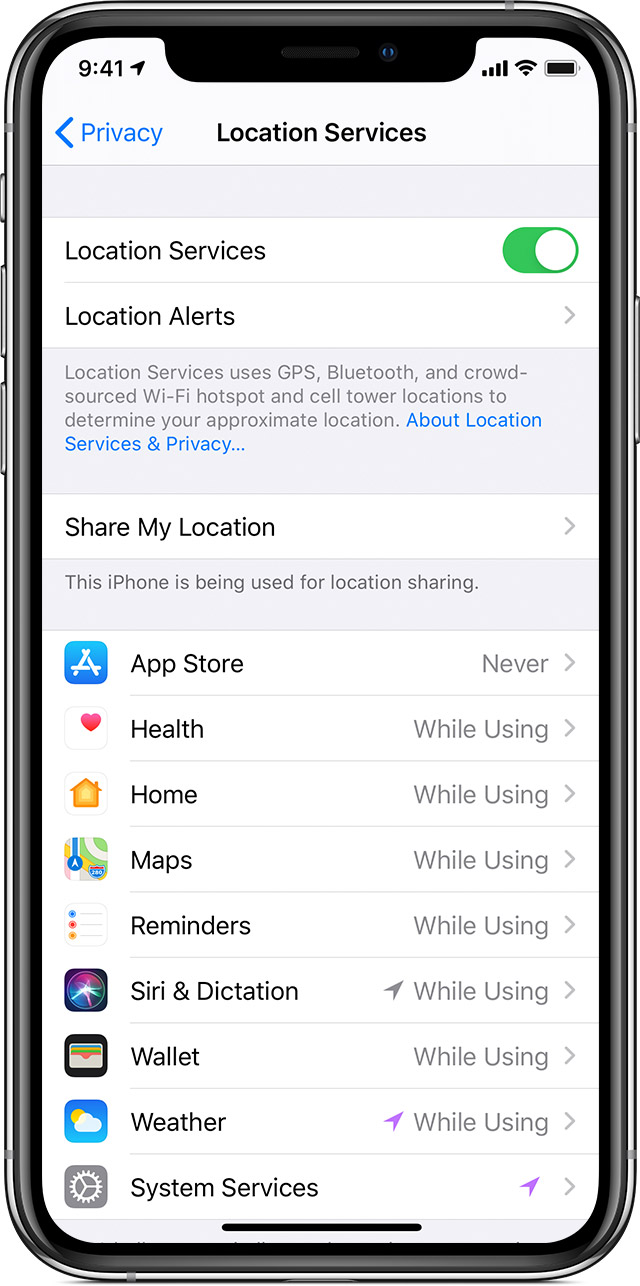
Settings > Privacy > Location Services.
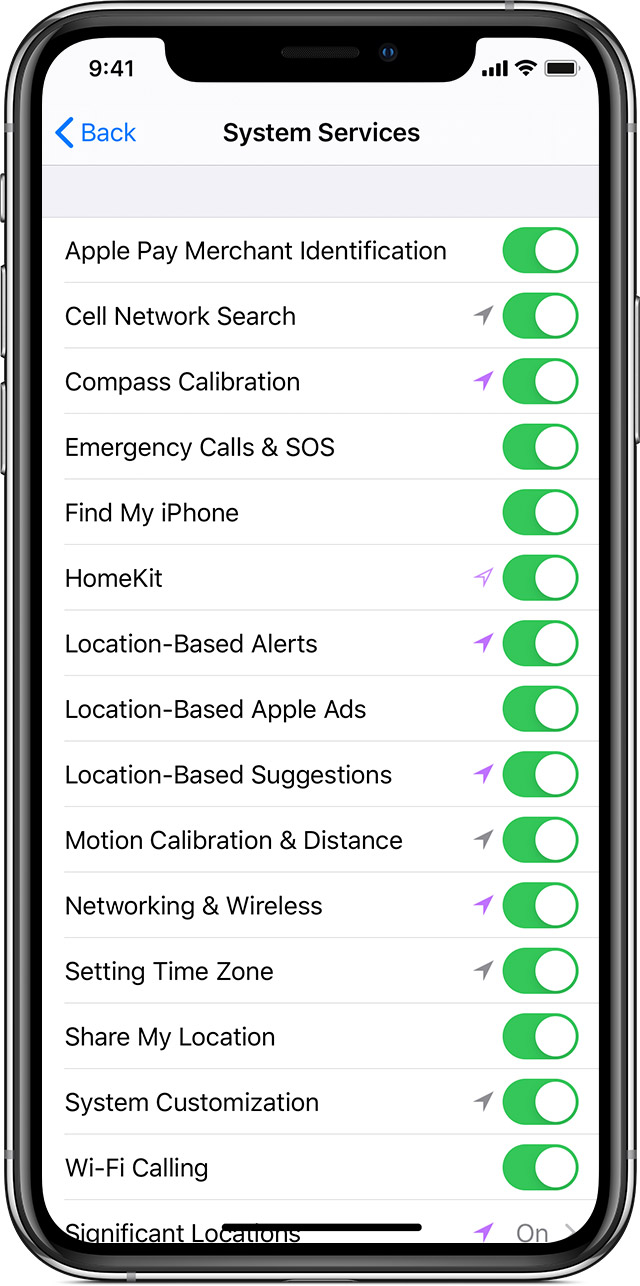
Settings > Privacy > Location Services > System Services."
If this isn't the case, let us know in more detail about what's happening.
Thank you for using Apple Support Communities.
Hi mbrssgc,
Thank you for using Apple Support Communities.
To confirm, are you referring to your Location Settings found here? Turn Location Services and GPS on or off on your iPhone, iPad, or iPod touch
If so, check to see if you have any restrictions set in place that may prevent you from turning on this feature: Use parental controls on your child's iPhone, iPad, and iPod touch
Also, review this article which has additional information: About privacy and Location Services in iOS and iPadOS
"Turn Location Services on or off
You can turn Location Services on or off at Settings > Privacy > Location Services. You can turn Location Services on either during the Setup Assistant process or later through the Location Services setting. You can individually control which apps and system services have access to Location Services data. When Location Services are off, apps can't use your location in the foreground or background. This will limit the performance of various Apple and third-party apps.
If you would like to reset all of your location settings to the factory default, go to Settings > General > Reset and tap Reset Location & Privacy. When your location and privacy settings are reset, apps will stop using your location until you grant them permission.
Settings > Privacy > Location Services.
Settings > Privacy > Location Services > System Services."
If this isn't the case, let us know in more detail about what's happening.
Thank you for using Apple Support Communities.
My location notifications are not enabled

