I can not write files to portable Seagate drive

I have recently bought a portable Seagate drive.

I have connected it to my MacBook Air computer.

I want to copy file to this drive, but I can not. Why is that? I have followed the advice to get instead of small memory stick a serious device.

whatever I try it does not work.

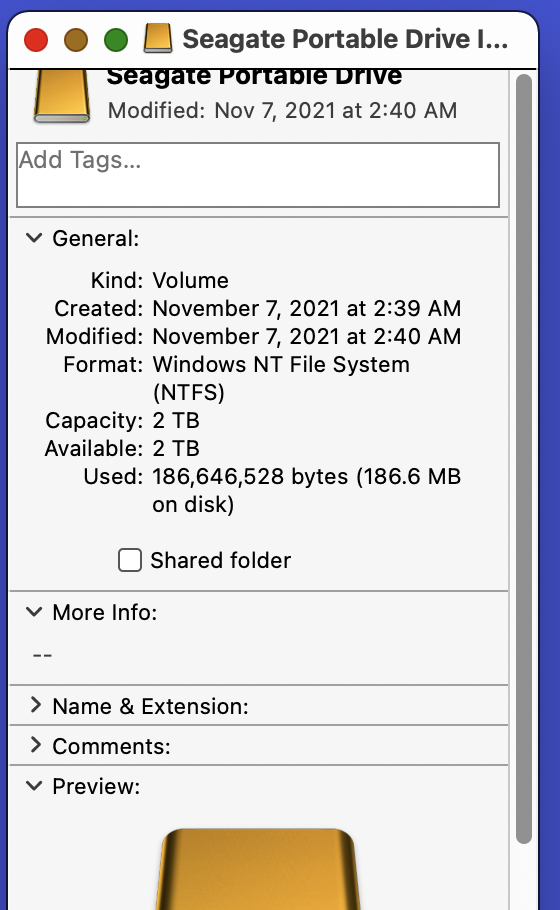
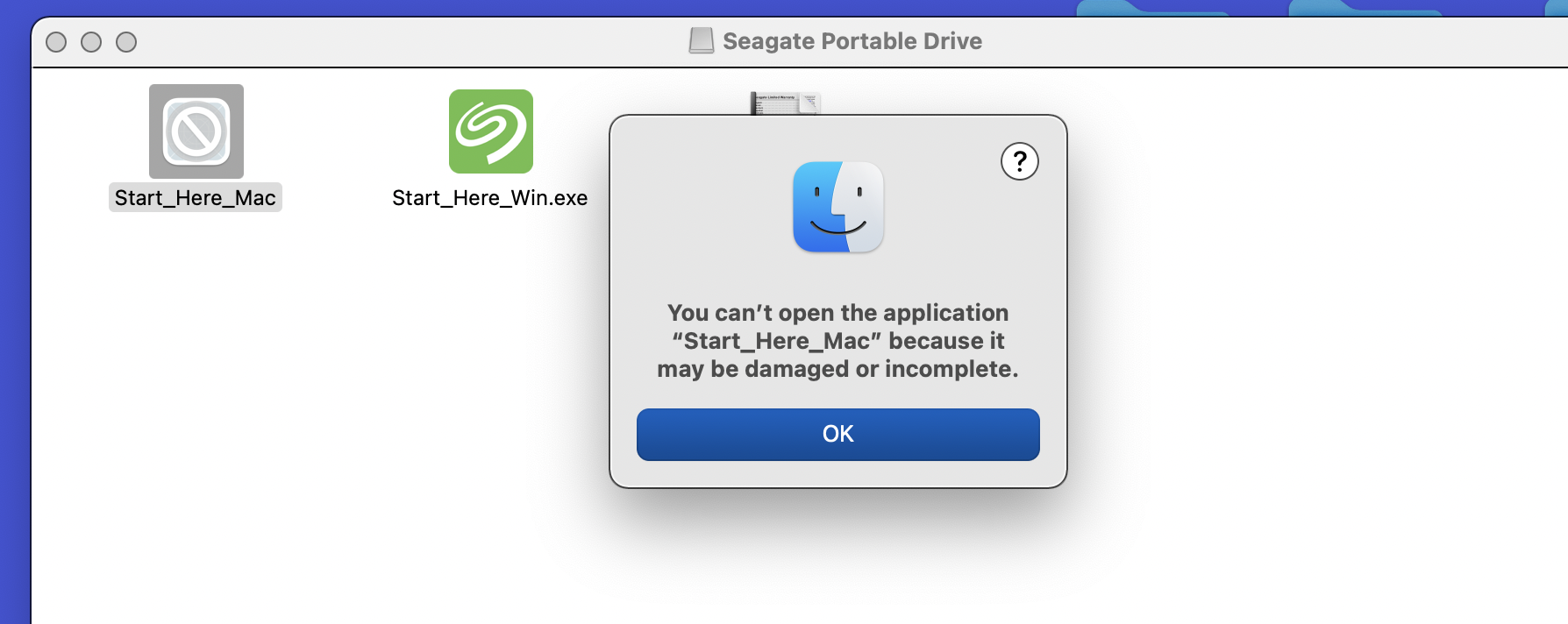
here are some screen shots

MacBook Air 13″, macOS 12.1

Posted on Jan 27, 2022 9:40 AM

Reply
Question marked as Top-ranking reply

Posted on Jan 27, 2022 2:52 PM

it appears that not only is it in NTFS format, but there is also some pre-installed software to make it "mac ready". it is often recommended to not use a manufacturer's bundled software and instead use disk utility (found in applications > utilities) to erase the disk and format it as APFS with GUID partition map. i personally never use a manufacturer's software.

4 replies
Question marked as Top-ranking reply

Jan 27, 2022 2:52 PM in response to grigory176

it appears that not only is it in NTFS format, but there is also some pre-installed software to make it "mac ready". it is often recommended to not use a manufacturer's bundled software and instead use disk utility (found in applications > utilities) to erase the disk and format it as APFS with GUID partition map. i personally never use a manufacturer's software.

Jan 27, 2022 12:58 PM in response to KiltedTim

Hello, Mr. Kilted Tim!


You are saying: “macOS can read from, but can not write to NTFS”——>I understand that.


You are saying: “You need to re-format the drive to be able to use it with your Mac”——>I understand that also.


But how do I re-format the drive?  


Here are the screenshots I attach to my post:


1.SeagateDrive


2.GetInfoScreen Shot 2022-01-27 at 12.25.14 PM


3.ContentOfSeagateDriveScreen Shot 2022-01-27 at 12.18.57 PM


4.ErrorMessageIGotScreen Shot 2022-01-27 at 12.19.37 PM


When I open  “Start Here Mac” executable that is 


on Seagate Portable Drive— I get the error message (see ErrorMessageIGotScreen Shot 2022-01-27 at 12.19.37 PM


My understanding is that I should be able to execute “Start Here Mac” executable to reformat the drive, but I can not run it. You can see the error message.  Right?


So, what can I do?


can, You, please, help me?


Any feedback is appreciated.


Thank a lot,


Grigory

This thread has been closed by the system or the community team. You may vote for any posts you find helpful, or search the Community for additional answers.

I can not write files to portable Seagate drive

Welcome to Apple Support Community
A forum where Apple customers help each other with their products. Get started with your Apple Account.