
Hey my wireless beat studio 3’s are sounding really muffled right now, is there anything I can do to change this?
What’s the cause?
iPhone XS, iOS 14
What’s the cause?
iPhone XS, iOS 14
Hi joshbrin1428,
Welcome to Apple Support Communities. Do they sound muffled when they are paired with another device? This will help rule out an issue or setting with your iPhone.
If so, a reset might help: Reset your Beats on-ear or over-ear headphones - Apple Support
"Hold down the power button and volume down button for 10 seconds. 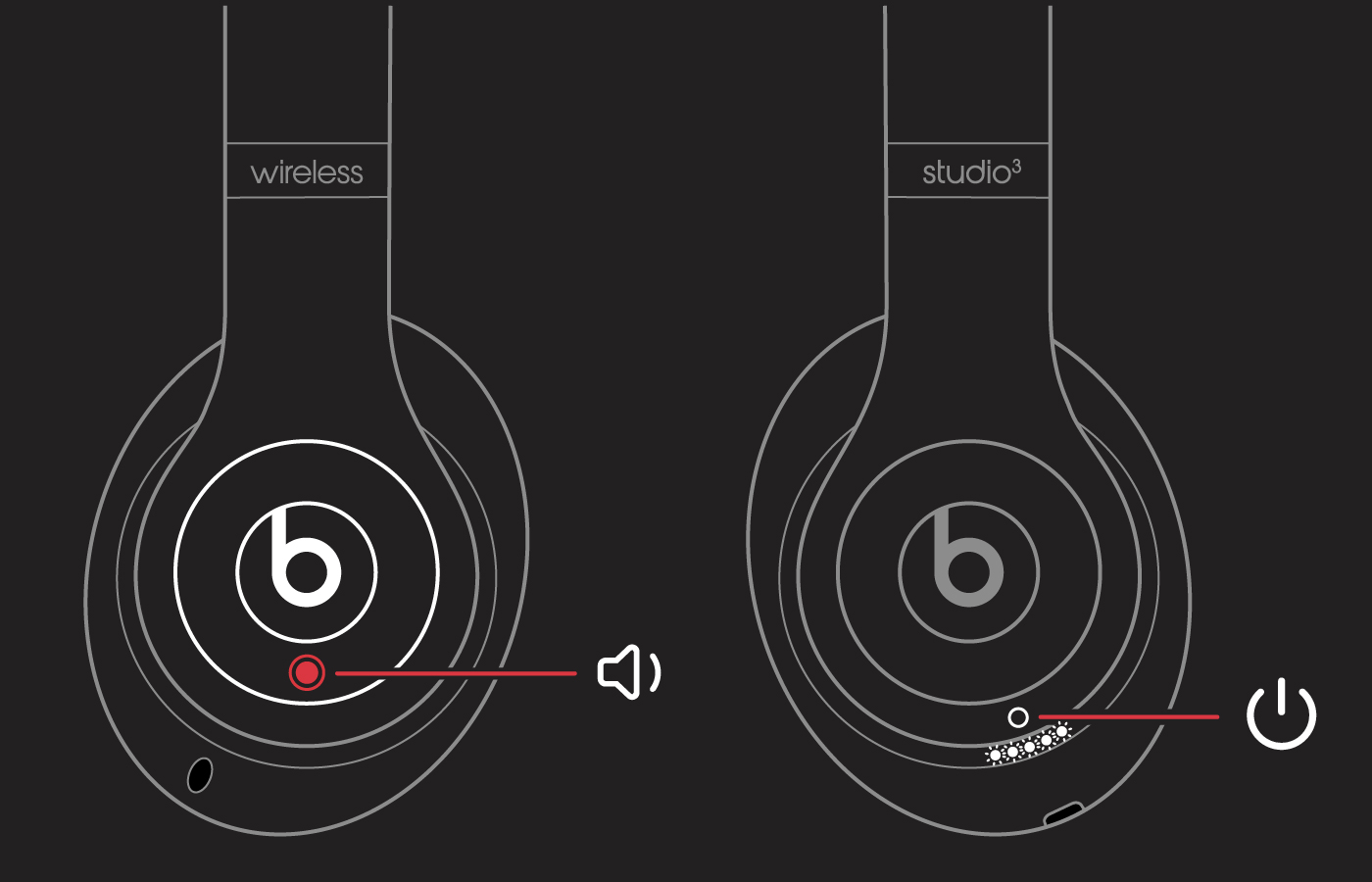 When the Fuel Gauge flashes, release the buttons.Your headphones are now reset and ready to be set up with your devices again."
If that doesn't help, make sure they are updated: About Beats Updater - Apple Support"If you paired your Beats wireless headphones or earphones with your iPhone, iPad, or iPod touch, your Beats will update automatically. Make sure that you have the latest version of iOS or iPadOS and one of these Beats products:PowerbeatsPowerbeats ProPowerbeats3 WirelessSolo ProBeats Solo3 WirelessBeats Studio3 WirelessBeatsXBeats FlexBeats Studio BudsBeats Fit ProIf you paired your Beats with an Android device, download the Beats app for Android to update your firmware.Learn how to use the Beats app for Android"
These are all steps to rule out a hardware issue with your Beats. Let us know if they help.
Cheers!
Hi joshbrin1428,
Welcome to Apple Support Communities. Do they sound muffled when they are paired with another device? This will help rule out an issue or setting with your iPhone.
If so, a reset might help: Reset your Beats on-ear or over-ear headphones - Apple Support
"Hold down the power button and volume down button for 10 seconds. When the Fuel Gauge flashes, release the buttons.Your headphones are now reset and ready to be set up with your devices again."
If that doesn't help, make sure they are updated: About Beats Updater - Apple Support"If you paired your Beats wireless headphones or earphones with your iPhone, iPad, or iPod touch, your Beats will update automatically. Make sure that you have the latest version of iOS or iPadOS and one of these Beats products:PowerbeatsPowerbeats ProPowerbeats3 WirelessSolo ProBeats Solo3 WirelessBeats Studio3 WirelessBeatsXBeats FlexBeats Studio BudsBeats Fit ProIf you paired your Beats with an Android device, download the Beats app for Android to update your firmware.Learn how to use the Beats app for Android"
These are all steps to rule out a hardware issue with your Beats. Let us know if they help.
Cheers!
Hey my wireless beat studio 3’s are sounding really muffled right now, is there anything I can do to change this?

