I can't transpose in numbers for mac

I'm using number version 11.2 (7032.0.145). Just tried to used "Transpose rows and columns" in Edit menu bar. But It's not allowing me to do so. What can I do?


The table is selected. Transpose works if I open a new document. I have tried quitting and restarting Numbers. As far as I can remember there's no have hidden, merged, of filtered rows in my table.

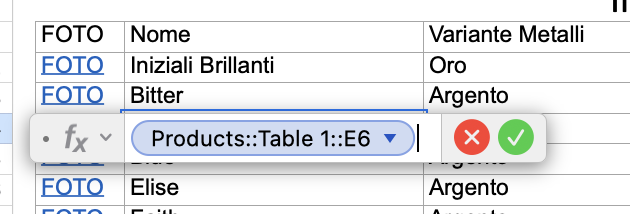
The values in one of the columns replicate a column in another sheet via formula. Deleting this column from the table didn’t' change anything.


I've also tried to use a Pivot Table but it seems to work only with numericals values, can't find a way to pivot the text as text.


Posted on Mar 19, 2022 4:40 PM

Reply
Question marked as Top-ranking reply

Posted on Mar 21, 2022 7:14 AM

I've figured out a workaround to this mysterious problem. It comes back as soon as I save the document in a shared folder.


Exported as .xlsx in a local folder > opened the .xlsx in Numbers > saved as .numbers in a local folder


Transpose was working.


Once I've moved the new .numbers document again to the shared folder Transpose stopped working again.

12 replies
Question marked as Top-ranking reply

Mar 21, 2022 7:14 AM in response to alexqndr

I've figured out a workaround to this mysterious problem. It comes back as soon as I save the document in a shared folder.


Exported as .xlsx in a local folder > opened the .xlsx in Numbers > saved as .numbers in a local folder


Transpose was working.


Once I've moved the new .numbers document again to the shared folder Transpose stopped working again.

Mar 20, 2022 7:12 AM in response to alexqndr

There may be something corrupted in that one document.


BTW, you cannot connect "sheets" with formulas. You can, however, reference another table in the same document, even if that table is on another sheet.


If you have adopted good document design you generally will be using a relatively small number of different formulas. So reconstructing in another document may not be as much work as you are thinking.


If you haven't done so already, I recommend studying the templates at File > New in your menu for examples of efficient document design in Numbers.


SG


Mar 20, 2022 3:56 AM in response to alexqndr


Go to the "tab"

alexqndr wrote:

How can I check that there is not any pivot table active across the sheets?


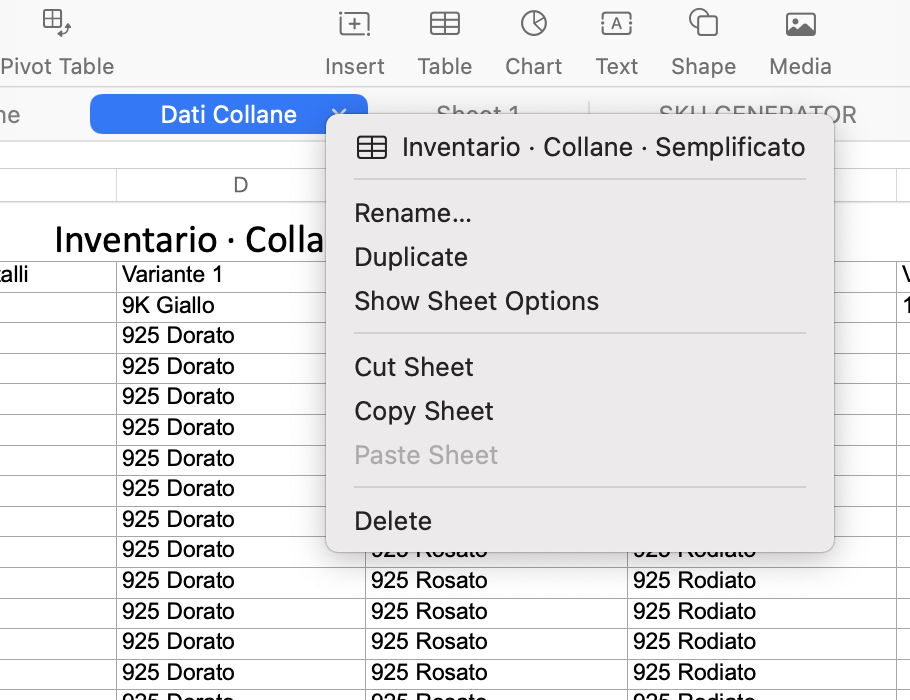
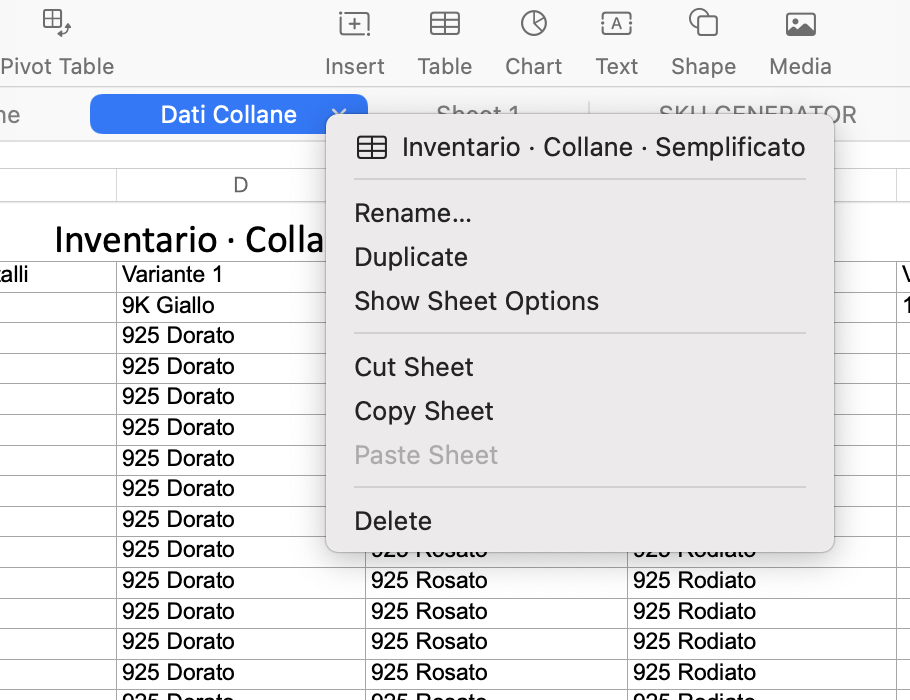
You don't need to check all the sheets. Go to the "tab" at the top of the sheet where you have the table you want to transpose and check the dropdown there. Here's what it might look like if there is a Pivot Table.


Have you tried restarting your Mac? Sometimes that will clear up mysterious behavior.


SG

Mar 20, 2022 12:20 PM in response to alexqndr

"The only thing that enables Transpose is to create a new document and paste the table over there. Which is a massive headache since I need the sheets to be interconnected via formulas."


Three 'shots in the dark on reading the quoted text above. I've tested the first two with a single pair of tables (results were 'no issue-either table could be transposed with the only effect being the usual blue triangles warning that formulas had been changed to match the new arrangement of 'this' or 'the other' table.

Have not tested the third situation.


  • Are the values in the non-transposable table entered directly, or are they imported from one or more other tables in the document?
  • Are the cells on the non-transposable table referenced by cells on one or more other tables?
  • Are any of the inter dependent tables Locked?


Adding to SG's suggestion to 'restart your Mac', I would take the next step—a restart into Safe Mode.

Details can be found here: How to use safe mode on your Mac - Apple Support (CA)

Mar 20, 2022 5:48 PM in response to alexqndr

It’s not clear whether you have actually tried the suggestions to restart. That’s not “drastic.“ It’s easy to do and sometimes clears up mysterious behavior like what you are experiencing. At the very least it helps eliminate possibilities as you troubleshoot.


You could also try reimporting the CSV file in another document to see if the problem reoccurs. It’s possible there is something in the CSV that is throwing Numbers off.


SG


Mar 20, 2022 4:41 PM in response to Barry

Are the values in the non-transposable table entered directly, or are they imported from one or more other tables in the document?

Not sure what you mean by imported, but the table was written from scratch and two columns are referencing two columns from another table.

Are the cells on the non-transposable table referenced by cells on one or more other tables?

Two of the columns reference data in one other table in another sheet. Although, deleting those columns doesn't fix the problem. I've double checked for any other formula in the current problematic sheet.

Are any of the inter dependent tables Locked?

All data is unlocked. To make sure I've gone through all the sheet pressing ⌘ + A and then ⌥ + ⌘ + L to unlock any rogue cell/table.

Adding to SG's suggestion to 'restart your Mac', I would take the next step—a restart into Safe Mode.
Details can be found here: How to use safe mode on your Mac - Apple Support (CA)

A restart into Safe Mode seems a bit drastic given that the menu options works fine in another document. Also MacOS seems to be working just fine overall. Apart from Numbers, I consider myself a power user, and I can usually tell when something is off.


The only other thing I can think of right now, is that this table was originally a ".csv" file, then opened in Numbers app, converted and saved with .numbers extension. I've never had any problems before with this kind of conversion.


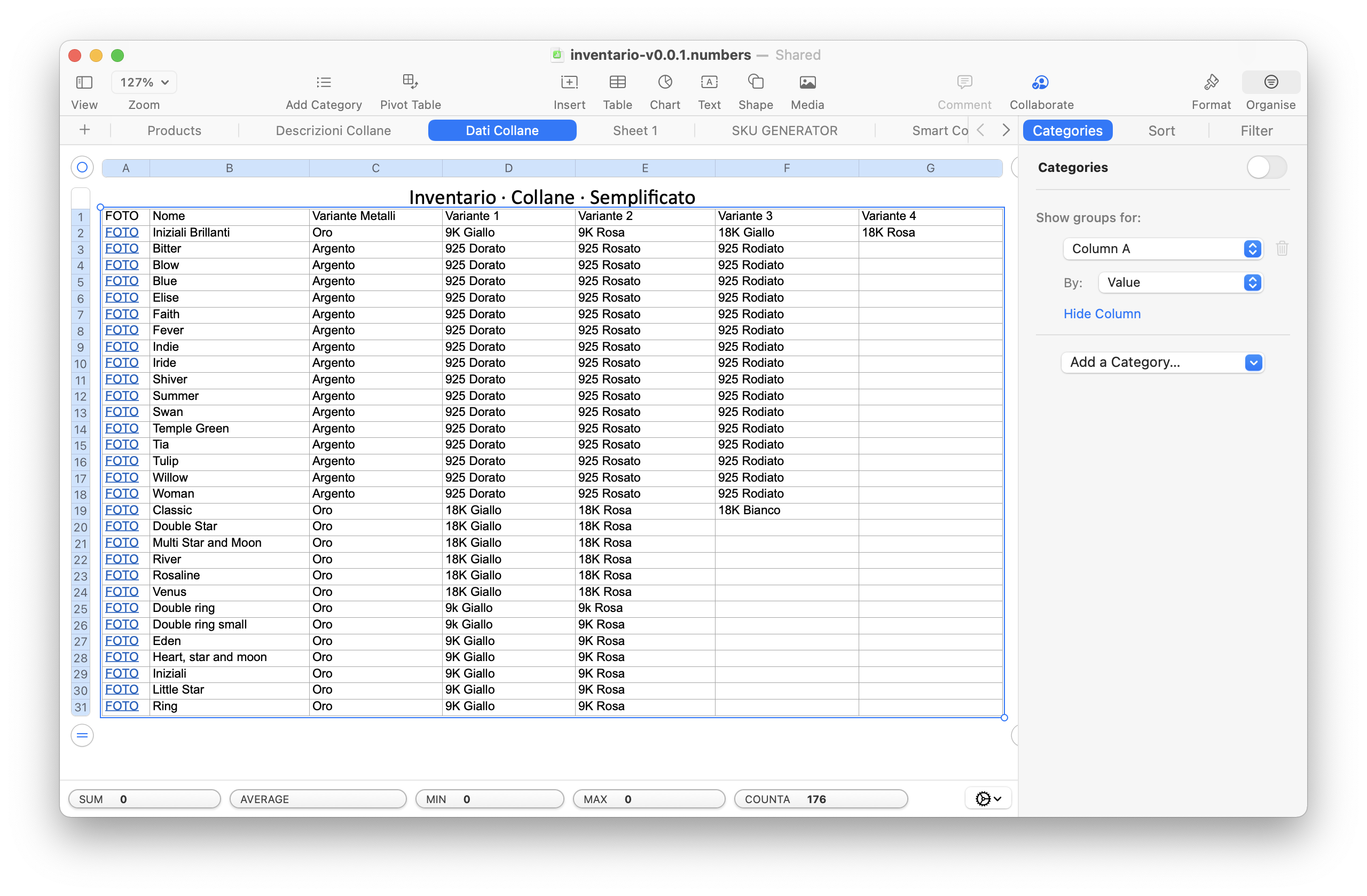
Below more pictures of the table:

Mar 20, 2022 6:56 AM in response to SGIII

Just tried all of the above and it did not help. The only thing that enables Transpose is to create a new document and paste the table over there. Which is a massive headache since I need the sheets to be interconnected via formulas.


Is there a way to Pivot the table and maintain text instead of converting all values to numbers?

Mar 21, 2022 3:04 AM in response to SGIII

It’s not clear whether you have actually tried the suggestions to restart.

I did restart the Mac, just not in Safe Mode.


Here are the results of a restart in Safe Mode.


I've just tried opening the old .xlsx document (sorry I thought it was a .csv!) with Numbers, and opening it from scratch doesn't return the aforementioned problem with Transposing. Although the old table doesn't have any of my new entries in it... So this just confirms that the document with my new entries in particular.


How do you suggest I go about this? Apart from other troubleshooting, which I'd be happy to attempt, how can I re-build my data in a new .numbers document without loosing cell referencing?


Can custom fonts cause this kind of issue?


This thread has been closed by the system or the community team. You may vote for any posts you find helpful, or search the Community for additional answers.

I can't transpose in numbers for mac

Welcome to Apple Support Community
A forum where Apple customers help each other with their products. Get started with your Apple Account.