Face ID & Battery
I have a iPhone X After update 15 Face ID is disabled. Before update found a Green colour line on display after update it start working.Battery is draining so fast.It’s over heating.
iPhone X, iOS 15
I have a iPhone X After update 15 Face ID is disabled. Before update found a Green colour line on display after update it start working.Battery is draining so fast.It’s over heating.
iPhone X, iOS 15
Welcome Nazmul133
We can help. By chance, has your iPhone X suffered from any type of physical damage?
If an alert says Face ID has been disabled on your iPhone or iPad Pro
If you see this message on the Home Screen or in Settings, your iPhone or iPad might need an update or service.
You might see the following message on your iPhone X or later, iPad Pro 12.9-inch (3rd generation) or later, or iPad Pro 11-inch (1st generation) or later:
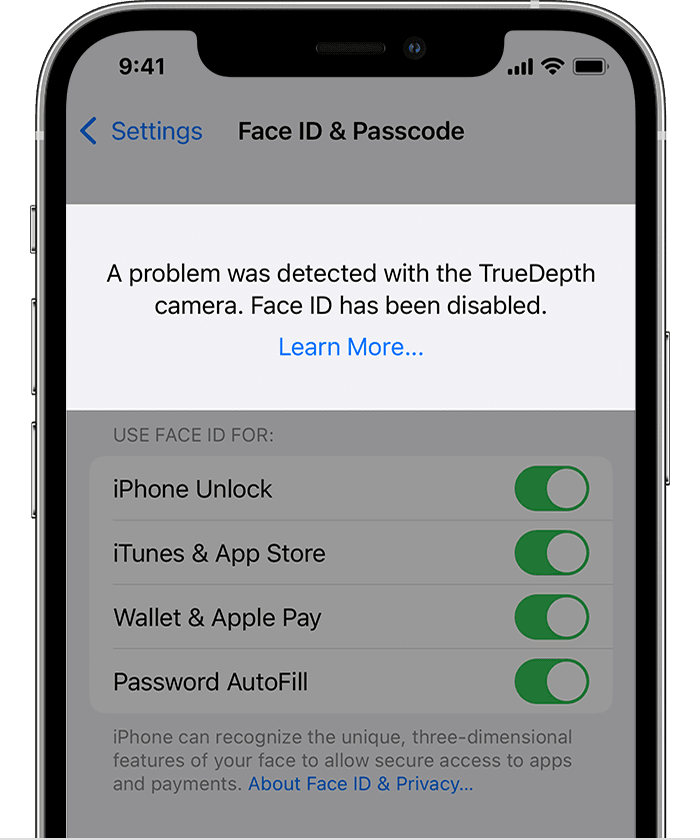
"A problem was detected with the TrueDepth Camera. Face ID has been disabled."
What to do next
Update your iPhone or iPad to the latest version of iOS or iPadOS.
If you still can't enroll your face or unlock your device with Face ID, take your device to an Apple Store or Apple Authorized Service Provider, or contact Apple Support about your iPhone or your iPad.
You should always have your device repaired by Apple or an authorized service provider. Improper repair, modification, or use of non-genuine Apple components in the laser systems may prevent the safety mechanisms from functioning properly and could cause hazardous exposure and injury to eyes or skin.
More info here: If an alert says Face ID has been disabled on your iPhone or iPad Pro
We understand that your battery is draining rapidly and your phone is heating up as well. To clarify, does the temperature warning screen appear as well? Also, do you experience this issue while using a certain app or performing a particular task? These resources can assist you with addressing these issues:
• If your iPhone, iPad, or iPod touch gets too hot or too cold
• About the battery usage on your iPhone, iPad, and iPod touch
Cheers!
Welcome Nazmul133
We can help. By chance, has your iPhone X suffered from any type of physical damage?
If an alert says Face ID has been disabled on your iPhone or iPad Pro
If you see this message on the Home Screen or in Settings, your iPhone or iPad might need an update or service.
You might see the following message on your iPhone X or later, iPad Pro 12.9-inch (3rd generation) or later, or iPad Pro 11-inch (1st generation) or later:
"A problem was detected with the TrueDepth Camera. Face ID has been disabled."
What to do next
Update your iPhone or iPad to the latest version of iOS or iPadOS.
If you still can't enroll your face or unlock your device with Face ID, take your device to an Apple Store or Apple Authorized Service Provider, or contact Apple Support about your iPhone or your iPad.
You should always have your device repaired by Apple or an authorized service provider. Improper repair, modification, or use of non-genuine Apple components in the laser systems may prevent the safety mechanisms from functioning properly and could cause hazardous exposure and injury to eyes or skin.
More info here: If an alert says Face ID has been disabled on your iPhone or iPad Pro
We understand that your battery is draining rapidly and your phone is heating up as well. To clarify, does the temperature warning screen appear as well? Also, do you experience this issue while using a certain app or performing a particular task? These resources can assist you with addressing these issues:
• If your iPhone, iPad, or iPod touch gets too hot or too cold
• About the battery usage on your iPhone, iPad, and iPod touch
Cheers!
Face ID & Battery