Hi Bajip,
We'll be happy to help out with being able to view your route details using Maps, since you should be able to zoom in. When using CarPlay and Maps, you can tap on the "+" to zoom the map in.
From the article Change the map view in CarPlay:
Find your location on a map, zoom in and out, and move the map to see the detail you need.
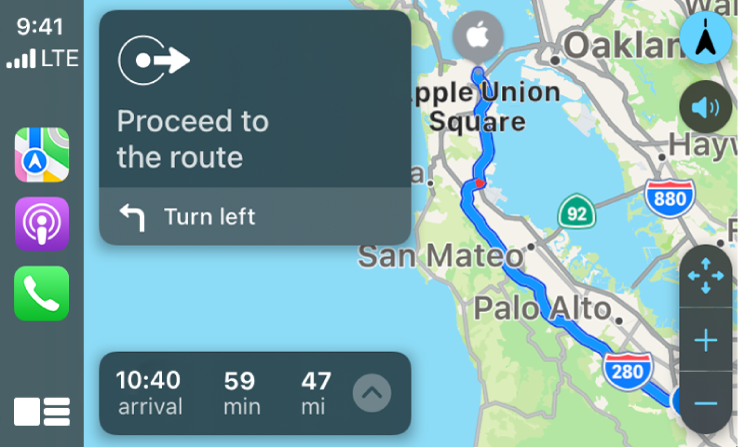
When you follow turn-by-turn directions, you can tap the touchscreen or turn the rotary knob, then do one of the following:
• Switch between detailed and high-level views: To see a detailed 3D map with your heading at the top of the screen, select  . To see the route overview in 2D with north at the top of the screen, select
  .
.
• Zoom in or out: Select  or
or  .
.
• Scroll the map: Select  , then select a direction arrow on one of the edges of the screen. To return to turn-by-turn directions, tap Resume.
On some touchscreens, you can also drag the map to scroll it.
After giving this a try, if you are still unable to zoom in, reach back out us.
Cheers!


