Number won't update

My Numbers app will not update. It says to log in to update, I log in with the correct password/username, and it starts to load and then asks for me to login again. Except - I've been logged in the entire time. Any help? I need to be able to collaborate with others on this sheet and prefer not to do it via iCloud.

MacBook Air 13″, macOS 12.3

Posted on Apr 22, 2022 11:28 AM

Reply
Question marked as Top-ranking reply

Posted on Apr 23, 2022 12:16 PM

Hello __swa,


We want to help get your Numbers issue resolved.


Are you trying to update the Numbers app itself? The latest version is 12.0. If so, you'll want to update Numbers through the Mac App Store:

How to manually update apps on your Apple device - Apple Support
How to manually update apps on your Mac
1. Open the App Store.
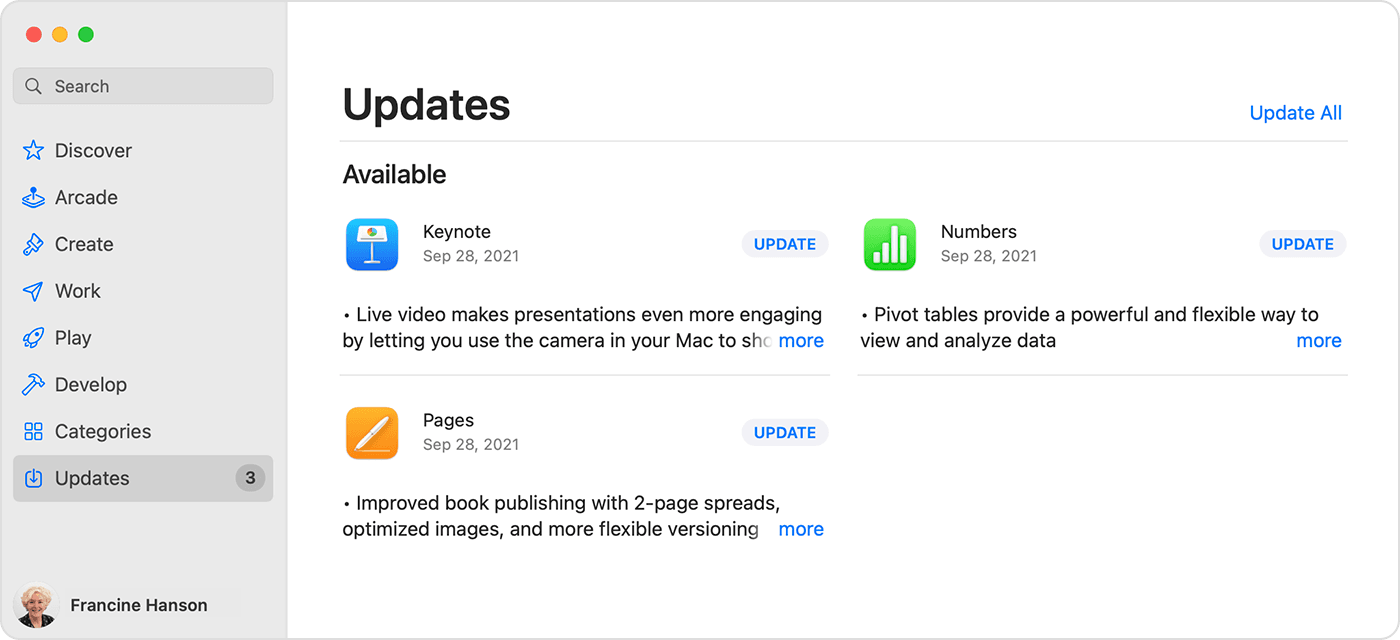
2. In the sidebar, click Updates.
3. Click Update next to an app to update only that app, or click Update All.
Mac showing a list of available updates for 3 different apps.
If you didn’t get the app from the App Store on your Mac, contact the app developer to get help with updates.
Learn what to do if you can't update an app on your Mac.

If you're trying to update a shared Numbers spreadsheet, the Numbers User Guide for Mac goes over common topics, such as Shared folders and collaboration in Numbers - Apple Support


Are you able to use your Apple ID with other features?


Contact Apple Support if this continues.


We hope this helps.


Cheers.


1 reply
Question marked as Top-ranking reply

Apr 23, 2022 12:16 PM in response to __swa

Hello __swa,


We want to help get your Numbers issue resolved.


Are you trying to update the Numbers app itself? The latest version is 12.0. If so, you'll want to update Numbers through the Mac App Store:

How to manually update apps on your Apple device - Apple Support
How to manually update apps on your Mac
1. Open the App Store.
2. In the sidebar, click Updates.
3. Click Update next to an app to update only that app, or click Update All.
Mac showing a list of available updates for 3 different apps.
If you didn’t get the app from the App Store on your Mac, contact the app developer to get help with updates.
Learn what to do if you can't update an app on your Mac.

If you're trying to update a shared Numbers spreadsheet, the Numbers User Guide for Mac goes over common topics, such as Shared folders and collaboration in Numbers - Apple Support


Are you able to use your Apple ID with other features?


Contact Apple Support if this continues.


We hope this helps.


Cheers.


This thread has been closed by the system or the community team. You may vote for any posts you find helpful, or search the Community for additional answers.

Number won't update

Welcome to Apple Support Community
A forum where Apple customers help each other with their products. Get started with your Apple Account.