
iphone 12 on Windows 10 Resize photos for Ebay
iphone 12 on Windows 10 Resize photos for Ebay
Windows, Windows 10
iphone 12 on Windows 10 Resize photos for Ebay
Windows, Windows 10
Hi mamaserve,
Thanks for posting in Apple Support Communities! You can resize photos taken on your iPhone 12 directly in the Photos app. Here's how:
 , then do any of the following:
 , then choose an option such as square, 16:9, or 5:4.
 to rotate the photo 90 degrees.
 to flip the image horizontally.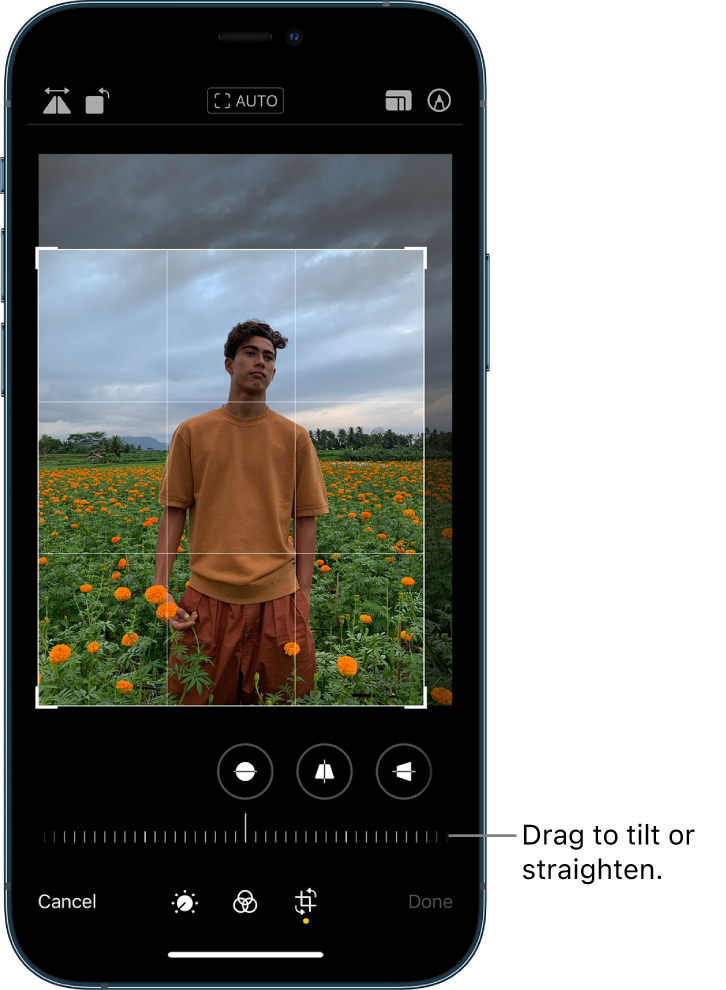
Find more tips for editing photos on your iPhone here: Edit photos and videos on iPhone.
Hope that helps!
iphone 12 on Windows 10 Resize photos for Ebay

