Hi PeachyChe,
"To choose the audio languages that are downloaded with your videos, open the Settings app, scroll down and tap TV, then tap Languages. Tap Add Language and choose the languages that you want to add." You can find this information in the section "On iPhone, iPad or iPod touch" from the article here: Change subtitles or languages for videos in the Apple TV app or iTunes Store and quoted below.
"On iPhone, iPad or iPod touch
- While watching a video, tap the screen to open the playback controls.
- Tap the More Controls button
 .
. - Choose Subtitles or Languages.
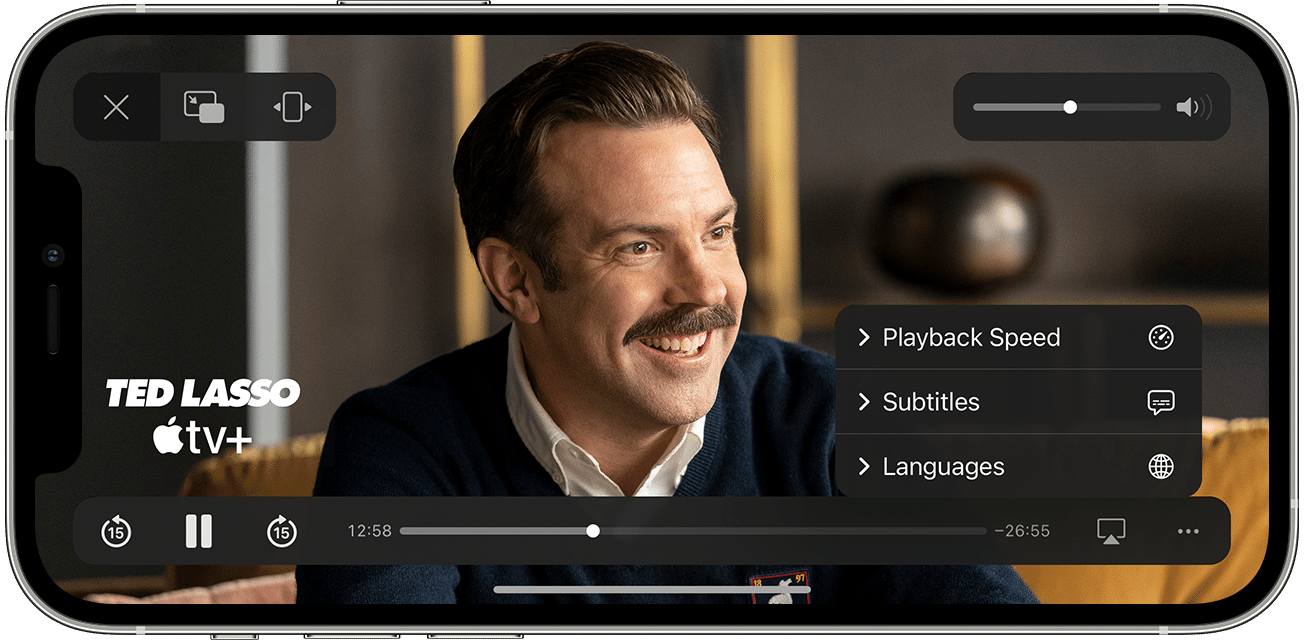
- Pick the subtitles or audio language that you want.
Find out how to turn on CC or SDH by default.
To choose the audio languages that are downloaded with your videos, open the Settings app, scroll down and tap TV, then tap Languages. Tap Add Language and choose the languages that you want to add."
Once the language is downloaded with the video you should be able to play when not connected to Wi-Fi. Hope this helps.
Cheers!


