
Apple TV
how do you get apple TV to play in English when overseas? I have tried GENERAL / LANGUAGES etc and RESTART only to find the show continues in French with no translation caption
Apple TV 4K
how do you get apple TV to play in English when overseas? I have tried GENERAL / LANGUAGES etc and RESTART only to find the show continues in French with no translation caption
Apple TV 4K
For Apple TV+ content, you should be able to change the audio /subtitle language directly from the playback screen assuming there is an English option to change to of course: (Select the text bubble above the playback progress bar)
Link-> Change subtitles or languages for videos in the Apple TV app or iTunes Store - Apple Support
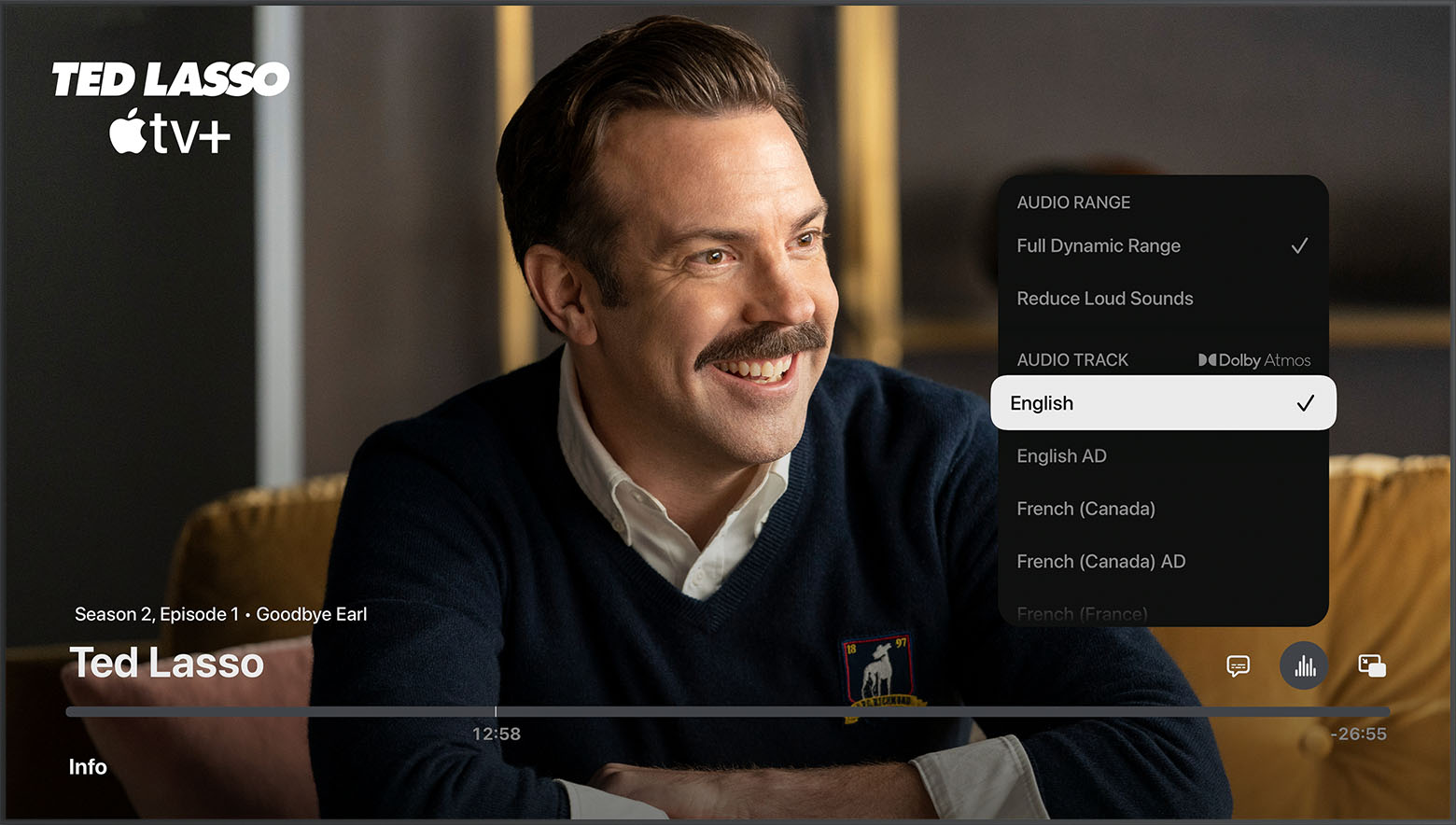
The location of the language icon may be different in different Apps.
For Apple TV+ content, you should be able to change the audio /subtitle language directly from the playback screen assuming there is an English option to change to of course: (Select the text bubble above the playback progress bar)
Link-> Change subtitles or languages for videos in the Apple TV app or iTunes Store - Apple Support
The location of the language icon may be different in different Apps.
What show exactly? In what app or from what source?
Audio tracks and subtitles depend entirely on the content provider. If they don't make English audio tracks available where you are, you won't be able to watch it in English.
Things like Netflix, Amazon Prime etc.. are very awkward about this as many things may not have English audio tracks outside the US or other English speaking countries even if they are US or UK made shows or movies. It can get annoying, but its down to the provider and streaming service there.
Apple makes pretty much all languages it supports available for its own content under there Apple TV+ subscription service in all countries where its available.
Thanks for your reply! There are three shows I am 'trying' to follow; they are PACHINKO, SLOW HORSES and the ESSEX SERPENT. I am currently in Belgium and as described previously find it frustrating that, being overseas, means these shows, especially SLOW HORSES that I commenced watching in Australia [in English] now reverts presumably to a local language and there is no way you can follow it. I have tried the normal approaches like trying to have English established as my preferred language in Apple TV settings and rebooting after doing so only to find there is no change in audio delivery.. What I find myself doing is reverting to watching Apple TV on my MacBook Air. On the MacBook I get English narrative but on a 13 inch screen while the 42 inch monitor [with its Apple TV app] sits idle! Again, I have tried to overcome my difficulties by venturing into Apple TV settings ie GENERAL to LANGUAGE etc with no luck.
Apple TV
