Bluetooth keyboard and mouse - How to change the mouse wheel scroll direction

I just got a new Bluetooth keyboard and mouse for my iPad Pro 11 (latest iOS update) and love it with one exception. I can’t figure out how to change the mouse wheel’s scroll direction. I don’t know why they do this but it is reversed. When I move the wheel down the page goes up and vice versa which I hate.


How do I change this? I have seen other posts that direct you to Settings>General>Trackpad & Mouse>Natural Scrolling however this option does not exist in my settings. I do not have a trackpad, just a keyboard and mouse. I have searched through all the mouse settings and keyboard settings and there does not appear to be an option to change this.


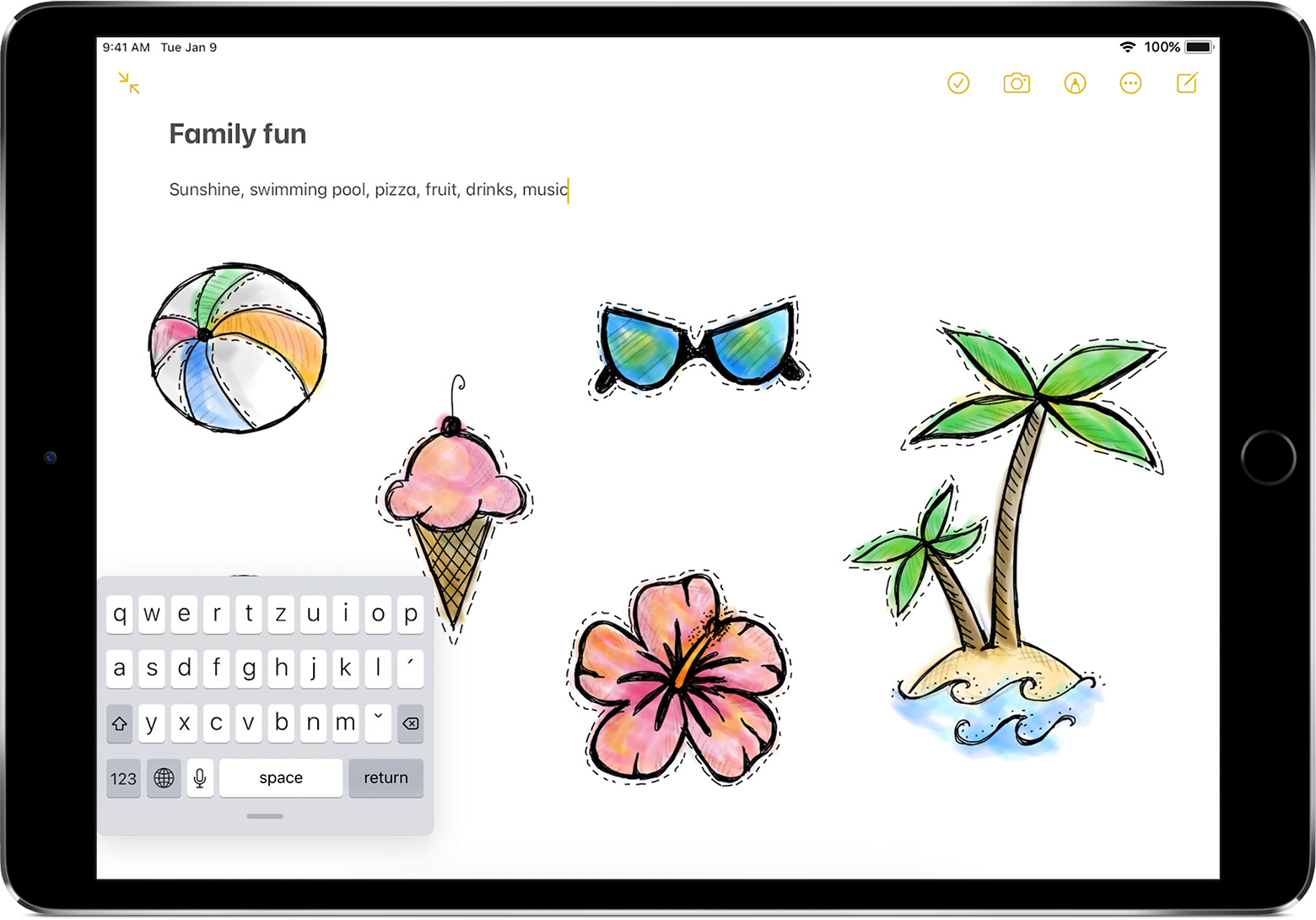
On another note, how do get rid of this mini keyboard that displays at the very bottom of my screen. I think it is the suggestive words showing as I type with a mini keyboard icon at the very left and mini microphone on the very right with up and down arrows. I find it very annoying and would like to be able to turn it off.


The keyboard is not an Apple Keyboard but works with iOS and my iPad Pro


Thank you for anyone who can help me.


Posted on Jun 7, 2022 1:54 PM

Reply
2 replies

Jun 8, 2022 11:29 AM in response to Spaghead

Hello Spaghead,


It sounds like your keyboard may be split, this should help return it to normal: https://support.apple.com/HT207521


How to get your floating iPad keyboard back to normal

1. Place two fingers on the floating keyboard.
2. Spread your fingers apart to enlarge the keyboard back to full size, then let go.

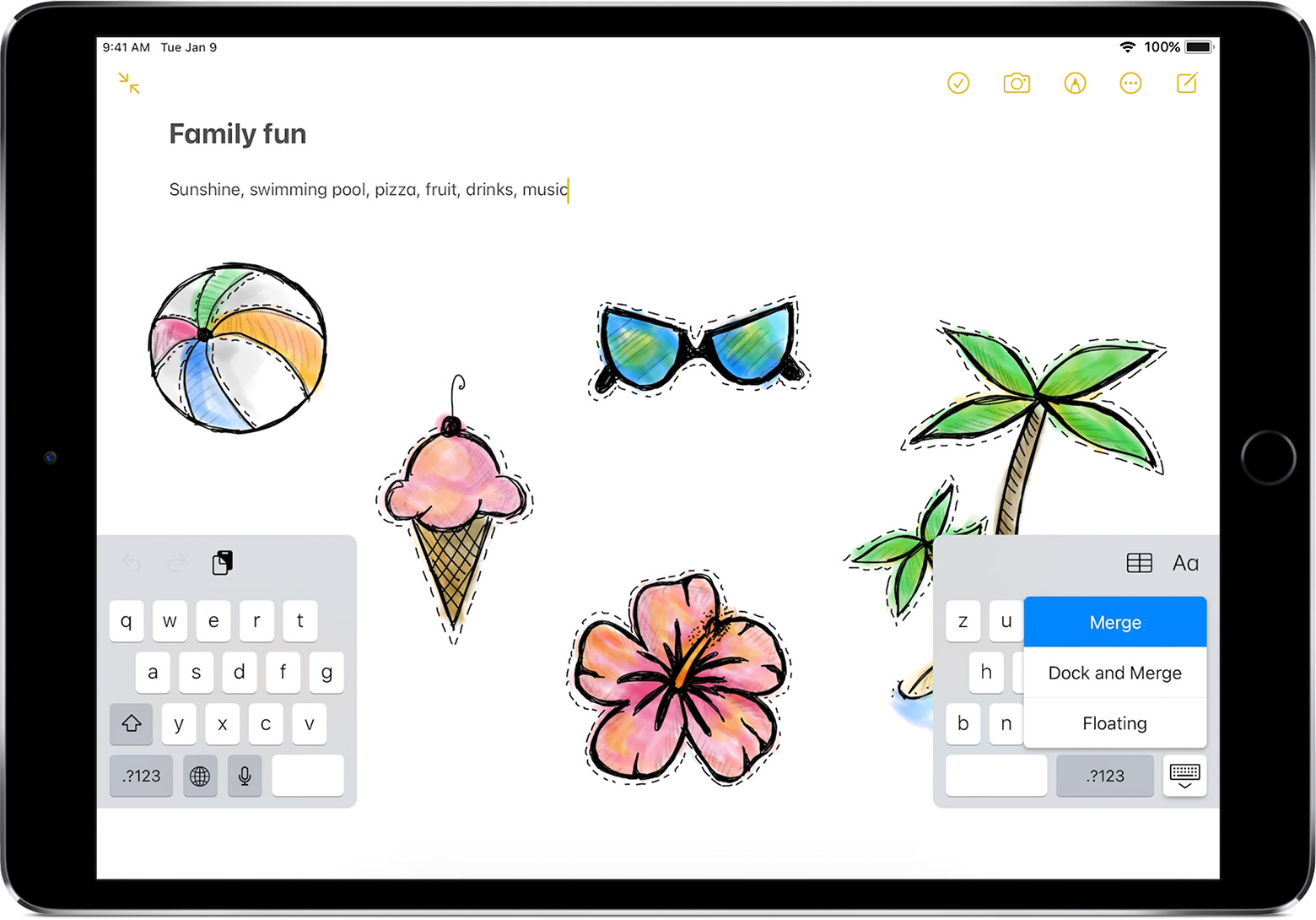
How to get your split iPad keyboard back to normal

1. Tap a text field in an app to make the keyboard appear.
2. Touch and hold the keyboard button  in the lower-right corner of the keyboard.
3. Slide your finger up to either Merge or Dock and Merge, then let go.

The split keyboard is available only on iPad models that have a Home button.


For the mouse settings, what options do you have available in Settings > General > Trackpad & Mouse? Any options in Settings > Bluetooth > tap the 'i' next to the mouse?


If there are no options, then it may be best to provide Apple with feedback about this: https://www.apple.com/feedback/


Hoping to hear back, take care.

Jun 21, 2022 6:02 PM in response to destiny241

Hello I responded to your post already but for some reason it was removed. I was unable to post the reply I had due to multiple posting issues. I also had issues submitting website feedback due to glitches on the feedback page as well.


I am afraid the issue to which you are referring to does not address my post. Please re-read my original post.


Thank you.

This thread has been closed by the system or the community team. You may vote for any posts you find helpful, or search the Community for additional answers.

Bluetooth keyboard and mouse - How to change the mouse wheel scroll direction

Welcome to Apple Support Community
A forum where Apple customers help each other with their products. Get started with your Apple Account.