Wi-Fi connection error

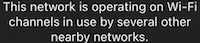
“The network is operating on Wi-Fi Channels in use by several other nearby networks.”


that is the error message I received. I saw one other person ask this question and it had one reply which was not at all what the other user had asked.


This did not happen from disconnecting the wifi on the control center.

iPhone 12 Pro Max, iOS 15

Posted on Jun 14, 2022 6:19 PM

Reply
Question marked as Top-ranking reply

Posted on Jun 14, 2022 11:50 PM

Try first to optimize the range of the mobile network, see this Apple article:

If you see No Service or Searching on your iPhone or iPad

If you see No Service or Searching on your iPhone or iPad - Apple Support


Optimize the Wi-Fi connection, see the following Apple articles:

Connect to Wi-Fi on your iPhone, iPad, or iPod touch

Connect to Wi-Fi on your iPhone, iPad, or iPod touch - Apple Support


If your iPhone, iPad, or iPod touch won’t connect to a Wi-Fi network

If your iPhone, iPad, or iPod touch won't connect to a Wi-Fi network - Apple Support


Recommended settings for Wi-Fi routers and access points

Recommended settings for Wi-Fi routers and access points - Apple Support


If you need help with your Wi‑Fi password

If you need help with your Wi‑Fi password - Apple Support


If you and your neighbors set WiFi to the same channel, they can interfere with each other. It is best to choose channel 1, 6 or 11. These do not overlap and therefore disturb each other as little as possible. You can use various apps to see which networks are active in your area, in order to choose the best channel for your own WiFi.

It is best to choose a WiFi scanner on a smartphone, so that you can measure WiFi activity in all places where you want to use WiFi.


See -> Network Analyzer - iOS

https://apps.apple.com/us/app/network-analyzer/id562315041


Wi-Fi analyzer voor computer:

WiFi Analyzer Microsoft.


WiFi Explorer - Mac App Store


1 reply
Question marked as Top-ranking reply

Jun 14, 2022 11:50 PM in response to Itswhatyoucanprove

Try first to optimize the range of the mobile network, see this Apple article:

If you see No Service or Searching on your iPhone or iPad

If you see No Service or Searching on your iPhone or iPad - Apple Support


Optimize the Wi-Fi connection, see the following Apple articles:

Connect to Wi-Fi on your iPhone, iPad, or iPod touch

Connect to Wi-Fi on your iPhone, iPad, or iPod touch - Apple Support


If your iPhone, iPad, or iPod touch won’t connect to a Wi-Fi network

If your iPhone, iPad, or iPod touch won't connect to a Wi-Fi network - Apple Support


Recommended settings for Wi-Fi routers and access points

Recommended settings for Wi-Fi routers and access points - Apple Support


If you need help with your Wi‑Fi password

If you need help with your Wi‑Fi password - Apple Support


If you and your neighbors set WiFi to the same channel, they can interfere with each other. It is best to choose channel 1, 6 or 11. These do not overlap and therefore disturb each other as little as possible. You can use various apps to see which networks are active in your area, in order to choose the best channel for your own WiFi.

It is best to choose a WiFi scanner on a smartphone, so that you can measure WiFi activity in all places where you want to use WiFi.


See -> Network Analyzer - iOS

https://apps.apple.com/us/app/network-analyzer/id562315041


Wi-Fi analyzer voor computer:

WiFi Analyzer Microsoft.


WiFi Explorer - Mac App Store



This thread has been closed by the system or the community team. You may vote for any posts you find helpful, or search the Community for additional answers.

Wi-Fi connection error

Welcome to Apple Support Community
A forum where Apple customers help each other with their products. Get started with your Apple Account.