"xxx" (a program lauched by xcode Version 13.4.1 (13F100)) would like to access files in your Documents folder window always show

When I used xcode to debug my old project to launch a program on my M1max macbook pro, it give me a window above with two button , one is Don't Allow ,one is OK. I press any one of these buttons. It always be showed ,my xcode program hung up on ,I go to System Preference--->Security&Privacy--->Privacy--->Full Disk Access or FIles and Folders--->check on XCode and add program. But the hint window always not be closed.


So What is wrong, any helps ,thanks.

MacBook Pro 16″, macOS 12.4

Posted on Jul 17, 2022 8:28 PM

Reply

Similar questions

1 reply

Jul 19, 2022 7:59 AM in response to kinggang2

Hi kinggang2,


It appears that you are having an issue within Xcode. If you haven't, you'll want to make sure your MacBook Pro is fully up-to-date, as updates can have issue fixes and new features: Update macOS on Mac - Apple Support


After that, you'll also want to make sure the latest Xcode version is installed on your MacBook Pro, as that ensures the latest compatible version is running on your Mac, along with any issue fixes as well:


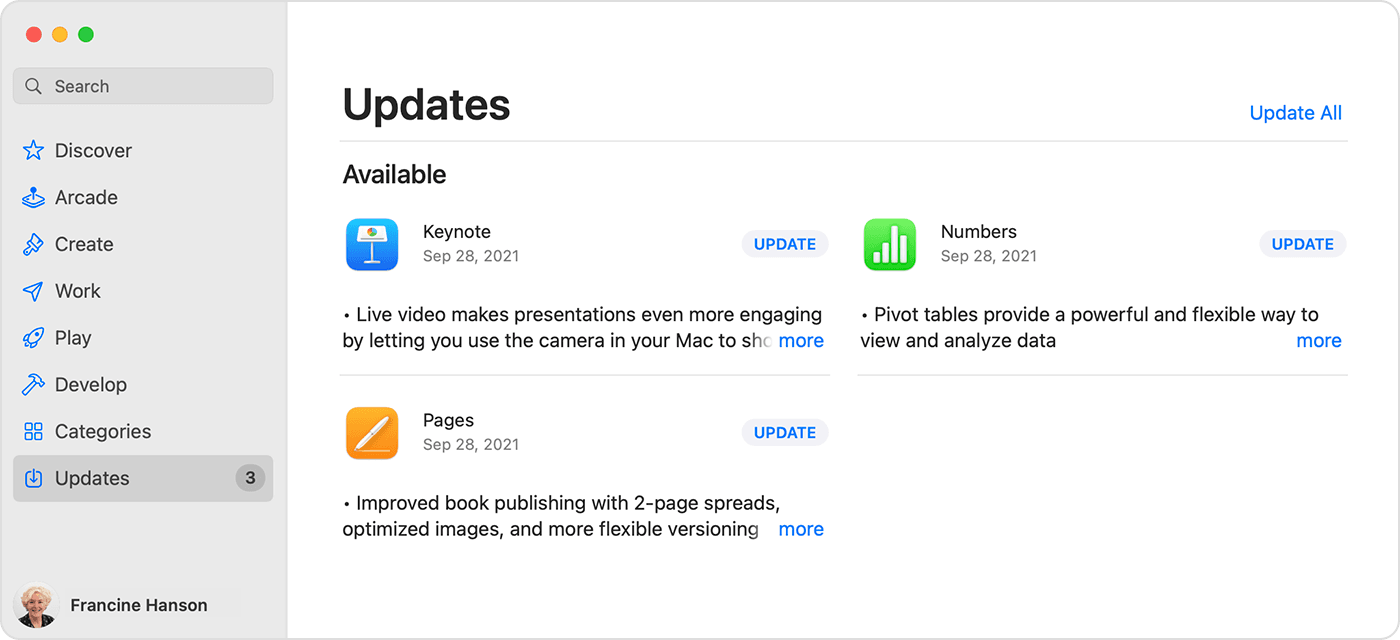
"How to manually update apps on your Mac

  1. Open the App Store.
  2. In the sidebar, click Updates.
  3. Click Update next to an app to update only that app, or click Update All.
  4. Mac showing a list of available updates for 3 different apps.

If you didn’t get the app from the App Store on your Mac, contact the app developer to get help with updates.

Learn what to do if you can't update an app on your Mac."


Those steps are from this article: How to manually update apps on your Apple device - Apple Support If you're still having issues with Xcode, you can reach out for further help with the following link: Apple Developer


Take care.

This thread has been closed by the system or the community team. You may vote for any posts you find helpful, or search the Community for additional answers.

"xxx" (a program lauched by xcode Version 13.4.1 (13F100)) would like to access files in your Documents folder window always show

Welcome to Apple Support Community
A forum where Apple customers help each other with their products. Get started with your Apple Account.