Can not remove recovery contact invitation

Hi everyone,


someone invited me to be his recovery contact. I have already rejected the invitation on my primary Mac. My other Mac still shows the red 1 badge over System Preferences. I can click on "Show invitation" which brings up a window telling me the invitation has expired. This window only has 1 button labeled "OK" which does nothing. The window won’t go away and Sys Prefs has to be force-quit.


It’s quite annoying. I already tried signing out of iCloud and rebooting. The message will still be there before I’m signing back in, so it seems to be a cached setting of Sys Prefs or similar. My other devices (all using the same Apple ID) do not show this message.


Any ideas?

Posted on Jul 27, 2022 2:31 PM

Reply
5 replies

Jul 28, 2022 1:30 PM in response to Björn Herrmann

Hi there Björn Herrmann,


If you are unable to remove this notification about a recovery contact invitation, let's first check if you can remove yourself as a recovery contact by following these steps from Help a friend or family member as their account recovery contact :

1. Choose Apple menu  > System Preferences, then click Apple ID.
2. Under your name, click Password & Security.
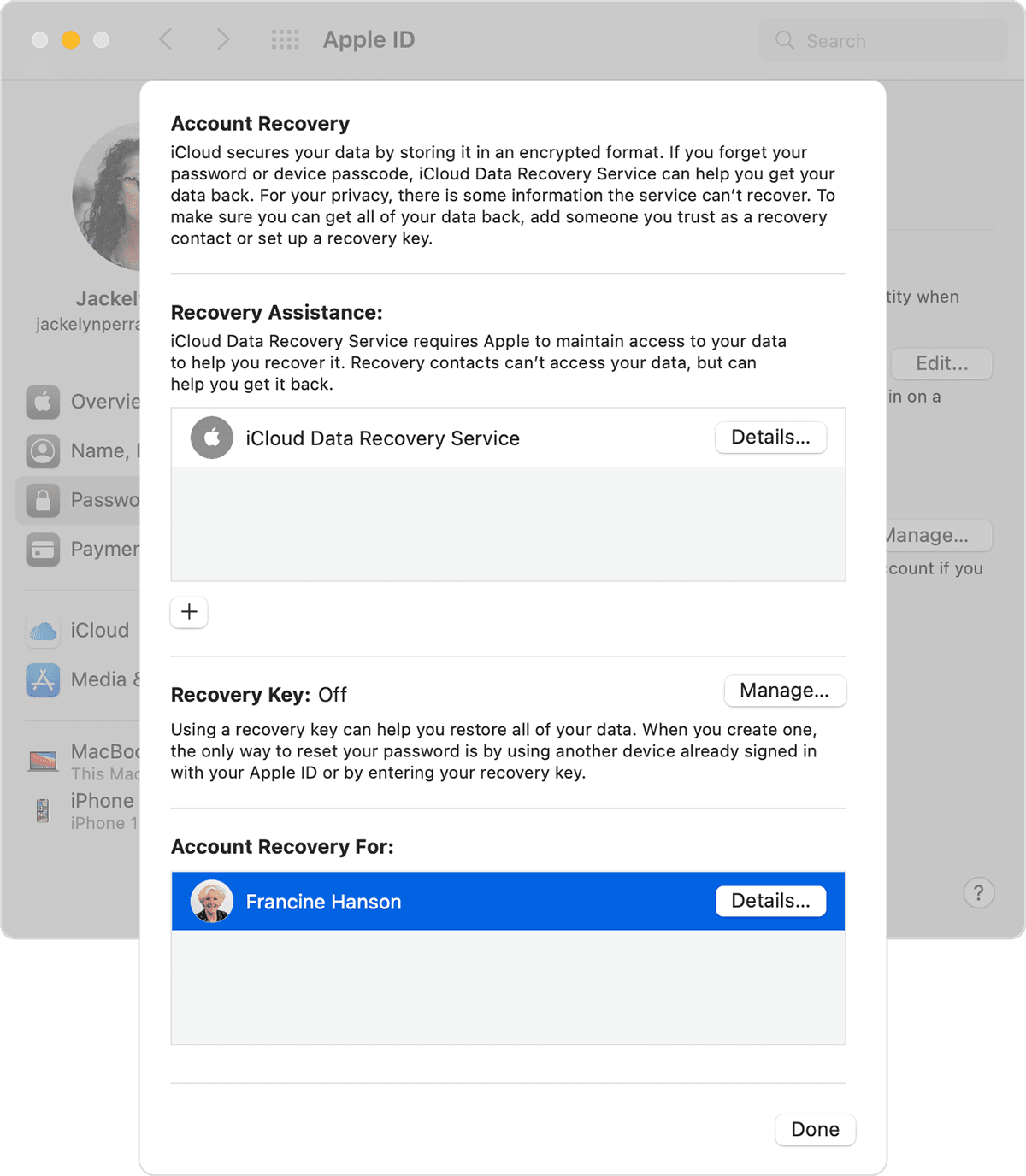
3. Next to Account Recovery, click Manage. 
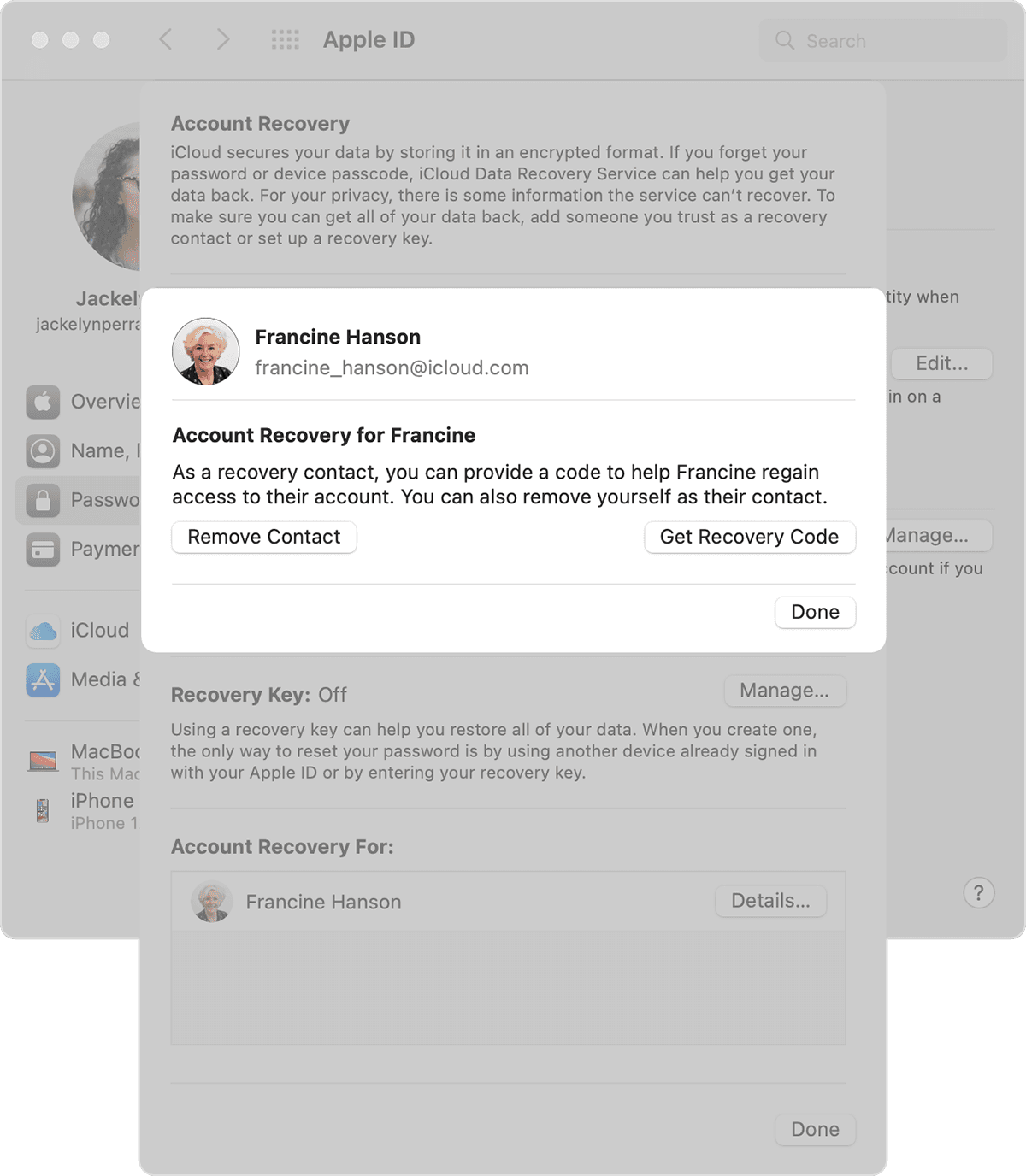
4. In the Account Recovery For section, find your contact's name, then click Details.

5. Click Remove Contact. 

6. The contact sees a message that you're no longer their account recovery contact. 


If you do not see anything listed under the 'Account Recovery For:' section, let's next update your macOS since this installs bug fixes and can resolve stuck processes. This article walks you through the steps: Update macOS on Mac


Cheers!


This thread has been closed by the system or the community team. You may vote for any posts you find helpful, or search the Community for additional answers.

Can not remove recovery contact invitation

Welcome to Apple Support Community
A forum where Apple customers help each other with their products. Get started with your Apple Account.