
When to Battery recharge
When to recharge iPhone 13 plus pro?
When to recharge iPhone 13 plus pro?
Basically, whenever you want to, but the absolute best way to get maximum use on a charge, as well as slow the decline of battery capacity long term is to enable Optimized Battery Charging (Settings/Battery/Battery Health) and charge the device overnight, every night. The battery will fast charge to 80%, then pause. During the nighttime pause the phone will use mains power instead of battery power, allowing the battery to “rest”, and thus reducing the need to charge the battery quite as often. The phone will resume charging to reach 100% when you are ready to use your phone; it will “learn” your usage pattern. If you enable iCloud Backup (Settings/[your name]/iCloud - iCloud Backup) the phone will back up overnight also, assuring that you can never lose more than the current day’s updates. Here's more information→About Optimized Battery Charging on your iPhone - Apple Support
That was the short answer (more or less). Here is the long answer→When to charge your iPhone or iPad | Communities
Basically, whenever you want to, but the absolute best way to get maximum use on a charge, as well as slow the decline of battery capacity long term is to enable Optimized Battery Charging (Settings/Battery/Battery Health) and charge the device overnight, every night. The battery will fast charge to 80%, then pause. During the nighttime pause the phone will use mains power instead of battery power, allowing the battery to “rest”, and thus reducing the need to charge the battery quite as often. The phone will resume charging to reach 100% when you are ready to use your phone; it will “learn” your usage pattern. If you enable iCloud Backup (Settings/[your name]/iCloud - iCloud Backup) the phone will back up overnight also, assuring that you can never lose more than the current day’s updates. Here's more information→About Optimized Battery Charging on your iPhone - Apple Support
That was the short answer (more or less). Here is the long answer→When to charge your iPhone or iPad | Communities
Optimized Charging is only in effect overnight when the phone is connected to power and is locked. Any other time you put it on a charger it will charge until you take it off the charger, so just leave it on a charger long enough to reach 100%.
If you fast charge the phone it will stop at 80% to cool off. This has nothing to do with optimized charging. It will resume at a much slower charge rate to avoid overcharging once its internal temperature is in a safe range. The last 20% can take an hour or more.
I still got puzzled, when I read this article: About Optimized Battery Charging on your iPhone - Apple Support
my iphone enabled "ptimized Battery Charging", but the locked screen didn't show the notification, thus I cannot tap "charge now", it is not convenient when I want to go out and want my iPhone got full power, and I also didn't know other ways to fully charge the iPhone. Do you have good suggestion if cannot got the notification in the Lock Screen? thank you!
My iOS is: 15.6.1 , Iphone12
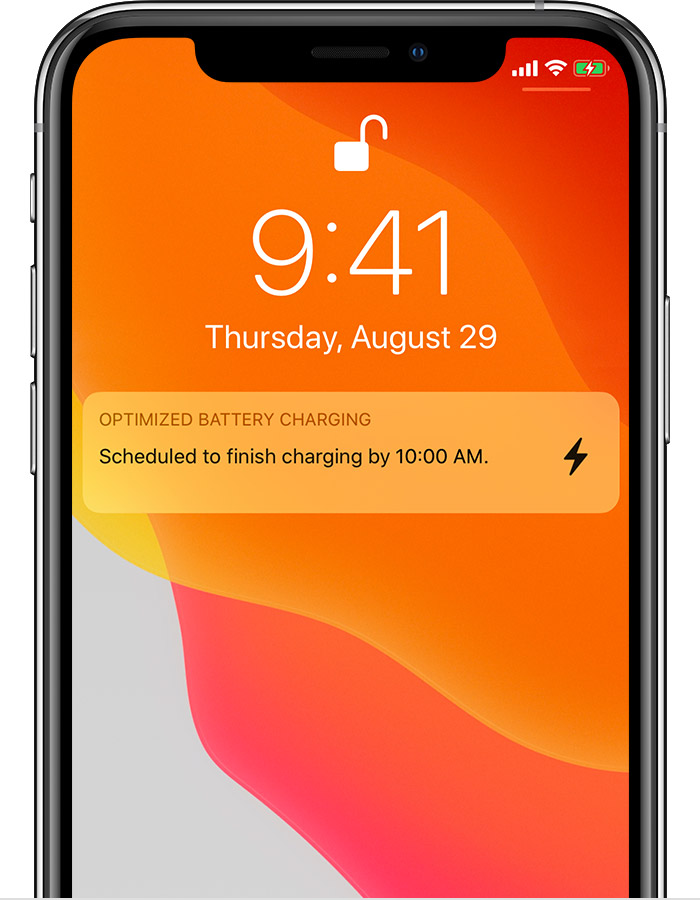
yes, according to my usage, if I charge iPhone all the night, the battery will be 100% charged, but during my testing I think the "Optimized Charging" is working by default, and cannot be disabled even I turned off the option in battery setting, and if there is the alert message in the Lock Screen, it is also ok, but in my iPhone(15.6.1 ios), there is no reminder message about charging. All these make me believe it is an IOS bug, hope it will be fixed in the later version. Thank you!
When you feel it needs to be charged.
Thank you!
yes, I can feel that the left 20% will take more time to charge. Thank you, I understand the "Optimized Charging" now.
When to Battery recharge

