I can’t receive calls on watch
I can make calls but can’t receive calls on Watch. I have Verizon
Apple Watch Series 7, watchOS 8
I can make calls but can’t receive calls on Watch. I have Verizon
Apple Watch Series 7, watchOS 8
Hello deeter008,
Welcome to Apple Support Communities!
If we understand your post correctly, you're able to make calls but not receive calls on your Apple Watch. We'd like to help!
Answer a call
When you hear or feel the call notification, raise your wrist to see who’s calling.
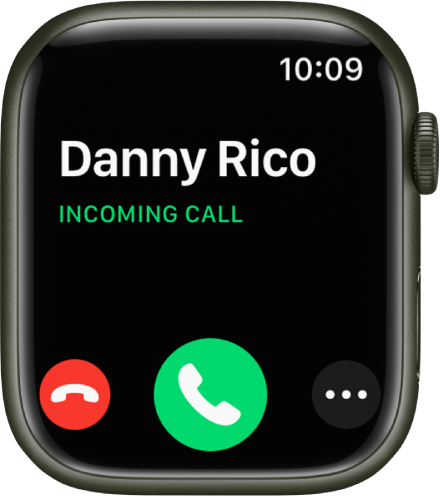
Send a call to voicemail: Tap the red Decline button in the incoming call notification.
Answer on your Apple Watch: Tap the Answer button to talk using the built-in microphone and speaker or a Bluetooth device paired with your Apple Watch.
Answer using your iPhone or send a text message instead: Tap, then tap an option. If you tap Answer on iPhone, the call is placed on hold and the caller hears a repeated sound until you answer on your paired iPhone.
If you can’t find your iPhone, touch and hold the bottom of the screen, swipe up, then tapon your Apple Watch.
While you’re on a call
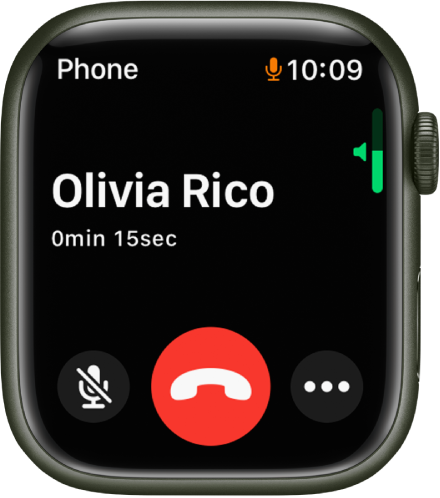
If you’re on a call that doesn’t use FaceTime audio, you can switch a call to your iPhone, adjust the call volume, enter numbers using the keypad, and switch the call to another audio device.
Switch a call from your Apple Watch to your iPhone: While talking on your Apple Watch, unlock your iPhone, then tap the green button or bar at the top of the screen.
You can quickly silence an incoming call by pressing the palm of your hand on the watch display for three seconds. Just make sure you have Cover to Mute turned on—open the Settings appon your Apple Watch, tap Sounds & Haptics, then turn on Cover to Mute.
Adjust call volume: Turn the Digital Crown. Tapto mute your end of the call (if you’re listening on a conference call, for example).
Enter additional digits during a call: Tap
Switch the call to an audio device: Tap
During a FaceTime Audio call, you can adjust the volume, mute the call by tapping
Listen to voicemail
If a caller leaves voicemail, you get a notification—tap the Play button in the notification to listen. To listen to voicemail later, open the Phone appon your Apple Watch, then tap Voicemail.
On the voicemail screen you have these options:
Adjust volume with the Digital Crown
Start and stop playback
Skip ahead or back five seconds
Call back
Delete the voicemail
Answer phone calls on Apple Watch
Let us know if you have any questions.
Thank you for using Apple Support Communities.
Take care!
I can’t receive calls on watch