Hello CH-Design,
Thank you for reaching out to Apple Support Communities.
Resetting your AirPods may help:
"Learn how to restart your AirPods Max if you're experiencing issues, or reset them to factory settings.
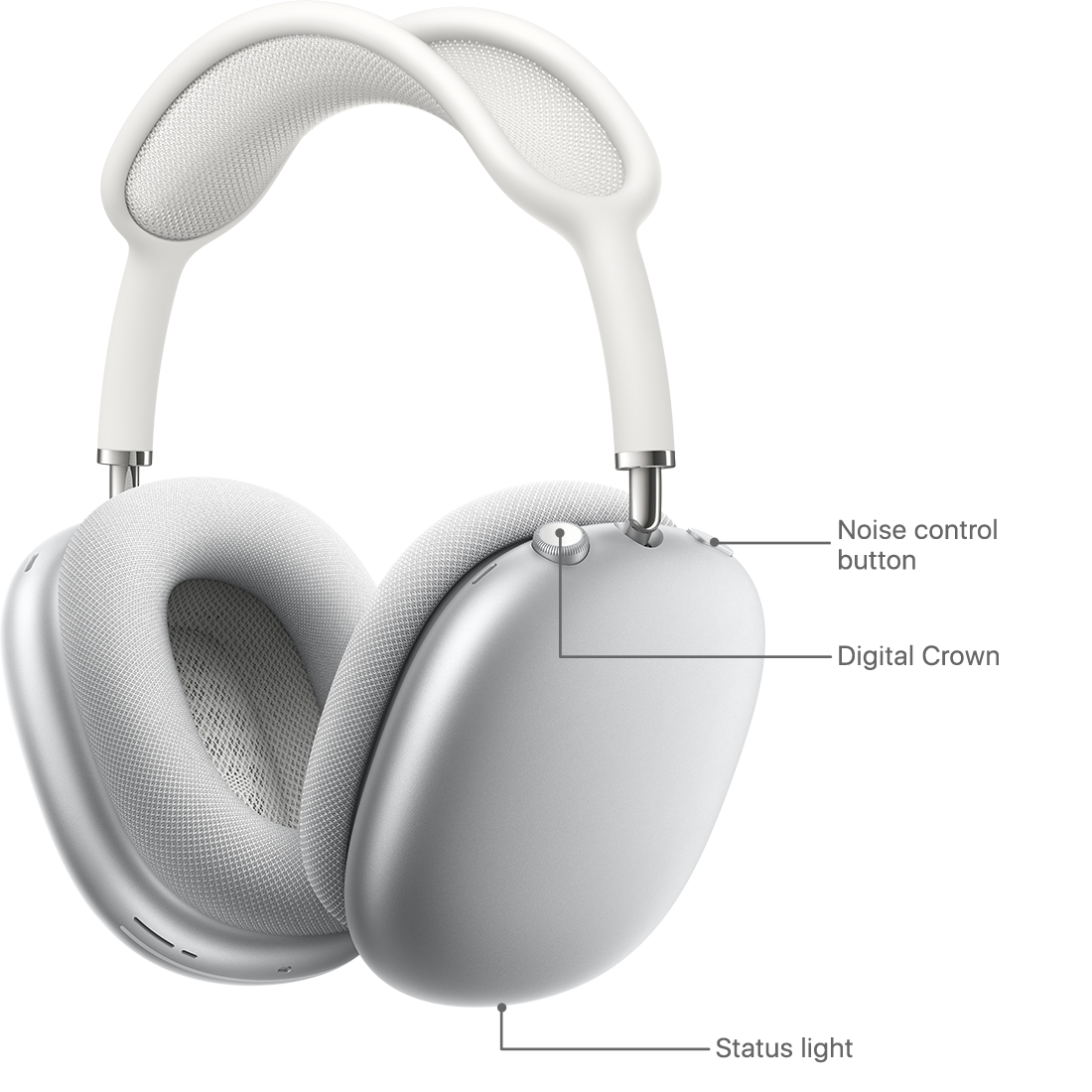
To restart or reset your AirPods Max:
- First, charge them for a few minutes.
- If you're experiencing issues with your AirPods Max, you can restart them. Press and hold the noise control button and the Digital Crown until the LED flashes amber.
- You can also reset AirPods Max to factory settings. Press and hold the noise control button and the Digital Crown for 15 seconds, until the LED flashes amber, then white.
- After you reset your AirPods Max, you can connect them to your iOS or iPadOS device, or connect them to your Mac or other device.
AirPods Max can be associated with one Apple ID. If you want to use AirPods Max that someone else has used, they need to first remove them from their Apple ID."
More details can be found here: How to reset your AirPods Max
If the issue persist, can you provide a few more details? Does this happen if pairing to another device? Also, when did you first notice this?
Cheers!



