Hello designhostess,
It sounds like your Messages app created a new messaging thread when you sent yourself a message today even though the contact info is the same, right? Have you tried deleting that new thread and send another message? If you try that, does it appear as a new thread again?
Use Messages on your Mac - Apple Support
Do you also have Text Message Forwarding set up on your devices? Take a look at this guide here:
How to forward SMS/MMS text messages from your iPhone to your iPad, iPod touch or Mac - Apple Support
1. On your iPhone, iPad, or iPod touch, go to Settings > Messages > Send & Receive. On your Mac, open Messages, choose Messages > Preferences, then click iMessage. Make sure that you're signed in to iMessage with the same Apple ID on all your devices.
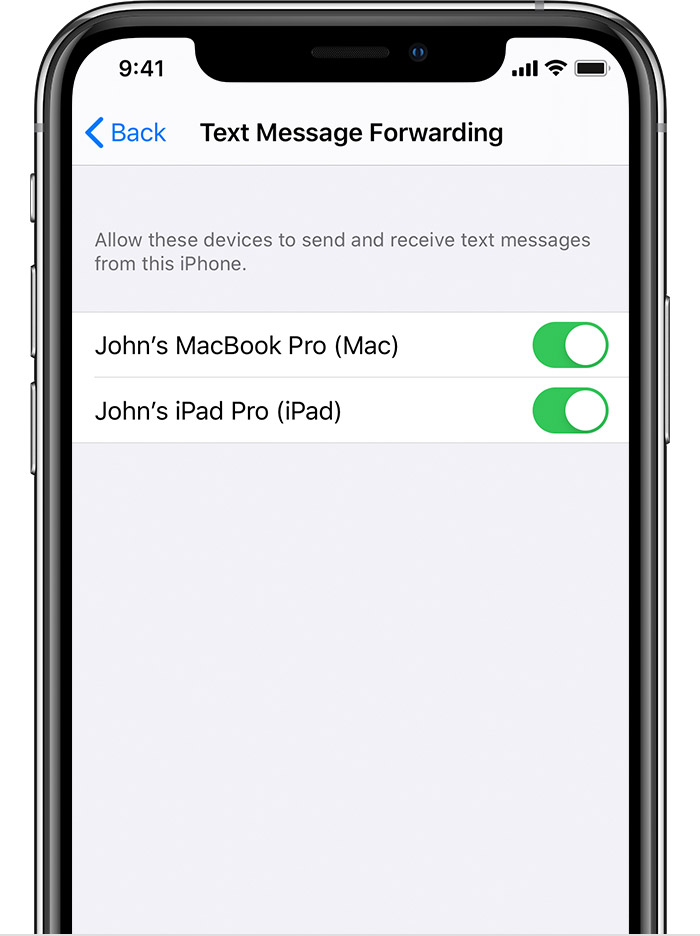
2. On your iPhone, go to Settings > Messages > Text Message Forwarding.*

3. Choose which devices can send and receive text messages from your iPhone. If you're not using two-factor authentication for your Apple ID, a verification code appears on each of your other devices: enter that code on your iPhone.
Regards.

