CarPlay microphone not working properly on iOS16 on iPhone 14 ProMax

I have two iPhone 14 Pro Maxes that I got last week that are running iOS 16. Since upgrading my phones, when I connect to either of my cars (both Subarus) via Apple cable to CarPlay and make a call, the caller can barely hear me. Prior to upgrade, I had an iPhone 11 Pro Max and an iPhone 12 Pro Max using CarPlay in these same vehicles using the same cables and people could hear me clear as ever. Actually, I was always very impressed at how clearly the microphone picked up and filtered out background noise.


So is this problem iOS 16? Or is it the iPhone 14 Pro Maxes? I’ve not tested to see if it’s using the phone’s microphone or not. I just know that I sound like I’m VERY far away from the mic and very quiet.


If I’m on a call and unplug from CarPlay or just tap my speakerphone button, they can hear me perfectly fine. So I don’t think it’s using my phone’s microphone… or if it is, it’s using it in regular phone mode, not speakerphone mode.


I make many calls from the car, so this is not good!


I also had Subaru update my head unit (factory) to the latest version just to ensure it wasn’t something with my car. But it’s happening with two phones, two cars, so I think we can say it’s definitely the phones/iOS.

iPhone 14 Pro Max, iOS 16

Posted on Sep 25, 2022 6:59 AM

Reply
Question marked as Top-ranking reply

Posted on Oct 26, 2022 2:41 PM

I did some research and it looks like it was resolved in 16.0.3. I have since updated to 16.1 and not have had any complaint from people since.

24 replies

Sep 27, 2022 6:39 AM in response to mreding

Hi mreding,


Try the steps here since you have issues with sound quality on your iPhone : If you hear no sound or distorted sound from your iPhone, iPad, or iPod touch speaker - Apple Support


Follow these steps

If your device has a Ring/Silent switch, move the switch forward—toward the device's display—so that orange isn't showing. If you're using an iPad, you can also swipe down from the top-right corner to open Control Center and make sure that Silent Mode is off. 
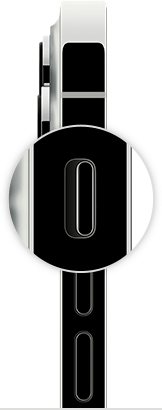
iPhone ring/silent switch
Open Settings > Focus > Do Not Disturb and make sure that Do Not Disturb is off.

Contact Apple Support

If you checked the sound settings and your device still has sound issues, contact Apple Support to discuss service options.

If you want to try more steps on your own

If you prefer, here are some more steps you can try on your own. After following these steps, you might still need to contact Apple Support to discuss service options.

Remove all screen protectors, films, or cases from your device. 

Check the speaker opening to see if it's blocked or dirty. On iPhone only, make sure that the receiver isn't blocked or dirty. 

If necessary, clean the speaker or receiver opening with a small, soft-bristled brush. Make sure that the brush is clean and dry.

Go to Settings > Sounds (or Settings > Sounds & Haptics), and drag the Ringer and Alerts slider back and forth a few times. If you don't hear any sound, or if your speaker button on the Ringer and Alerts slider is dimmed, your speaker might need service.

If you hear sound, try making a call with your iPhone and turn on speakerphone. On iPad or iPod touch, make a FaceTime call. If you still can't hear, or hear static or crackling, then your network or reception could be the issue. Try to call again later, or from a different location.


The steps above will help you to troubleshoot the sound issue that you're having with your iPhone.


If you're still experiencing the same issue, try the steps in the article here: If you need help with CarPlay - Apple Support


Post back if you are still having problems after working through the steps in the link above. 


Thanks for using the Apple Support Communities.


Cheers!

This thread has been closed by the system or the community team. You may vote for any posts you find helpful, or search the Community for additional answers.

CarPlay microphone not working properly on iOS16 on iPhone 14 ProMax

Welcome to Apple Support Community
A forum where Apple customers help each other with their products. Get started with your Apple Account.