how to take a full screenshot of my wallet
Hello 👋 how to take a full screenshot of my wallet
Hello 👋 how to take a full screenshot of my wallet
Hello Swirkosz,
In order to take a screenshot, you'll need to follow these steps: Take a screenshot on your iPhone - Apple Support
Take a screenshot on your iPhone
Quickly save what's on your screen.
How to take a screenshot on iPhone 13 and other models with Face ID
1. Press the side button and the volume up button at the same time.
2. Quickly release both buttons.
3. After you take a screenshot, a thumbnail temporarily appears in the lower-left corner of your screen. Tap the thumbnail to open it or swipe left to dismiss it.
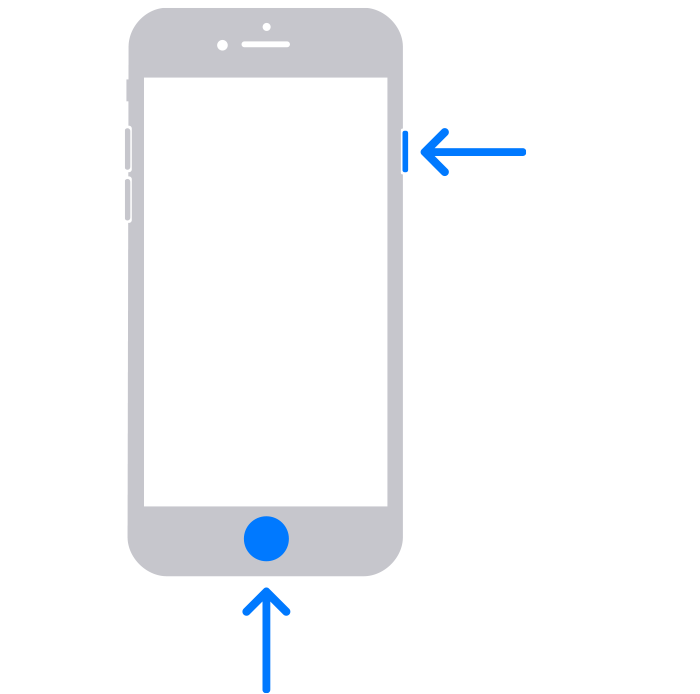
How to take a screenshot on iPhone models with Touch ID and side button
1. Press the side button and the Home button at the same time.
2. Quickly release both buttons.
3. After you take a screenshot, a thumbnail temporarily appears in the lower-left corner of your screen. Tap the thumbnail to open it or swipe left to dismiss it.
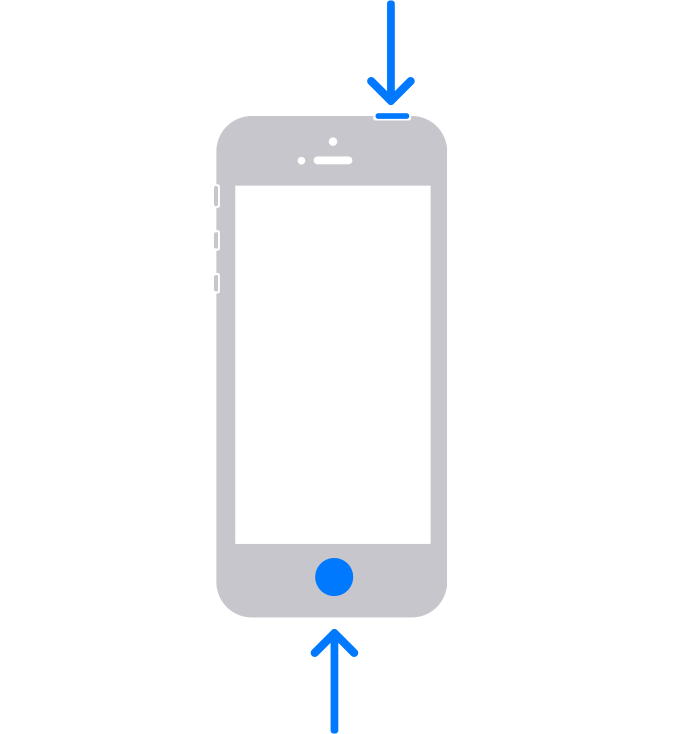
How to take a screenshot on iPhone models with Touch ID and top button
1. Press the top button and the Home button at the same time.
2. Quickly release both buttons.
3. After you take a screenshot, a thumbnail temporarily appears in the lower-left corner of your screen. Tap the thumbnail to open it or swipe left to dismiss it.
Where to find screenshots
Open Photos, then go to Albums > Media Types > Screenshots.
You may need to take multiple screenshots to get all the details you need. However, we would not recommend sharing these Wallet app screenshots with others, since it will include some of your personal information (credit card and passes information).
Hoping this helps out, take care.
how to take a full screenshot of my wallet