Greetings ChrisAtFCPS,
To clarify, does this issue only occur with YouTube or when trying to download other apps as well? We'd like to provide you with a few steps that may help resolve the issue:
• Close the App Store:
1. On the Siri Remote, press the TV button  twice quickly.
Windows representing each of the open apps appear in a row on the screen.
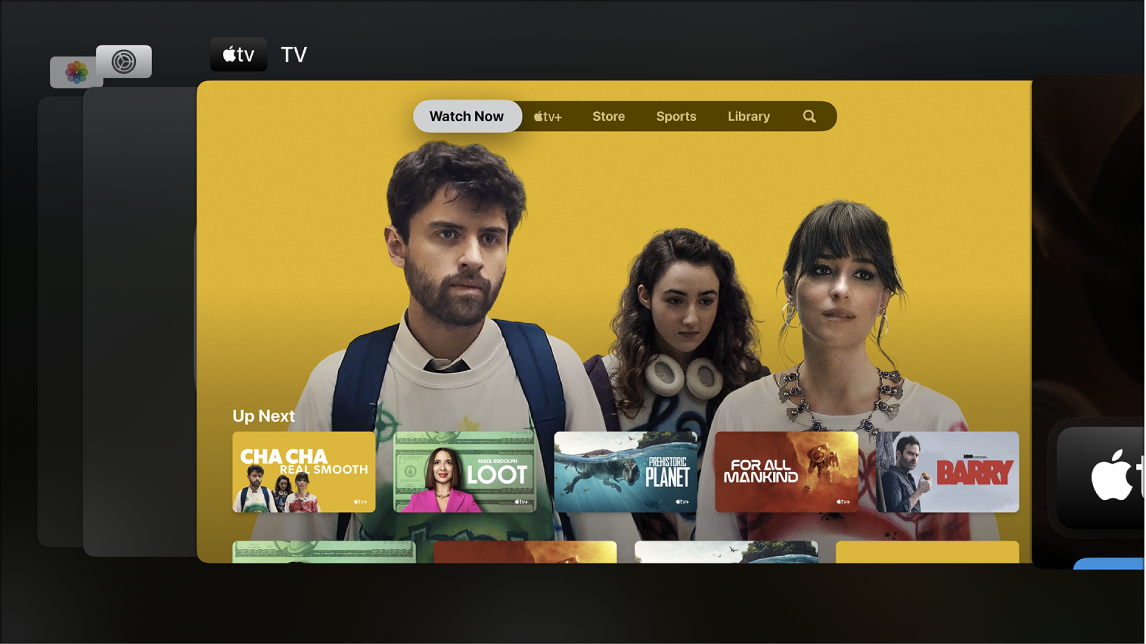
2. In app-switching view, navigate to a different app in the center of the screen, then do either of the following:
• Switch to the highlighted app: Press the clickpad center (second-generation Siri Remote) or touch surface (first-generation Siri Remote).
• Force the highlighted app to quit: Swipe up on the clickpad or touch surface.
3. To leave app-switching view without changing apps, press the Back button  (second-generation Siri Remote) or
  button (first-generation Siri Remote).
More details here: Switch quickly between Apple TV apps
• Restart Apple TV
Do any of the following:
• Press and hold both the Back (second-generation Siri Remote) or (first-generation Siri Remote) and TV buttons on the Siri Remote until the Apple TV status light blinks rapidly.
• Disconnect Apple TV from the power outlet, wait five seconds, then reconnect it.
• Open Settings  on Apple TV, go to System and select Restart.
We hope this helps.
Take care.


