YouTube app won’t download on AppleTV. It starts spinning like it’s looking for the download in the store but never starts downloading

YouTube app won’t download on AppleTV. It starts spinning like it’s looking for the download in the store but never starts downloading

Posted on Oct 11, 2022 4:58 PM

Reply
Question marked as Top-ranking reply

Posted on Oct 12, 2022 5:26 PM

Greetings ChrisAtFCPS,


To clarify, does this issue only occur with YouTube or when trying to download other apps as well? We'd like to provide you with a few steps that may help resolve the issue:


• Close the App Store:

1. On the Siri Remote, press the TV button   twice quickly. 
Windows representing each of the open apps appear in a row on the screen.
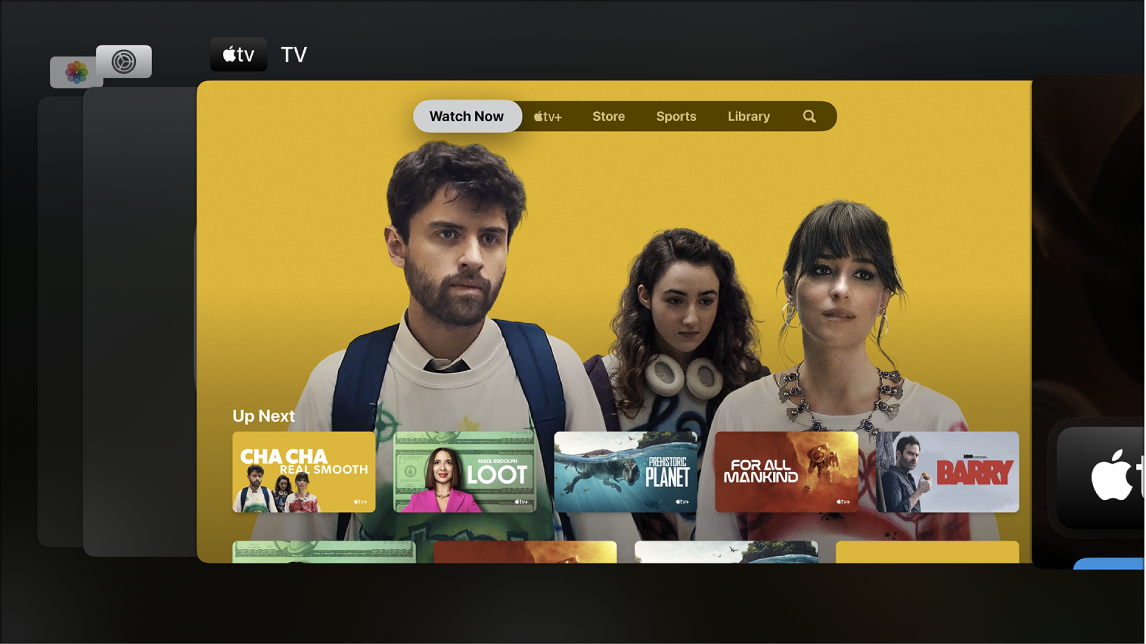
Apple TV screen showing App Switcher
2. In app-switching view, navigate to a different app in the center of the screen, then do either of the following:
• Switch to the highlighted app: Press the clickpad center (second-generation Siri Remote) or touch surface (first-generation Siri Remote).
• Force the highlighted app to quit: Swipe up on the clickpad or touch surface.
3. To leave app-switching view without changing apps, press the Back button  (second-generation Siri Remote) or Menu button button (first-generation Siri Remote).

More details here: Switch quickly between Apple TV apps


Restart Apple TV

Do any of the following:
• Press and hold both the Back  (second-generation Siri Remote) or  (first-generation Siri Remote) and TV   buttons on the Siri Remote until the Apple TV status light blinks rapidly.

• Disconnect Apple TV from the power outlet, wait five seconds, then reconnect it.
• Open Settings  on Apple TV, go to System and select Restart.



We hope this helps.

Take care.

1 reply
Question marked as Top-ranking reply

Oct 12, 2022 5:26 PM in response to ChrisAtFCPS

Greetings ChrisAtFCPS,


To clarify, does this issue only occur with YouTube or when trying to download other apps as well? We'd like to provide you with a few steps that may help resolve the issue:


• Close the App Store:

1. On the Siri Remote, press the TV button   twice quickly. 
Windows representing each of the open apps appear in a row on the screen.
Apple TV screen showing App Switcher
2. In app-switching view, navigate to a different app in the center of the screen, then do either of the following:
• Switch to the highlighted app: Press the clickpad center (second-generation Siri Remote) or touch surface (first-generation Siri Remote).
• Force the highlighted app to quit: Swipe up on the clickpad or touch surface.
3. To leave app-switching view without changing apps, press the Back button  (second-generation Siri Remote) or Menu button button (first-generation Siri Remote).

More details here: Switch quickly between Apple TV apps


Restart Apple TV

Do any of the following:
• Press and hold both the Back  (second-generation Siri Remote) or  (first-generation Siri Remote) and TV   buttons on the Siri Remote until the Apple TV status light blinks rapidly.

• Disconnect Apple TV from the power outlet, wait five seconds, then reconnect it.
• Open Settings  on Apple TV, go to System and select Restart.


We hope this helps.

Take care.

This thread has been closed by the system or the community team. You may vote for any posts you find helpful, or search the Community for additional answers.

YouTube app won’t download on AppleTV. It starts spinning like it’s looking for the download in the store but never starts downloading

Welcome to Apple Support Community
A forum where Apple customers help each other with their products. Get started with your Apple Account.