My screen time password says it’s wrong and I can’t log in with my Apple ID I think I created a different email and I forgot

My phone won’t let me erase it because I had a screen time password but I don’t remember putting it and I pressed forgot password but it’s just saying failed attempted

iPhone 11 Pro Max, iOS 15

Posted on Oct 13, 2022 3:28 PM

Reply
Question marked as Top-ranking reply

Posted on Oct 14, 2022 5:13 PM

Hello breceida,


If you've forgotten your Screen Time passcode, you can use these steps to reset it:


  1. Make sure that your device is updated to iOS 13.4 or iPadOS 13.4 or later
  2. Go to Settings > Screen Time. 
  3. Tap Change Screen Time Passcode, then tap Change Screen Time Passcode again.
  4. Tap Forgot Passcode?
  5. Enter the Apple ID and password* that you used to set up the Screen Time passcode.
  6. Enter a new Screen Time passcode, then enter it again to confirm.


If you forgot your Screen Time passcode


If you're unable to reset the passcode, then you'll just need to restore the device through a computer in order to erase it. When you connect it to the computer you'll need to put it in recovery mode in order to bypass the passcode and restore it.


  1. Make sure that your Mac is up to date. If you're using iTunes, make sure you have the latest version of iTunes
  2. On a Mac with macOS Catalina or later, open Finder. On a Mac with macOS Mojave or earlier, or on a PC, open iTunes. If iTunes is already open, close it, then open it again. Find out which macOS your Mac is using.
  3. Keep your device connected and wait until the recovery mode screen appears:
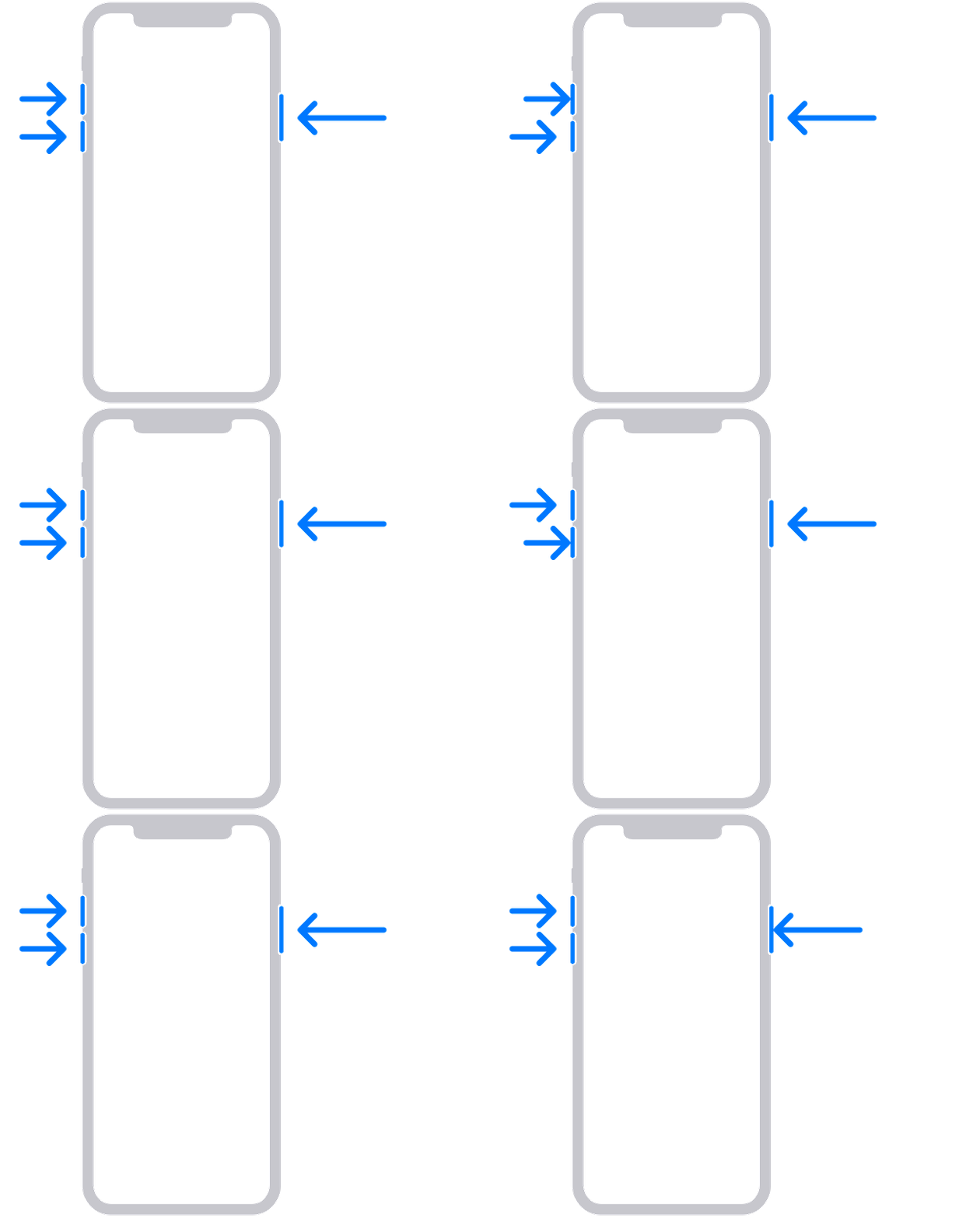
  • iPhone 8 or later, including iPhone SE (2nd generation): Press and quickly release the volume up button. Press and quickly release the volume down button. Then, press and hold the side button until you see the recovery mode screen.
4. Locate your device on your computer. When you see the option to Restore or Update, choose Restore. Wait while your computer downloads the software for your device. If the download takes more than 15 minutes and your device exits the recovery mode screen, let the download finish, then repeat step 3.
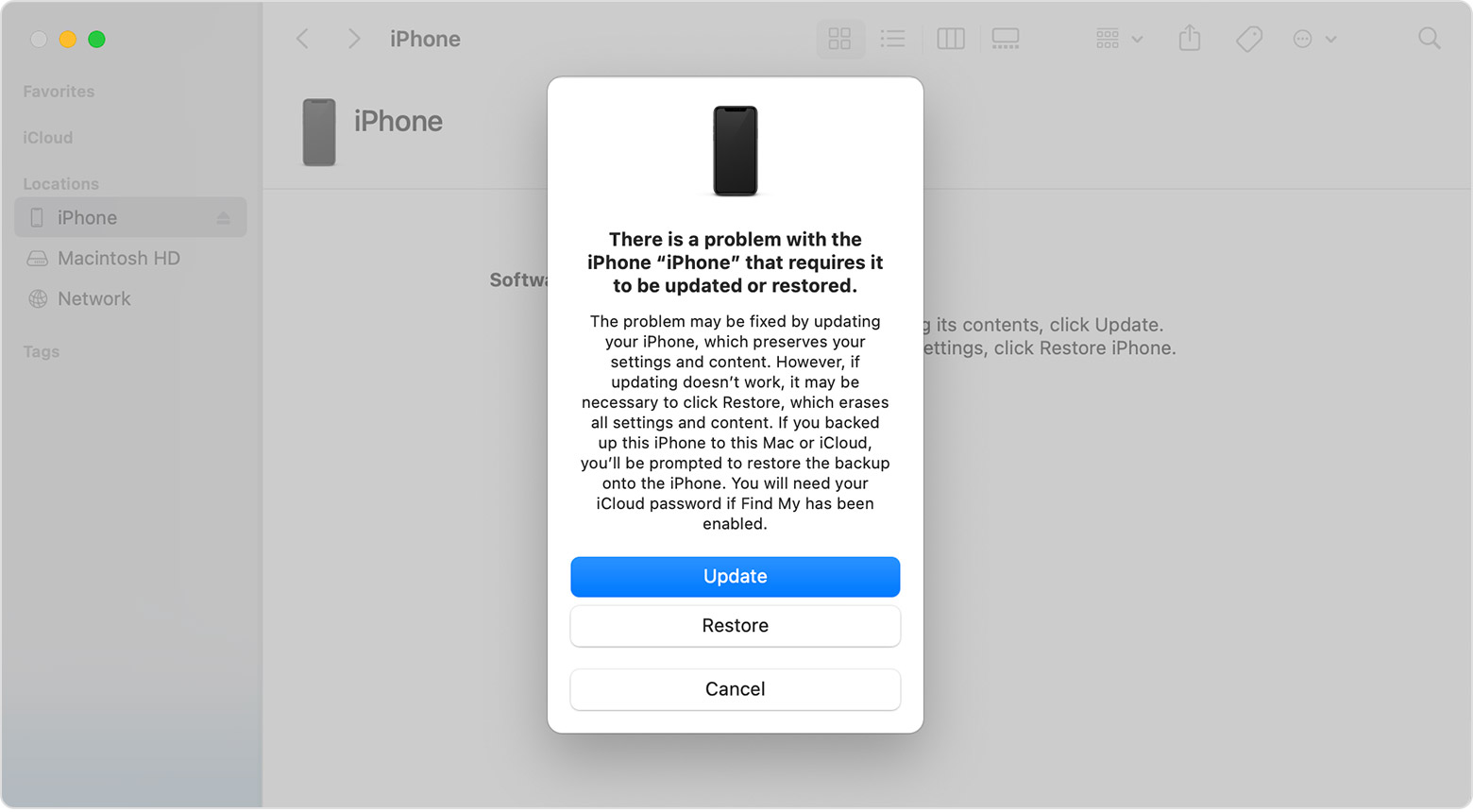
A Finder window on a Mac showing options to restore or update your iPhone.

5.After the Update or Restore completes, set up your device.


If you can't update or restore your iPhone or iPod touch


Cheers!


1 reply
Question marked as Top-ranking reply

Oct 14, 2022 5:13 PM in response to breceida

Hello breceida,


If you've forgotten your Screen Time passcode, you can use these steps to reset it:


  1. Make sure that your device is updated to iOS 13.4 or iPadOS 13.4 or later
  2. Go to Settings > Screen Time. 
  3. Tap Change Screen Time Passcode, then tap Change Screen Time Passcode again.
  4. Tap Forgot Passcode?
  5. Enter the Apple ID and password* that you used to set up the Screen Time passcode.
  6. Enter a new Screen Time passcode, then enter it again to confirm.


If you forgot your Screen Time passcode


If you're unable to reset the passcode, then you'll just need to restore the device through a computer in order to erase it. When you connect it to the computer you'll need to put it in recovery mode in order to bypass the passcode and restore it.


  1. Make sure that your Mac is up to date. If you're using iTunes, make sure you have the latest version of iTunes
  2. On a Mac with macOS Catalina or later, open Finder. On a Mac with macOS Mojave or earlier, or on a PC, open iTunes. If iTunes is already open, close it, then open it again. Find out which macOS your Mac is using.
  3. Keep your device connected and wait until the recovery mode screen appears:
  • iPhone 8 or later, including iPhone SE (2nd generation): Press and quickly release the volume up button. Press and quickly release the volume down button. Then, press and hold the side button until you see the recovery mode screen.

4. Locate your device on your computer. When you see the option to Restore or Update, choose Restore. Wait while your computer downloads the software for your device. If the download takes more than 15 minutes and your device exits the recovery mode screen, let the download finish, then repeat step 3.

A Finder window on a Mac showing options to restore or update your iPhone.

5.After the Update or Restore completes, set up your device.


If you can't update or restore your iPhone or iPod touch


Cheers!


This thread has been closed by the system or the community team. You may vote for any posts you find helpful, or search the Community for additional answers.

My screen time password says it’s wrong and I can’t log in with my Apple ID I think I created a different email and I forgot

Welcome to Apple Support Community
A forum where Apple customers help each other with their products. Get started with your Apple Account.