
No keyboard to login
IPad Air (1yr old, no home button) up to date iOS. Swiping up shows an alternative 'enter passcode ' box but no keyboard to enter the password. Help!
iPad Air 5 Wi-Fi, Cellular
IPad Air (1yr old, no home button) up to date iOS. Swiping up shows an alternative 'enter passcode ' box but no keyboard to enter the password. Help!
iPad Air 5 Wi-Fi, Cellular
Hello Walldav,
It sounds like you're not seeing a keyboard when trying to unlock your iPad. Just to verify, do you have a numbered passcode or an alphanumeric passcode?
Have you tried to restart the iPad again to see if the keyboard will come up? Here's how to restart your iPad:
Restart your iPad - Apple Support
"How to restart an iPad without a Home button
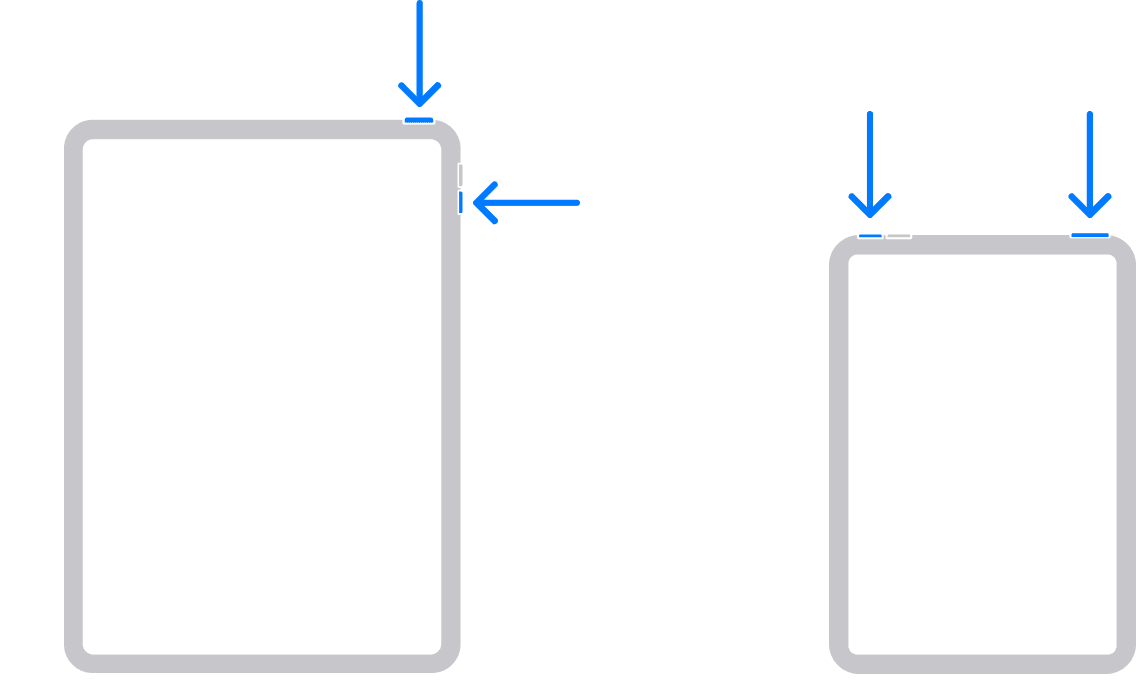
2. Drag the slider, then wait 30 seconds for your device to turn off. If your device is frozen or unresponsive, force restart your device.
3. To turn your device back on, press and hold the top button until you see the Apple logo."
Regards.
Hello Walldav,
It sounds like you're not seeing a keyboard when trying to unlock your iPad. Just to verify, do you have a numbered passcode or an alphanumeric passcode?
Have you tried to restart the iPad again to see if the keyboard will come up? Here's how to restart your iPad:
Restart your iPad - Apple Support
"How to restart an iPad without a Home button
2. Drag the slider, then wait 30 seconds for your device to turn off. If your device is frozen or unresponsive, force restart your device.
3. To turn your device back on, press and hold the top button until you see the Apple logo."
Regards.
No keyboard to login

