Audible alert notifications for specific email senders while focus is on. So I can wake up when I get a on call email to go to work.

I do shift work and have a specific work phone where I receive on call notification via email. Can the do not disturb function or focus settings be adjusted audible notifications be allowed for specific email sender only?

Posted on Oct 29, 2022 9:10 AM

Reply
1 reply

Oct 31, 2022 5:21 PM in response to Worktomuch

Hello Worktomuch,


While you can't allow a single email address to email you with a filter, you can allow a specific email account using these steps:


Add Focus filters
When you set up a Focus, you can add app filters that determine what information apps will show when the Focus is on. For example, you can show your work calendar only while your Work Focus is on.
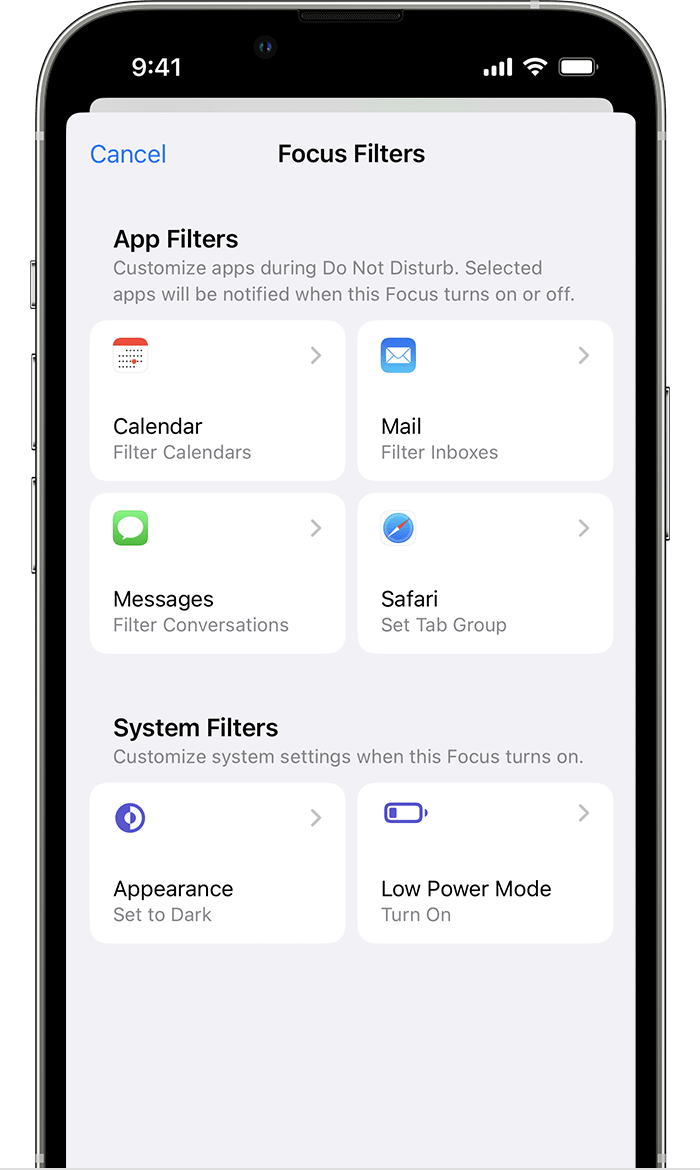
iPhone screen showing Focus filters settings where you can add app or system filters. 
1.) Go to Settings > Focus, then tap the Focus you want to add filters to.
2.) Scroll down to Focus Filters, then tap Add Filter.
3.) Tap an app, then select the information you want to see from that app while the Focus on.
4.) Tap Add.

You can read more here: Use Focus on your iPhone or iPad - Apple Support


If you'd like to leave feedback regarding this feature, you can do so at the following link: Product Feedback - Apple


Take care.

This thread has been closed by the system or the community team. You may vote for any posts you find helpful, or search the Community for additional answers.

Audible alert notifications for specific email senders while focus is on. So I can wake up when I get a on call email to go to work.

Welcome to Apple Support Community
A forum where Apple customers help each other with their products. Get started with your Apple Account.