Hello the jingle,
Thanks for posting in the Apple Support Communities.
It sounds like you're looking to have your AirPods connect with your iPhone 13 Pro as priority over the iPad Pro at times, correct?
If we have that correctly, let's see if there may be some settings to adjust that could be preventing this from occurring seamlessly. The steps below speak to preventing the AirPods from switching to a device, so be sure your settings do not match them. You can locate additional helpful information here: Switch AirPods between Apple devices - Apple Support
Prevent AirPods from switching to your iPhone, iPad, or iPod touch
If you’re listening to audio on your iPhone, iPad, or iPod touch, and your AirPods switch to another device, you can easily switch back.
Tap  in the “Moved to” notice at the top of the screen.
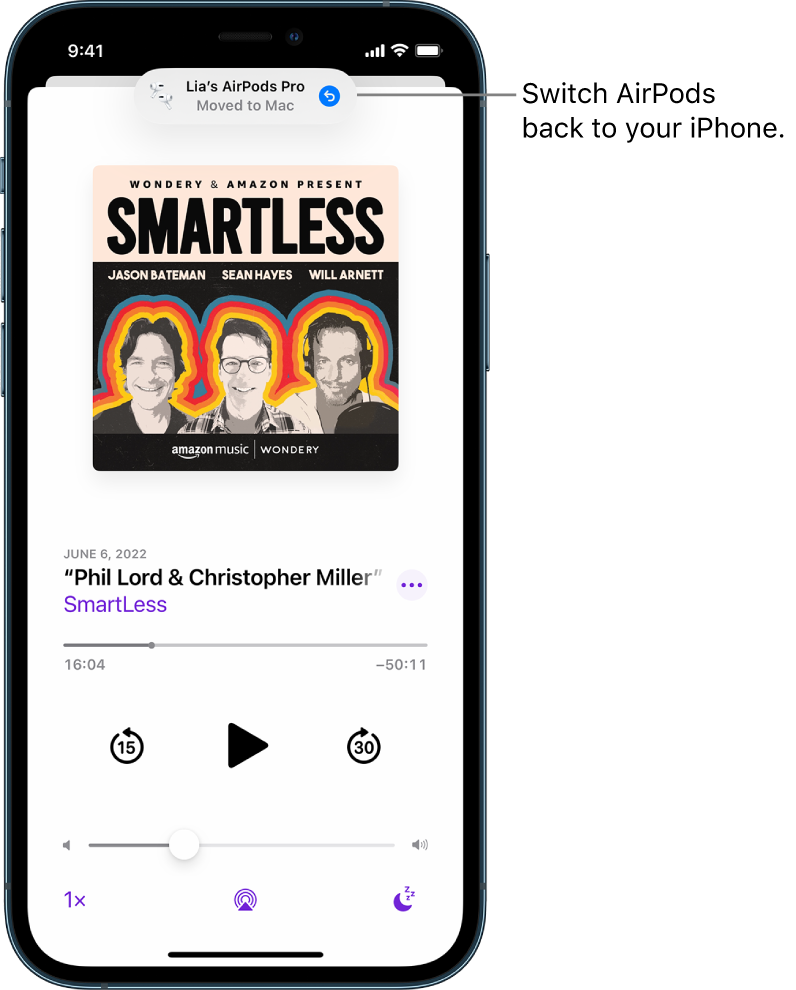
If you don’t want your AirPods to switch automatically, do the following:
1. Wear your AirPods, and make sure they’re connected to your device.
2. On your iPhone, iPad, or iPod touch, go to Settings  , then tap the name of your AirPods near the top of the screen.
3. Tap Connect to This [device], then tap When Last Connected to This [device].
Let us know if making any adjustments helped to clear this up for you, and confirm which software version you're using on both devices.
Take care!


